
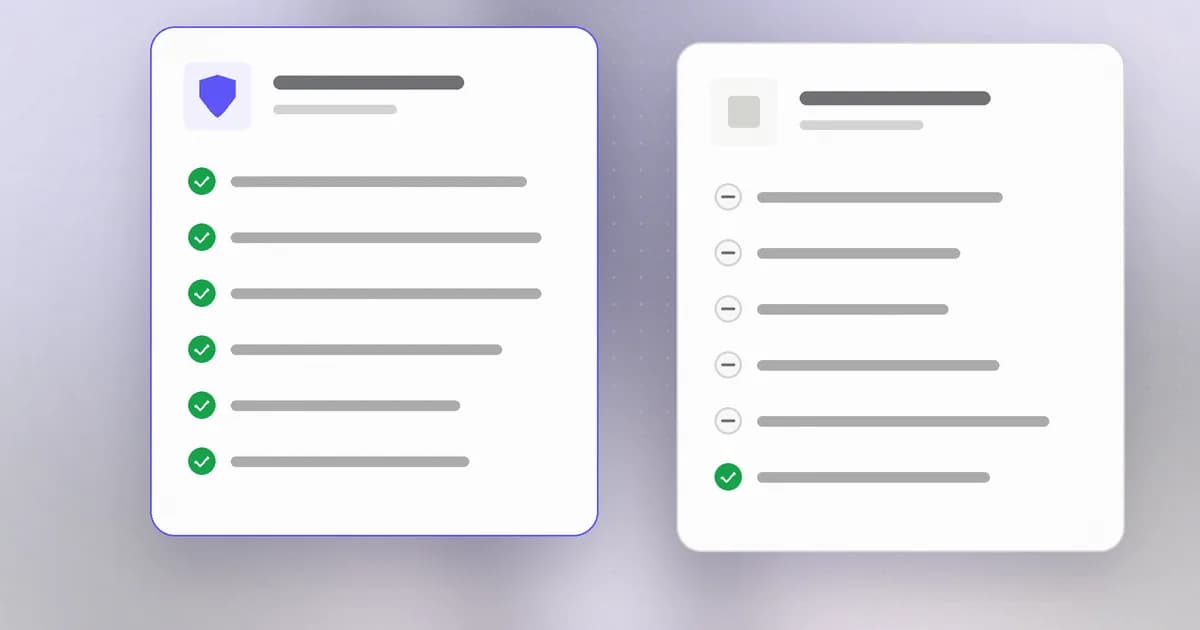
"AI agent security platform" is one phrase covering at least four different products, and the vendors selling each of them use the exact same marketing language. A local tool that watches a developer's shell commands, a scanner that checks an MCP config before you connect it, an enterprise platform that enforces policy across a whole org's API traffic, and an LLM observability tool built for token-spend tracing — all four get called an "AI agent security platform" somewhere in their own copy. Evaluating this category starts with figuring out which layer you actually have a problem at, because the tools don't substitute for each other.
TL;DR
| Layer | What it actually watches | Example category | Buy this if... |
|---|---|---|---|
| Endpoint monitor | A coding agent's own machine — shell, files, tool calls | Local activity monitors | You need to know what your developers' AI agents actually did |
| Scanner | An MCP config or skill file, before you run it | Pre-run static scanners | You need a check before connecting a server or installing a skill |
| Enterprise platform | Network/API traffic across an organization | Runtime enforcement + posture | You need centralized policy and blocking across many teams |
| Observability | Traces, evaluations, and token spend | LLM tracing platforms | You're debugging or costing production LLM applications, not primarily securing them |
Why the category is confusing on purpose
Every vendor in this space wants the broadest possible label, because "AI agent security platform" is the term buyers actually search for. That's a reasonable marketing instinct and a genuine evaluation trap: a security team that searches the phrase and picks the first well-funded result may end up with an enterprise runtime-enforcement platform when what they actually needed was a way to see what a handful of developers' local coding agents are doing — or the reverse, a local tool when what they needed was org-wide policy enforcement. The fix is to name the layer before naming the vendor.
The four layers, precisely
Local endpoint monitors
Tools that watch what a coding agent does on the developer's own machine — shell commands, file reads and writes, tool and MCP calls, as they happen. This is the narrowest and usually cheapest category, and it's the layer Beam sits in: local-first, runtime activity recorded and flagged, nothing sent off the machine by default. Several tools in this category, including Perplexity's open-source Numbat, ship as a lightweight local process rather than a hosted service.
The honest limitation: an endpoint monitor only sees what happens on the machine it's installed on. Beam adds a workspace console so owners and admins can set observe, advisory, or enforce policy across enrolled machines, and Sentinel for browser AI chats. Enforce is still hook-based — Claude Code and Codex get native denies; Cursor, Copilot CLI and Gemini currently get a deny note. Missing or expired cached policy is fail-open. It is not a kernel sandbox.
MCP and skill scanners
Static scanners that check an MCP server's config or a skill file's content for tool poisoning, prompt injection, and credential-handling problems, before you connect the server or run the skill. This is a crowded, mostly free niche — the barrier to shipping a pattern-matching scanner is low, and the MCP security supply chain has already produced real incidents worth checking for.
Scanners and endpoint monitors are complementary, not competitive: a scanner checks a moment in time before approval; a monitor records what happened after. A team using only one has a real gap — either no warning before something poisoned gets connected, or no record of what an already-approved tool actually did once it started running.
Enterprise AI security platforms
Well-funded platforms spanning AI asset discovery, security posture management, runtime protection, and policy enforcement across an entire organization — typically sitting in the network or API path rather than on individual developer machines. Most of what's in this category already does things a local endpoint monitor doesn't: centralized dashboards across hundreds of developers, blocking (not just flagging) risky calls in real time, and integration with existing enterprise identity and SIEM stacks. That capability comes with the cost and deployment complexity you'd expect from enterprise software.
A related but distinct slice is the execution environment itself: a sandbox runtime with kernel-level policy, optionally enforced in silicon. NVIDIA's Open Agent Safety Platform (OpenShell plus optional BlueField-4 Sentry) is that layer — you put the agent inside a verified boundary rather than watching an IDE agent that is already running on a laptop. It is not a substitute for an endpoint monitor or an MCP scanner, and it is not the same product as an enterprise API-path platform.
LLM and agent observability
Tracing, evaluation, and token-spend platforms built primarily for debugging and cost management in production LLM applications, not security. They overlap the other three categories only at the edges — agent-step visibility and spend tracking are useful signals, but these tools generally aren't built to flag credential exposure or destructive commands the way a security-focused monitor or scanner is.
The actual evaluation checklist
- Name the layer before the vendor. Is the problem "we don't know what our developers' coding agents are doing on their own machines," "we need to check a config before connecting it," "we need org-wide policy enforcement," or "we need to debug/cost our production LLM app"? Each maps to a different category above.
- Ask whether it blocks, and at which layer. Enterprise API-path platforms typically block in the network. Kernel runtimes such as OpenShell contain outside the process. Beam workspace enforce denies matching Claude Code and Codex tool calls and Sentinel can pause or block high-risk browser sends — hook- and extension-based, fail-open on expired cached policy. Neither is wrong; mismatching the layer to the requirement is.
- Ask where the data lives. Local-first tools keep everything on the machine that generated it; enterprise platforms typically centralize data in vendor infrastructure or your own cloud. Both are legitimate depending on what you're optimizing for — visibility without a new data-handling obligation, versus centralized governance.
- Confirm it covers the harnesses you actually use. A tool built for one agent framework's hook API won't automatically cover a different one. Check for explicit support of Claude Code, Codex, or whatever your teams actually run, not just "AI agents" as a category claim.
Reference points to test vendor claims against
A buyer does not have to take a vendor's word for what a layer should do. Three public documents give concrete things to check.
The OWASP Top 10 for Agentic Applications for 2026. OWASP published this list on December 9, 2025, describing it as a peer-reviewed framework built with more than 100 experts that identifies the most critical risks facing autonomous and agentic AI systems. Use it as a coverage checklist: ask a vendor which of its risk categories the product detects, which it blocks, and which it does not address. A tool that claims all of them deserves a closer look.
The Model Context Protocol's security best practices. The MCP security best practices page lists attacks and mitigations that map onto the scanner and monitor layers. Its section on local MCP server compromise describes three routes: a malicious startup command in a client configuration, a malicious payload inside the server itself, and an insecure local server reachable through DNS rebinding. It names the risks as arbitrary code execution with the client's privileges, no visibility into what commands run, command obfuscation, data exfiltration and data loss. For clients with one-click setup it says the client MUST show the exact command, untruncated, flag it as a potentially dangerous operation, and require explicit approval. It also lists token passthrough, where a server accepts tokens not issued to it, as explicitly forbidden. A scanner that reads configs should be able to say which of these it looks for. A monitor should be able to show you the command that ran.
The agent's own hook documentation. An endpoint monitor that enforces depends on the agent's hook API, so read the agent's docs. The Claude Code hooks reference lists PreToolUse as firing before a tool call executes and able to block it, with a permissionDecision of deny in the hook's output. It also says that exit code 0 with no output means the hook has no decision to report, so the tool call continues through the normal permission flow, and that a silent hook does not approve anything. Hooks from settings, managed policy and plugins also run inside subagents, and MCP tools can be matched by name. Two vendor questions follow: does your product use the native hook for the agent you run, and what does it do when the hook does not run or has no decision?
What an honest coverage claim looks like
Perplexity's open-source Numbat is a useful model of how to state coverage, whatever you decide about using it. Its README describes endpoint visibility into agent activity through local hooks and plugins, OTLP/HTTP logs and on-disk session artifacts, with detection running locally. It says blocking is off by default and limited to supported synchronous pre-action hooks, that enforce mode applies only to rules marked enforce: true, and that all shipped rules are monitor-only. It points to a coverage matrix as authoritative for each host and surface, and warns that hook status verifies configuration, not execution or delivery.
Every part of that is a pattern to ask other vendors for: a coverage matrix per agent, a statement of what is off by default, and a clear line between "configured" and "working". The same discipline applies to Beam, whose own documentation says Claude Code and Codex get policy deny output, Cursor and Copilot CLI payloads are translated without a wired blocking response, and Gemini is best-effort and unverified.
Questions to put to a vendor
| Question | What a good answer includes |
|---|---|
| Which layer are you? | Endpoint, scanner, network or API path, sandbox, or observability, stated plainly |
| Which agents and versions do you cover? | A coverage matrix, with verified versus best-effort marked |
| Do you block or observe? | The exact hook or boundary that blocks, and what is monitor-only by default |
| What happens on failure? | Fail-open or fail-closed when the hook, agent or policy cache is unavailable |
| Where does data go? | Local only, your cloud, or the vendor's, and what is redacted before storage |
| How do I verify it works? | A harmless test that produces a visible event, not only an "installed" message |
| What do you not do? | A written list of limits, not a refusal to answer |
A short proof-of-concept plan
Before a purchase or a rollout, run the same small test against each candidate in a disposable project. First, install the tool and ask an agent to run a harmless action, such as listing files, then confirm the event shows the correct agent, tool name and phase. Second, if the tool claims to block, write a rule for a harmless command, run the command and confirm both the denial and the record of it. Third, simulate the failure case: stop the collector or remove the hook and see what the agent does. Fourth, look at where the data went. Compare results side by side, because the differences between layers show up in these four steps faster than in a feature table. For the monitor-versus-block trade-off in more depth, see AI agent security: monitor versus block, and for how different harnesses compare, Cursor, Claude Code and Copilot agent safety compared.
Where Beam fits, stated plainly
Beam is a local-first endpoint monitor, workspace policy layer, and pre-run scanner — worth saying directly rather than letting the category label do the work. It watches what an AI coding agent does at runtime, lets owners and admins set observe, advisory, or enforce policy, and scans MCP configs and skills before you run them, with no telemetry by default. Enforce denies matching Claude Code and Codex tool calls; Sentinel can pause or block high-risk browser sends. It's the right fit for a team that wants local visibility and owner/admin control of coding agents; it's the wrong fit for kernel isolation or SIEM-backed estate discovery — those are other layers. See the full breakdown of where Beam sits against endpoint monitors, scanners, enterprise platforms, and observability tools.
Update (October 20, 2026): new OWASP resources
OWASP's agentic applications page now lists additional GenAI Security Project resources alongside the Top 10: a GenAI Red Teaming Manual Version 1.0 dated October 20, 2026, an Agent Control Standard (ACS) dated September 1, 2026, and a GenAI Security Industry Framework Crosswalk dated September 1, 2026. We have not reviewed their contents, so we do not recommend them as criteria yet. They are worth a look when you build a vendor questionnaire, particularly the crosswalk if you need to map product claims to several frameworks at once.
Frequently asked questions
What is an AI agent security platform?
A broad marketing category, not one product shape. It covers local endpoint monitors, MCP/skill scanners, enterprise runtime-enforcement platforms, and LLM observability tools — four distinct layers that vendors across all of them market under the same phrase.
What is the difference between an endpoint monitor and an enterprise AI security platform?
An endpoint monitor runs on the agent's own machine and records local activity. An enterprise platform typically sits in the network or API path across an organization, adding runtime blocking and centralized policy — built for security teams governing many developers at once, not a single machine.
Does an MCP scanner replace an agent monitor, or the other way around?
Neither — they cover different moments. A scanner checks a config before you connect it; a monitor records what the agent did after you approved it. Using only one leaves a real gap.
Is Beam an AI agent security platform?
Beam is a local-first endpoint monitor, workspace policy layer, and pre-run scanner for AI coding agents. Owners and admins can enforce policy on Claude Code and Codex hooks and Sentinel on browser AI chats. It is not an estate-wide API-path platform or a kernel sandbox.
What should I actually check before buying one of these tools?
What layer it operates at, whether it blocks or only observes, where the data lives, and whether it covers the specific agents and harnesses your team uses.
Related reading
- The Beam Platform: an AI agent security platform for coding agents
- AI agent monitoring for coding agents
- MCP security scanning
- Compare Beam against endpoint monitors, scanners, enterprise platforms, and observability tools
- What is AI agent monitoring?
- MCP security: a practical guide to tool poisoning and rug pulls
- AI agent security assessment: skills, tools, and evidence — how to run the assessment yourself once you have picked a platform
- The AI agent security market in 2026 — who the vendors in this category actually are, and how they are funded
- Why Beam is open source — how Beam answers the "can I read the detection logic" question above
- NVIDIA Open Agent Safety Platform: OpenShell and in-silicon monitoring — a fifth cut: sandbox runtime plus optional DPU enforcement, which is not an endpoint monitor
- Beam vs NVIDIA Open Agent Safety Platform
This post reflects the AI agent security tooling landscape as of publication, with references re-checked on October 20, 2026. Vendor categorization is Beam's own assessment based on public product descriptions; check a vendor's current documentation before making a purchasing decision.