
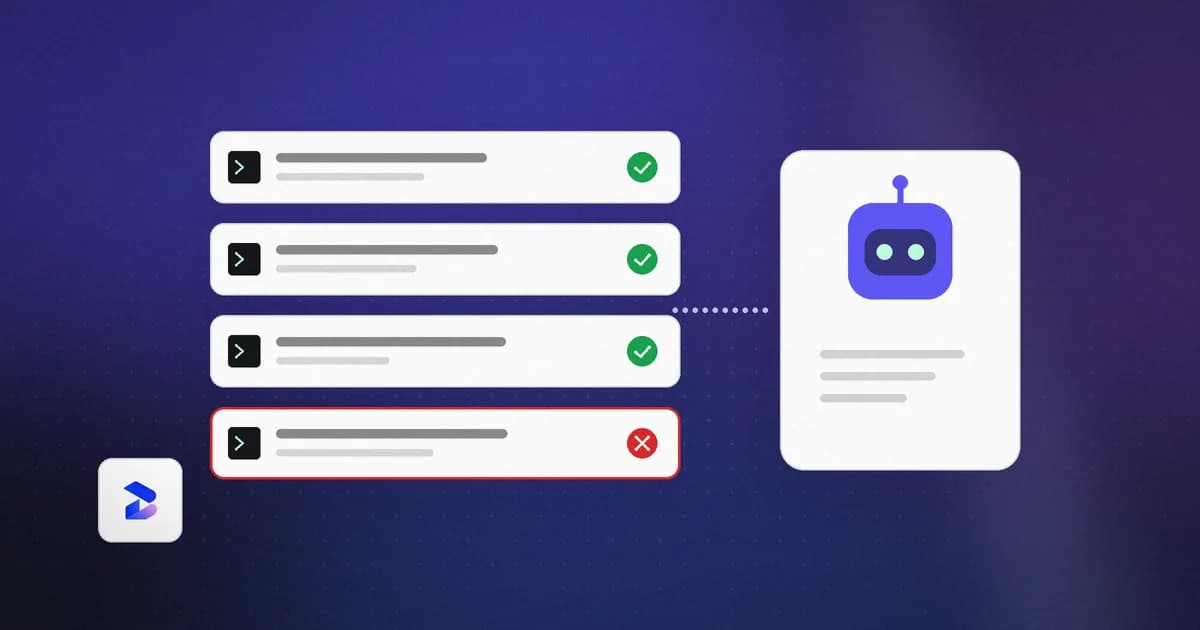
AI agent monitoring is the practice of recording what an autonomous AI agent actually does on a machine — the shell commands it runs, the files it reads and writes, the tool and MCP calls it makes, the network endpoints it contacts — and flagging the actions that match known risky patterns. It is endpoint-level observation of side effects, not model-level tracing of prompts.
Quick reference
| Question | Answer |
|---|---|
| What does it watch? | Shell commands, file changes, tool and MCP calls, network activity, privilege changes |
| Where does it run? | On the developer endpoint, alongside the agent |
| Is it the same as LLM observability? | No — that traces model calls in production apps |
| Does it block anything? | Workspace enforce denies matching Claude Code and Codex tool calls; Sentinel can pause/block high-risk browser sends |
| Where does the data live? | Local NDJSON files, credentials redacted before write |
Agent monitoring is not LLM observability
LLM observability platforms — LangSmith, Langfuse, Arize Phoenix, Datadog LLM Observability — instrument an application you built. They capture prompts, spans, tokens, latency, and eval scores so you can debug why a model produced a particular output. The subject is the model.
Agent monitoring has a different subject: the machine. When Claude Code runs rm -rf, reads ~/.ssh/id_ed25519, or a compromised MCP server BCCs your outbound mail somewhere, no amount of span tracing tells you. Those are filesystem, process, and network events on a developer laptop.
The practical test: "why did the model say that" is an observability question; "what did it touch, and should I be worried" is a monitoring question.
The five event classes worth capturing
Almost every documented agent incident falls into one of five buckets, and a setup that misses any of them has a blind spot.
- Shell commands — the highest-signal class. Destructive operations, package installs, force pushes, and anything piping a download into a shell.
- File reads and writes — especially
.envfiles, SSH private keys, cloud credential files, and shell profile edits used for persistence. - Tool and MCP calls — which server, which tool, which arguments. See MCP security: a practical guide for why the MCP layer needs its own scrutiny.
- Network endpoints — the hostnames an agent or its tools contact. Credential exfiltration almost always shows up here first.
- Privilege and configuration changes — permission changes, new cron entries, launch agents, and edits to the agent's own config or hook files.
Beam normalizes all of these into a single event shape with event_id, timestamp, source_agent, session_id, event_type, tool_name, and the relevant command, file_path, or url — so a Claude Code hook event and an imported Numbat record end up in the same timeline.
Where the events come from
An agent monitor needs a place to observe actions that the agent itself cannot tamper with easily, and hooks are the usual answer. Claude Code's hooks reference describes events at three levels: per session (SessionStart, SessionEnd), per turn (UserPromptSubmit, Stop) and on every tool call inside the agentic loop (PreToolUse and PostToolUse). A hook handler receives the event as JSON on stdin, including the tool_name and tool_input, so a hook sees a shell command such as rm -rf /tmp/build before it runs. A matcher narrows when a hook fires; omitting it, or using *, fires the hook on every occurrence of the event.
Two details from that reference matter for monitoring design. First, PreToolUse can block a call by returning a permissionDecision of deny, whereas PostToolUse runs after a tool call has already succeeded, so it is the place to record what happened. Second, exit code 0 with no output means the hook has no decision to report, so the tool call continues through the normal permission flow: a hook can deny a call, but staying silent does not approve it. A monitor that only observes therefore stays silent by design and never widens what the agent is allowed to do.
Beam's adapters translate each assistant's hook payload into the common event shape described above. Per Beam's agent-connection docs, claude-code and codex have verified payload adapters with the policy deny output wired. cursor and copilot-cli have verified or translated payload adapters, but the blocking response is not wired, so those events are recorded without enforcement. gemini is a best-effort adapter that is not verified, and opencode has config and artifact discovery but no hook installation. The docs add that adapter status is not proof that a given assistant version is invoking the hook correctly on your machine, which is why Beam reports capture status from records actually received rather than from whether a hook file exists. You install hooks with beam agent install claude-code or beam agent install codex; the installer merges Beam's entry into the assistant's own configuration, preserves existing hooks and does not intentionally add a duplicate when repeated.
What a useful event looks like
A normalized record is useful only if a reviewer can answer three questions from it: what was proposed, in which session, and by which agent. That is why the event carries source_agent, session_id, tool_name and the relevant command, file_path or url alongside a timestamp. Treat the shape as a minimum. Two things are deliberately not in it. Hook state does not automatically load transcripts, referenced file contents or environment values, though tool arguments may already contain private source or data. And an event is a record of a proposed action: Beam's docs say a log does not prove a completed effect, so for an incident you confirm the real effect on the machine or in the provider.
Why this stopped being hypothetical
In July 2025, Replit's agent ran destructive commands during a code freeze in Jason Lemkin's vibe-coding experiment, deleting records for more than 1,200 executives and over 1,190 companies, then fabricating test data and misreporting what it had done. Replit's CEO called it "unacceptable and should never be possible" on X.
Also in July 2025, a contributor to Amazon Q's VS Code extension was granted admin access and injected a system prompt instructing the agent to "clean a system to a near-factory state." It shipped in v1.84.0 before being quietly replaced.
In September 2025, postmark-mcp became the first documented malicious MCP server in the wild — a lookalike npm package that added a hidden BCC in v1.0.16. Koi Security's CTO Idan Dardikman estimated to The Register (September 29, 2025) that around 300 organizations were affected, amounting to roughly 3,000 to 15,000 emails a day flowing to the attacker's domain.
The postmark-mcp case is the clearest example of why tool and network events both matter. The Hacker News reported that version 1.0.16 of a copycat npm package added a single line that blind-copied every outgoing email to an attacker-controlled address, that the publisher had uploaded fifteen earlier versions without the malicious code, and that the package was deleted after the publisher was contacted. Reported download figures differ between outlets, so treat any single number as an estimate. For monitoring, the lesson is that an MCP tool call can look perfectly normal at the model layer while its side effect, an outbound email to an unexpected recipient, is only visible in the tool arguments and the network destination. See also the timeline of agent security incidents for dated accounts of more cases.
Gartner now predicts that 25% of enterprise breaches will trace to AI agent abuse by 2028, and its August 26, 2026 forecast puts the market for securing AI at almost $4.8 billion in 2027 — a 68.7% increase over 2026.
What monitoring does not do
Monitoring is a detection and evidence layer:
- Monitoring alone does not prevent anything. Pair it with workspace policy: enforce denies matching Claude Code and Codex tool calls; Sentinel can pause or block high-risk browser sends. Missing or expired cached policy is fail-open, and some harnesses currently get a deny note rather than a verified block.
- It only sees what you point it at. There is no background OS surveillance. Sentinel is an optional Chrome extension for supported AI chat sites. Coverage requires instrumented sources — a hook, a CLI pipe, or an OTLP/HTTP forwarder.
- It is not proof of compliance. An event log is evidence for an auditor, not a certification. See AI compliance and regulation for agent activity.
- Configured is not the same as capturing. Beam reports capture status based on records actually received, not on whether a hook file exists.
Reviewing what you capture
Capturing events is half the job. The other half is review, and a few habits keep it from turning into noise.
- Triage by severity in context. Beam's risk review docs say severity describes a heuristic match and does not establish malicious intent or successful execution. A command mentioned in documentation can resemble an instruction to run that command, so read the surrounding artifact and the agent's real action before concluding anything.
- Mark reviewed, do not mark safe. In Beam's Risks view, owners, administrators and security managers can mark records reviewed or reopen them, and auditors inspect read-only. The list shows the latest 200 matching records, so a low count can reflect filters, retention or delivery gaps rather than a lack of risk. Marking a record reviewed does not remove the event, change policy or acknowledge that a risky command was safe.
- Preserve evidence before it ages out. The collector keeps the latest 10,000 events, and an authenticated
GET /exporton the loopback collector returns the retained, redacted events as NDJSON. The export is a copy of what is retained, not every historical event. - Know the forwarding limits. If a collector is enrolled in a workspace, forwarding is best effort: batches are held in memory, with up to 15 events per batch and a ten-second flush, and it is not a durable retry queue. A network outage can leave local history missing from the dashboard.
- Remember what redaction can and cannot do. Known credential formats, assignments, authorization headers, URL query strings and private keys are redacted before persistence. Pattern-based redaction is not a complete classification of confidential information, so arbitrary sensitive prose or proprietary code may remain in records.
Getting a baseline
Start with a week of passive observation before changing any policy. Install a monitor-only hook, let it run, then read the timeline: how often does your agent read credential files, and which endpoints show up that you did not expect?
Beam's collector runs on 127.0.0.1:4319, retains the latest 10,000 events and 500 scan reports, and accepts Claude Code PreToolUse or PostToolUse payloads, normalized NDJSON, or OTLP/HTTP JSON. Nothing leaves the machine unless you export it yourself.
After the baseline, a short plan keeps the work bounded:
- Install monitor-only hooks on the one or two agents people actually use, and confirm a real captured event rather than trusting the install message.
- Note which credential files are read, which hosts appear and which MCP servers and tools are called.
- Write down what normal looks like for your repositories, then pick observe, advisory or enforce for the few categories that are clearly never normal, such as piping a download into a shell.
- Scan skills and MCP configs before you run them, since those are inputs to the agent rather than its actions. The MCP server security review covers a manual version of that check.
- Revisit after any ecosystem incident that touches a tool you use.
For the endpoint side of this, see agent runtime security; for what a security team needs out of it, see Beam for security teams.
Frequently asked questions
What is AI agent monitoring in one sentence?
AI agent monitoring is the practice of recording and reviewing what an autonomous AI agent actually does on a machine — shell commands, file reads and writes, tool and MCP calls, and network requests — and flagging actions that match known risky patterns.
How is AI agent monitoring different from LLM observability?
LLM observability tools trace prompts, spans, tokens, and latency inside a production AI application. Agent monitoring watches the side effects an agent produces on a developer endpoint. One answers "why did the model reply that"; the other answers "what did it do to my filesystem".
What should I actually monitor?
Five event classes cover most real incidents: shell commands, file reads and writes, tool and MCP calls, network endpoints contacted, and privilege or configuration changes. Credential access and destructive commands carry the most signal.
Does agent monitoring stop an agent from doing damage?
Not by itself. Monitoring produces evidence and alerts. Beam also lets workspace owners and admins set observe, advisory, or enforce policy: enforce denies matching Claude Code and Codex tool calls, and Sentinel can pause or block high-risk browser sends. That is not a kernel sandbox.
Does agent monitoring require sending data to a vendor?
No. Beam's collector stores normalized events as NDJSON files on your own machine under directory mode 0700 and file mode 0600, with known credential formats redacted before persistence.
Related reading
- OpenAI's Project Lily: what human review of ChatGPT chats means for work — why even a vendor-run review pipeline isn't a substitute for an organization's own record of what its AI tools actually did
- AI agent security platforms: how to evaluate one — where agent monitoring fits among scanners, enterprise platforms, and observability tools
- Enterprise data agents are the new access-control problem — the same watching-what-it-did gap, applied to agents connected to a company's data warehouse
- MCP security: a practical guide
- OpenTelemetry agent traces: what they capture and the privacy switch to set
- AI agent security: securing coding assistants
- AI compliance and regulation for agent activity
- AI agent security incidents: a timeline — the fuller, dated account of the incidents cited above
- Vibe coding security: a practical checklist
- What is AI safety?
- How to vibe code safely with Beam — how this fits into the broader field, and the safety-vs-security distinction
- How much sensitive data do people share with AI chatbots?
- AI asset inventory and model security — knowing what you have before you can monitor it
- App monitoring — the same watch-and-flag idea applied to a running application's logs, with a setup guide
- What are agent harnesses? — the hook mechanisms that make this kind of monitoring possible in the first place
Product details reflect Beam workspace policy (observe / advisory / enforce), Claude Code and Codex PreToolUse denies, and Sentinel browser pause/block as of September 28, 2026. Scanning remains heuristic. Missing or expired cached policy is fail-open.