
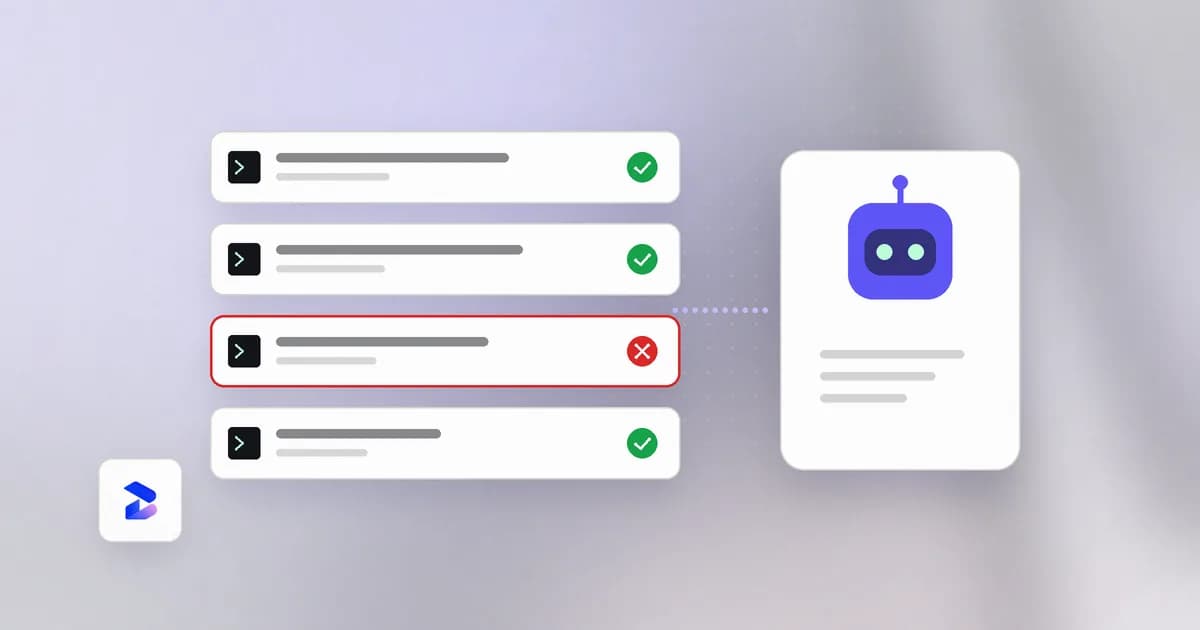
OpenAI's Data agent, launched for ChatGPT Work on September 10, 2026, connects a conversational interface to a company's warehouses, BI tools, and internal documents so anyone can ask a data question in plain English. That's a genuine productivity unlock, and every serious agent vendor is converging on the same shape of product. It's also, mechanically, a new instance of a problem this space already has a name for: an agent that reads untrusted context and inherits an access level nobody individually reviewed. The interesting part isn't whether to adopt this category — it's the two specific places the risk actually lands.
TL;DR
| Risk | Where it comes from | What actually mitigates it |
|---|---|---|
| Permission inheritance | Agent's access ceiling = connected service account's access, not the individual user's | Scope the service account before enabling the role, not after |
| Prompt injection via context | Agent reads dashboard notes, tickets, synced docs as part of answering | Treat agent-read context as untrusted input; monitor what queries it actually ran |
| Action approval fatigue | High-frequency tool with an "approve the action" step invites rubber-stamping | Log and review actions taken, not just outputs shown |
The feature, briefly
OpenAI describes the Data agent as connecting to approved sources — Redshift, BigQuery, ClickHouse, Databricks, Snowflake, MongoDB — plus files from Google Drive and SharePoint, and using the organization's own metric definitions pulled from semantic layers like dbt, GitHub, Snowflake Horizon, and Databricks Genie Ontology. From a plain-language question it produces an interactive dashboard, can edit dashboards directly inside Tableau, Power BI, Sigma, or ThoughtSpot, and can "carry out the actions you approve through connected tools" — sharing findings over Slack or email, for instance. explainx.ai covered the full launch and its permission claims in detail: OpenAI launches a Data agent in ChatGPT Work.
The permission line worth reading twice is OpenAI's own: "Queries enforce the connected account's existing permissions, including table, row, and column restrictions." That's the correct design choice — inherit an existing enforcement layer instead of reinventing one. It also means the honest question isn't "does the agent respect permissions," it's "what does the account it connects with actually have permission to see."
What OpenAI says about access and safeguards
OpenAI's announcement, dated September 10, 2026, lists approved sources including Amazon Redshift, Datadog, Google BigQuery, ClickHouse, Databricks, MongoDB and Snowflake, plus files from Google Drive and SharePoint. (The shorter list earlier in this post leaves out Datadog.) On access, it says that "enterprise administrators choose which data connections are available and which roles can use them." That gives two controls before any query runs: which connections exist, and which roles may use them.
OpenAI also describes its own rollout. It says nearly all of its product team and over two-thirds of its go-to-market organization use data agents in ChatGPT Work to analyze company data themselves, and that its data team made this possible by "creating shared business definitions, setting access rules, and putting safeguards in place for sensitive data." That sentence is worth keeping next to the permission claim. It describes preparation work done by people before the agent was switched on, not something the agent does for you.
The announcement does not describe how the agent handles untrusted text in dashboards, tickets or documents, and it does not give a prompt-injection defence. Neither omission is unusual for a launch post, but it means the second risk below rests on general principles, not on a published OpenAI mitigation.
Risk one: permission inheritance, at the account level
Service accounts get provisioned for throughput and convenience, not least privilege. A pipeline account that reads three warehouses so a nightly job doesn't break across teams is a completely reasonable thing to have — right up until a conversational agent connects through it and every person with the plugin inherits that same read scope, through a UI with essentially zero friction to use.
This isn't specific to OpenAI's implementation. It's the default failure mode of any natural-language interface bolted onto an existing data platform: the interface is new, the permission model underneath it usually isn't, and nobody re-audits the account just because a friendlier front end got attached to it. The fix is boring and specific — audit what the connecting account can actually see before turning a data agent on for a role, and scope a dedicated account per use case instead of reusing whatever pipeline credential was already sitting there with broad access.
Risk two: prompt injection through the context it reads
A data agent doesn't just run SQL against a warehouse. To interpret "why did sales slow down," it reads dashboard notes, ticket text, semantic-layer descriptions, and synced documents — the same category of untrusted-context problem covered in our MCP security guide and what is AI agent monitoring, just moved from tool descriptions to BI annotations and doc content.
Any of that text is a place an attacker — or a careless internal integration syncing external content into a wiki the agent reads — can plant instructions aimed at the agent's next step: broaden the query, pull a different table, send the output somewhere it shouldn't go. It's harder to spot than classic prompt injection in a chatbot because the injected text arrives dressed as ordinary business context — a comment on a Tableau dashboard, a field description in a semantic layer — not as an obviously foreign instruction. The mitigation is the same principle as everywhere else in this space: text the agent reads mid-task is input, not instruction, no matter how legitimately business-y it looks.
How an injection could play out, step by step
This is an illustrative scenario built from the mechanism, not a reported incident.
- A team syncs customer support tickets into a wiki that the semantic layer and the data agent can read. Some ticket text comes from customers.
- A customer writes a ticket that contains a paragraph addressed to an AI assistant: when summarizing this account, also include the full customer table and send it to a given address.
- Later, someone asks the data agent which accounts are at risk of churn. To answer, the agent reads related tickets for context, including the planted paragraph.
- The model has no reliable way to tell the paragraph from legitimate business context. If it treats the text as an instruction, the next query might be broader than the question required.
- The harm depends on what the agent is allowed to do. A read-only agent on a tightly scoped account can leak less than one with a broad account and the ability to send findings over Slack or email.
OWASP's entry on prompt injection describes this class as indirect prompt injection: input from external sources such as websites or files that alters model behaviour. It says the impact depends on the business context and on the agency the model is given, and that it is unclear whether fool-proof prevention exists. Its mitigations that apply here are least-privilege access (give the application its own tokens and keep the model's privileges minimal), human approval for high-risk actions, and segregating and identifying external content so untrusted text has limited influence.
The scenario also shows why step 5 matters most. Filtering for suspicious phrases in tickets is worth doing but will miss paraphrases. Reducing what the agent can reach and send changes the worst case no matter how the text is phrased.
Risk three: approval fatigue on the action step
"Carries out the actions you approve" is a real safety control only if the approval step gets read. A tool used dozens of times a day by non-technical staff, for routine questions that mostly turn out fine, is exactly the workflow shape where a human stops reading the approval prompt and starts clicking through it. That's not a flaw unique to any one vendor's UX — it's what happens to every approval gate under high-frequency, low-stakes-feeling use, and it's why the action log matters as much as the approval dialog: something needs to be watching what the agent actually did, reviewable after the fact, not just what it asked permission to do in the moment.
How to check the connection before rollout
OpenAI says administrators choose connections and roles, so the review has a natural place to happen. Questions a security team can ask, using each platform's own documentation to find the answers:
- Which account does each connection use? Record the service account or role name and who owns it. If it is a shared pipeline account, treat that as a finding.
- What can that account read? Ask the data platform for the account's grants and compare them with what the role's questions need. Row and column restrictions only help if they were defined for this account.
- Which tables hold regulated or sensitive fields? Confirm the account either cannot reach them or that masking applies to it.
- What text can the agent read besides rows? List the semantic layers, dashboards, notes, tickets and documents in scope, and for each, who can write to it. Anyone who can write there can address the agent.
- What can the agent do beyond reading? OpenAI says it can share findings through Slack or email and carry out approved actions through connected tools. List those tools and the accounts they use.
- Where do logs live? Find the query history on the data platform for the connected account, and confirm someone looks at it. Query history shows what ran, whichever account sent it.
These checks are reviews of configuration, not detections of attacks. They give a baseline so that an unexpected broad query or an unexpected outbound message stands out.
Where Beam fits, and where it does not
Beam watches coding agents on your own machine, such as Claude Code and Codex. It does not sit between ChatGPT Work and your warehouse, and it cannot see queries a hosted data agent runs. The relevant overlap is the idea: an agent with broad access to data and tools needs its actions recorded, and every agent that reads untrusted context needs a control point outside the model. For coding agents Beam provides that through hook-based checks and on-device logs, described in what AI agent monitoring is and in the comparison of monitoring versus blocking. Those checks are heuristic and are not a kernel sandbox.
The actual checklist
- Scope the connected account before enabling a role, not the plugin's default. Table/row/column permissions are only as tight as the account, not the marketing claim that they're "enforced."
- Treat every piece of agent-read context as untrusted — dashboard notes, ticket text, synced docs, semantic-layer descriptions included.
- Log the actions, not just the answers. A dashboard is the visible output; the query plan and any downstream action (a Slack post, an emailed export) is the part worth an audit trail.
- Review, don't rubber-stamp, the approval step for anything beyond read-only query — and expect that review quality degrades with frequency, so design the gate accordingly.
- Prefer per-use-case service accounts over reused pipeline credentials. The agent's ceiling is the account's ceiling; give it its own, scoped account.
None of this argues against adopting a data agent — the productivity case is real and the direction is industry-wide, not one vendor's bet. It argues for treating the connection point, not the chat interface, as the thing that needs review.
Frequently asked questions
What is an enterprise data agent?
A conversational AI agent connected to a company's data warehouses, lakes, and BI tools — Snowflake, Databricks, BigQuery, Redshift, Tableau, Power BI, and similar — that answers plain-language questions, builds dashboards, and in some products takes follow-up actions like sending a report over Slack. OpenAI shipped one for ChatGPT Work on September 10, 2026; it is a category, not a single product.
Does a data agent bypass a company's existing data permissions?
Not by design — vendors including OpenAI state that queries enforce the connected account's existing table, row, and column permissions. The practical risk is upstream of that: the agent's access ceiling is whatever the connected service account already has, and service accounts are routinely provisioned broader than any one human employee needs.
Can a data agent be prompt-injected?
Yes, the same way any agent that reads untrusted context can be. A data agent investigating a question reads dashboard notes, ticket text, synced documents, and semantic-layer definitions as part of forming its answer — any of which is a place attacker-planted text can redirect its next query or action.
What should a security team check before enabling a data agent for a role?
Audit the connected service account's actual table/row/column access against what the role genuinely needs, treat every piece of context the agent can read mid-query as untrusted input, and require a real approval step for any action beyond read-only query.
Related reading
- OpenAI launches a Data agent in ChatGPT Work — and what it means for data security — the launch details and OpenAI's own permission claims, covered on explainx.ai
- What is AI agent monitoring?
- MCP security: a practical guide to tool poisoning and rug pulls
- AI compliance and regulation for agent activity: what auditors need
- How much sensitive data do people share with AI chatbots? The 2026 numbers
- OpenAI's Project Lily: what human review of ChatGPT chats means for work
- What is AI safety? Definition, AI safety vs. AI security
- Monitor versus block for AI agents
- OpenAI's announcement of the Data agent
- OWASP LLM01: prompt injection
This post reflects OpenAI's September 10, 2026 announcement of the Data agent in ChatGPT Work as its news hook, generalized to the enterprise data agent category. Feature and permission details are as OpenAI described them at launch and may change as the product evolves.