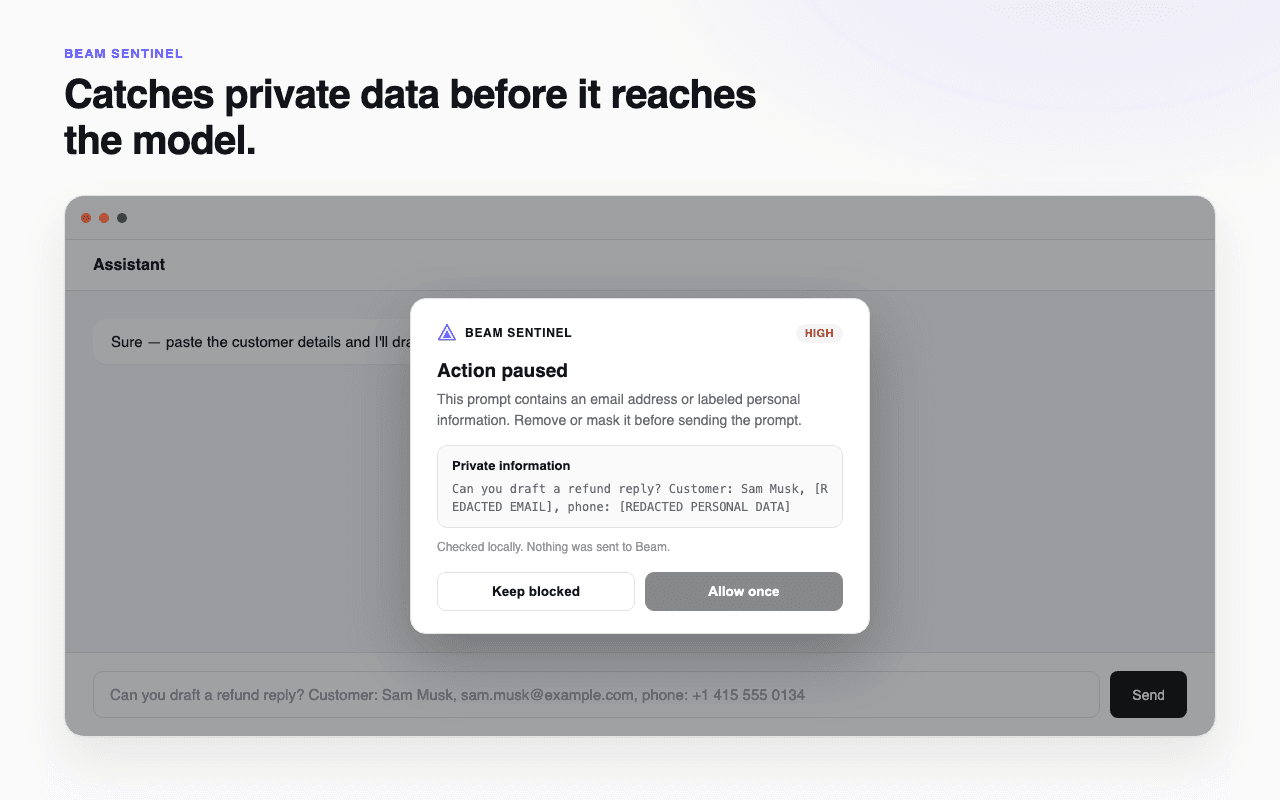
Private data, caught before send
Email addresses and other labeled personal data pause the send, with a chance to review before anything goes out.
 Beta
BetaThe Beam Sentinel Chrome extension checks what you’re about to send to ChatGPT, Claude, Gemini, and other AI chat assistants — before it leaves your browser. Free, no account, nothing sent anywhere.
What it catches
Pasting a config, a stack trace, or a customer record into an AI chat takes one click. Sentinel adds a half-second pause exactly when that click looks risky.
Email addresses and other labeled personal data pause the send, with a chance to review before anything goes out.
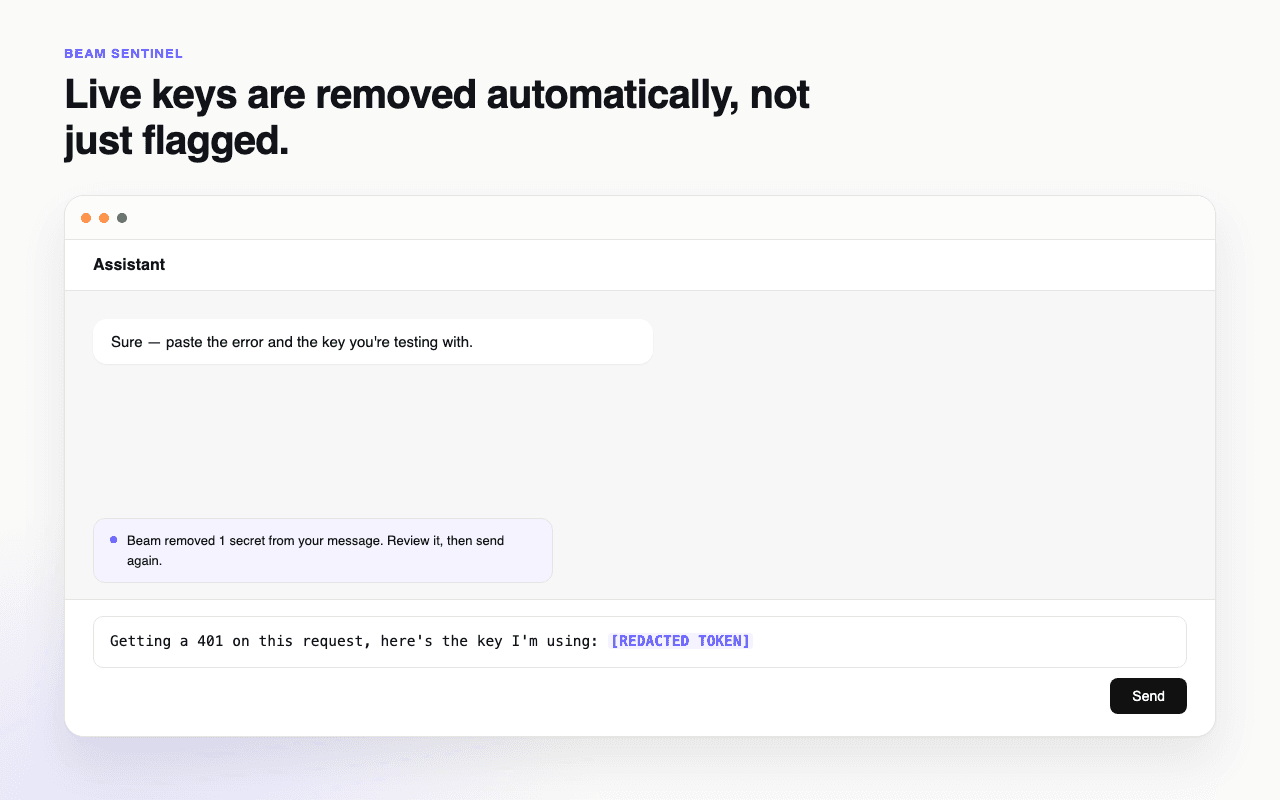
A live-looking API key, access token, or private key block gets stripped out of the message in place, and the send is held so you can check the cleaned version first.
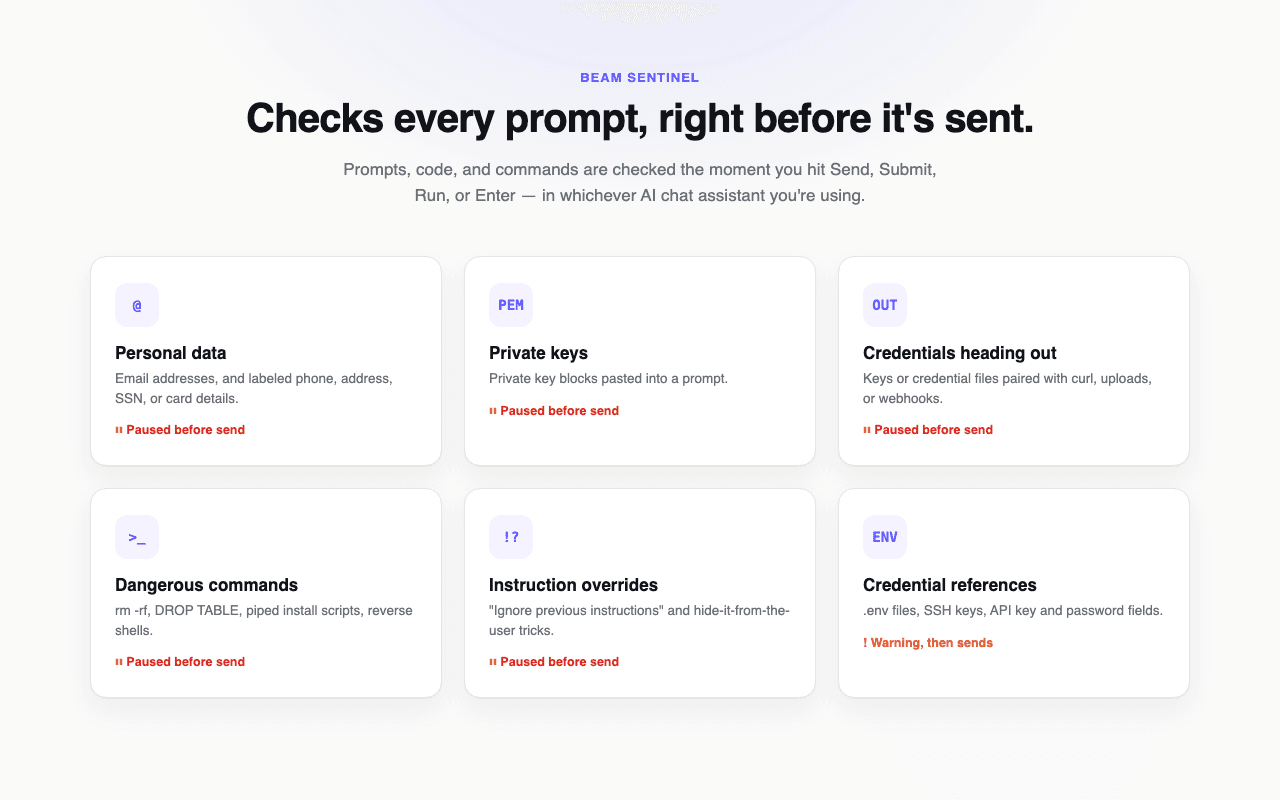
Personal data, private keys, outbound credentials, destructive commands, instruction overrides, and credential references — checked on every send.
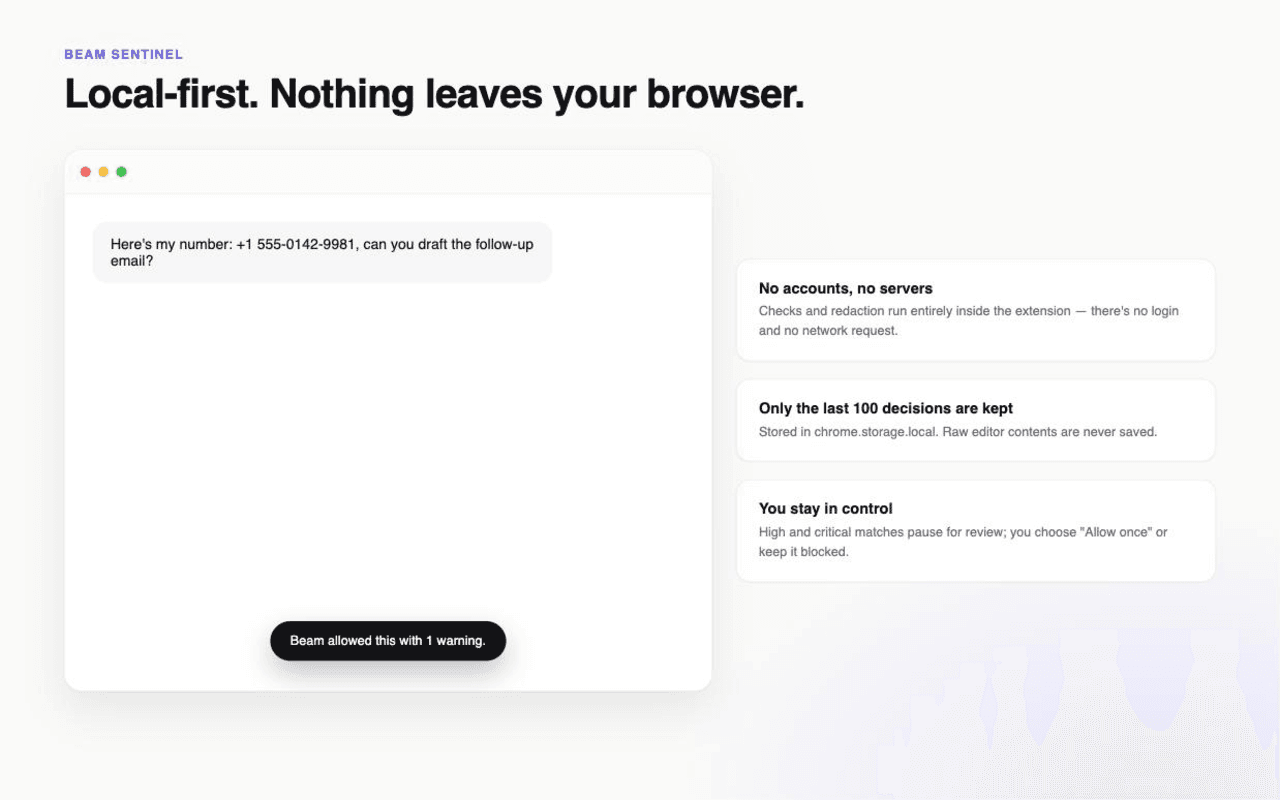
No account, no sign-in, no network request. Checks and redaction happen inside the extension — Sentinel never sends your prompts anywhere, including to Beam.
How it works
Works automatically on the major AI chat assistants — nothing to configure after install.
The message is read the instant you hit Send, Submit, Run, or press Enter — never before.
A live secret gets redacted and the send held. Other high-risk findings pause for “Keep blocked” or “Allow once.” Lower-risk findings get a short warning and continue.
Ordinary prompts go through with zero friction — Sentinel only interrupts when something actually looks risky.
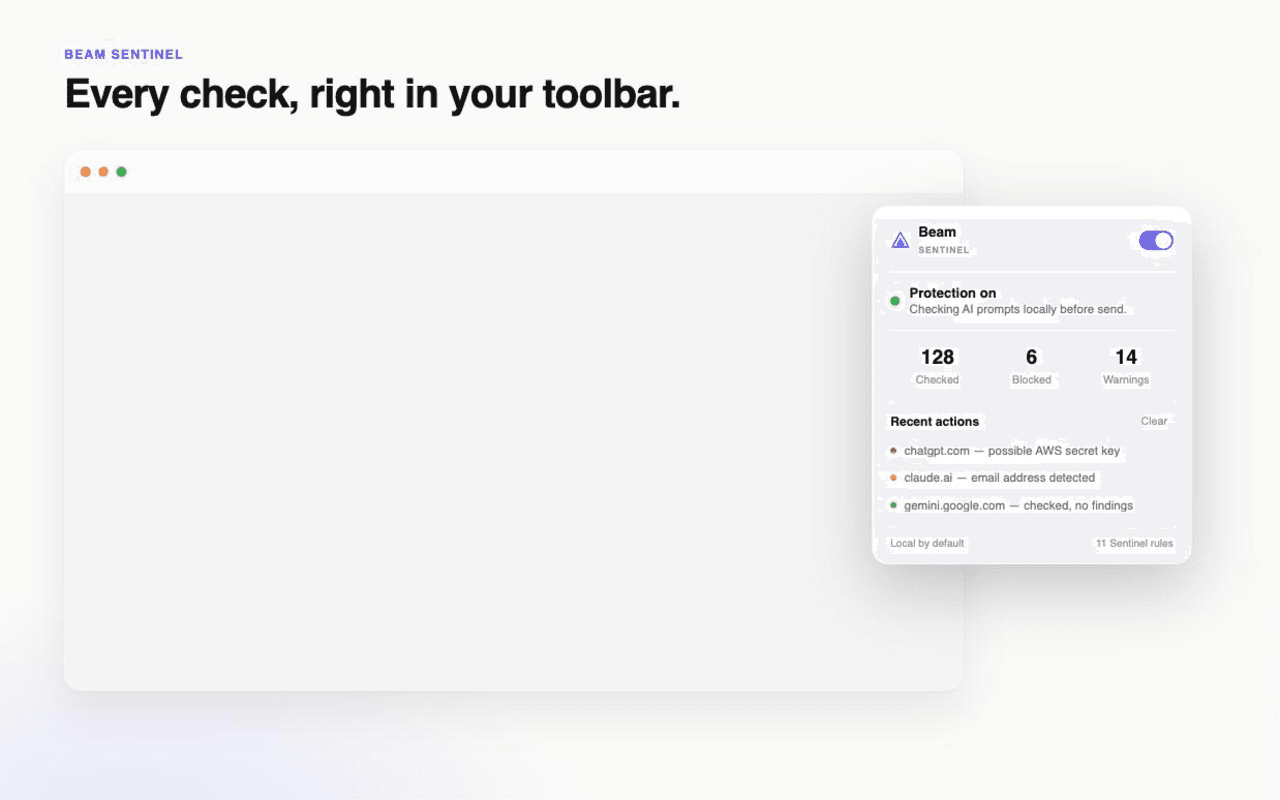
Free and open about what it does
Sentinel only requests the storage permission — used to remember your on/off setting and a local log of the last 100 redacted decisions. No browsing history, no other tabs, no network permission. Read the full breakdown in the privacy policy.
Free, from the team behind Agentbeam. No account, nothing to configure.
Need your team's policy, audit logs and redaction in the browser? That is Agentbeam, our main extension with every feature: block, ask or redact per category, restrict uploads and sites, and a team dashboard. It needs an Agentbeam workspace.
Get Agentbeam on the Chrome Web Store