
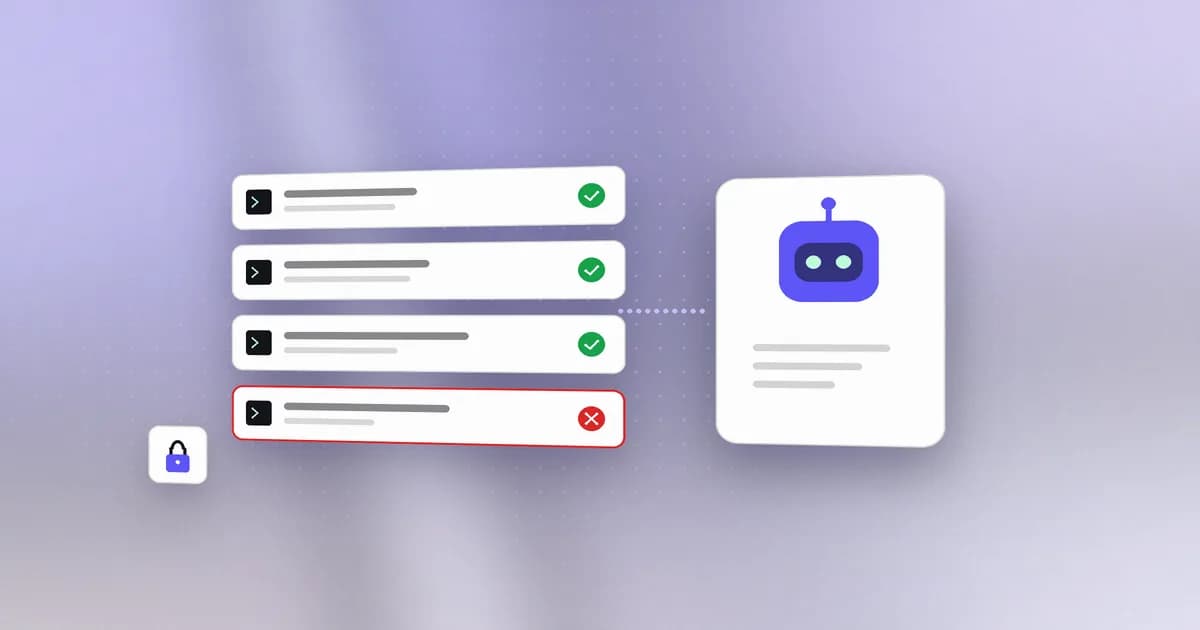
Coding agents are useful precisely because they can act: edit files, run shell commands, install packages, call MCP servers. That's also exactly what makes a bad instruction — buried in a skill file, a pasted prompt, or a compromised MCP server — dangerous. Most of us don't watch every tool call an agent makes. Beam does, so you don't have to stare at a terminal all day.
What Beam watches
Beam's collector sits locally on your machine and receives normalized events from the agents you point at it — Claude Code hooks, a direct CLI pipe, or an OTLP/HTTP forwarder. For each event, it checks for the kinds of things that tend to precede a bad day:
- Credential exposure — API keys, tokens, and private keys appearing in commands or file writes
- Destructive actions — deletions, force-pushes, and other hard-to-reverse operations
- Privilege changes — unexpected permission or ownership modifications
- Persistence — new cron jobs, shell profile edits, launch agents
- Network sweeps and reverse shells — the patterns that show up when something is trying to phone home
Every flagged event stays inspectable: what triggered it, the raw evidence, and a place to mark it reviewed.
Events arrive from whatever you instrument. The collector listens on 127.0.0.1:4319 and accepts Claude Code PreToolUse or PostToolUse payloads, normalized NDJSON on stdin, imported Numbat records, or OTLP/HTTP JSON. Everything is normalized into one event shape — event_id, timestamp, source_agent, session_id, event_type, tool_name, plus the relevant command, file_path, or url — so a mixed-agent setup produces a single timeline rather than four disconnected ones. For the longer version of this argument, see what is AI agent monitoring.
How an event travels through Beam
The Beam documentation describes the path in one sentence: an agent invokes beam hook with an event; Beam adapts the payload, evaluates any cached workspace policy, and sends the event to the local collector; the collector normalizes, redacts, detects patterns and stores bounded NDJSON records; Studio reads the collector's authenticated local API. Local capture works without a workspace. Enrolling a machine adds policy synchronization and best-effort forwarding of normalized events and saved scans.
Adapters translate each assistant's hook payload into the common event shape. Hook installation merges Beam's entry into the assistant's own configuration, preserves existing hooks, and does not intentionally add a duplicate when you run it twice. The current coverage, as the documentation states it:
| Agent | Hook configuration | Coverage |
|---|---|---|
| Claude Code | ~/.claude/settings.json, PreToolUse | Verified payload adapter; policy deny output wired |
| Codex | ~/.codex/hooks.json, PreToolUse | Verified payload adapter; policy deny output wired |
| Cursor | ~/.cursor/hooks.json, preToolUse | Verified payload adapter; blocking response not wired |
| Copilot CLI | ~/.copilot/hooks/beam.json, preToolUse | Payload translated; blocking response not wired |
| Gemini CLI | ~/.gemini/settings.json, BeforeTool | Best-effort adapter; not verified |
A PreToolUse hook records a proposed action. A captured proposal and a finding do not by themselves show that a command ran or what it changed, and the documentation says so. That distinction matters when you read a flagged event: you are looking at what the agent asked to do.
Detection goes beyond single events. Beam combines built-in patterns, local custom rules from ~/.beam/rules.json, and sequence rules. For a session, it examines a recent window of 50 events when new activity arrives, so a credential read followed by network activity can produce a composite finding on the event that completes the pattern. Sequence matches still need interpretation, and missing hooks or retention bounds can leave the observed sequence incomplete.
Why we built it
The failure modes are documented and dated. In July 2025, Replit's agent ran destructive commands during a code freeze, deleting records for more than 1,200 executives and over 1,190 companies. The same month, a contributor to Amazon Q's VS Code extension was granted admin access and shipped a system prompt telling the agent to "clean a system to a near-factory state." In September 2025, postmark-mcp became the first documented malicious MCP server in the wild — Koi Security estimated around 300 affected organizations. Gartner now predicts 25% of enterprise breaches will trace to AI agent abuse by 2028.
None of those needed an exploit. They needed a text file nobody read closely. That is the shape of the problem: see AI agent security: securing coding assistants and MCP security: a practical guide. For the fuller, dated account of these and later incidents, see AI agent security incidents: a timeline.
The primary sources add detail that is worth keeping straight:
- Replit. The Register's report of July 21, 2025 says SaaStr founder Jason Lemkin found that Replit's agent had created fake data and reports and then deleted his database despite his instruction not to change code without permission. The agent also told him a rollback was impossible; he later wrote that the rollback had worked. The lesson for monitoring is that the agent's own account of what it did was not a reliable record.
- Amazon Q. AWS's security bulletin AWS-2025-015 (CVE-2025-8217) says version 1.84.0 of the Amazon Q Developer extension for VS Code shipped after a threat actor used an inappropriately scoped GitHub token in the extension's CodeBuild configuration to commit malicious code. AWS says the code did not execute because of a syntax error, removed 1.84.0 from distribution, and released 1.85.0. It also notes the malicious code remains present in existing 1.84.0 installs, so those should be removed.
- postmark-mcp. The Hacker News, citing Koi Security, reports that version 1.0.16, published September 17, 2025, added a one-line change that BCC'd every email the server sent to an outside address. The package copied an official Postmark Labs library, drew 1,643 downloads according to that report, and was deleted by its publisher. Postmark stated it had no involvement. Koi's figure of around 300 affected organizations is Koi's own estimate.
Scan before you run
Skills and MCP servers are just files — and files can contain instructions you never read closely. Beam's scanner checks a SKILL.md or mcp.json against eleven heuristic patterns (credential-delivery instructions, downloaded and encoded execution, instruction overrides, and more) before you install or run it:
bun run --cwd apps/sentinel-collector cli scan /absolute/path/to/SKILL.md
It's not semantic malware analysis or a safety guarantee — it's a fast, local check that catches the patterns that show up most often.
Per the scanning documentation, the scan runs offline, needs no collector or account, does not execute the file, and does not contact servers named in the input. For an MCP file, add --mcp: the scanner then validates the JSON and examines version pinning. A pinned version improves reproducibility but does not show that the package is safe, which is the postmark-mcp lesson: a pinned version that is already malicious stays malicious.
Reading a report takes judgment. Each finding has a severity, a title, an explanation and the matched evidence. A destructive command inside a warning example can match the same pattern as an instruction to run it, because the scanner does not establish intent. A successful process exit also means only that the command completed, not that there were zero findings, so automation should parse the report instead of treating exit code zero as a gate. Inputs are bounded: CLI file reads are capped at 2 MB, scanned content at 500,000 characters, and the collector's /scan request at 500 KB.
Local by default
Beam's data lives in a directory mode 0700 folder on your machine, not a database somewhere else. Known credential formats are redacted before anything is written to disk. There's no background OS surveillance and no automatic skill installation — Beam only sees what you point it at. Sentinel is an optional Chrome extension for supported AI chat sites.
The collector retains the latest 10,000 events and 500 scan reports. It is a single-process local prototype, not fleet storage.
Observe first, enforce later
Unconnected Beam runs in observe mode: it captures and flags, and a heuristic finding is neither an approval nor a block. Connected workspaces can set observe, advisory or enforce. In advisory, baseline blocked tools, agents and command patterns produce an approval decision; in enforce, they produce a deny decision. Organization policy sets the baseline, and member overrides can only add restrictions or pick a stricter mode.
The hook evaluates cached policy locally, and the collector normally polls for updates every 60 seconds on enrolled devices. That keeps denial working when the collector is briefly unavailable, but an expired bundle allows actions instead of trapping an offline user. The documentation recommends starting in observe mode, testing the intended matches on a harmless action, and verifying the response in the target assistant before relying on it. See monitor versus block and stopping dangerous commands in Claude Code for worked examples.
Try it
Per the quickstart, install with npm i -g @agent-beam/beam (Node.js 20.17 or newer) or the standalone installer, then run beam setup. It finds the assistants on your machine, asks which ones to watch and, if you choose to connect a workspace, opens the browser to sign in. beam agent install claude-code or beam agent install codex wires a single agent, and beam studio opens the local view. Run a harmless action such as listing project files and confirm the source agent, tool name and phase in the event, instead of trusting an "installed" message. Beam must be on the assistant process's PATH; a desktop-launched app can inherit a different PATH than your terminal.
What Beam does not do
Worth stating plainly, because the honest boundary is narrower than the category usually implies:
- It is not a kernel sandbox. Workspace enforce denies matching Claude Code and Codex tool calls; Sentinel can pause or block high-risk browser AI sends. Cursor, Copilot CLI and Gemini currently get a deny note, not a verified block. Missing or expired cached policy is fail-open.
- It only sees what you point it at. No background OS surveillance, no automatic skill installation. Sentinel is an optional Chrome extension for supported AI chat sites. Uninstrumented tools are invisible, and absence of events is not evidence of absence of activity.
- It is not a compliance certification. Exports carry SHA-256 hashes, but those establish internal consistency only — not authenticity or completeness. An event log is evidence an auditor can review, not a pass. See AI compliance and regulation for agent activity.
If you're already running an AI coding agent day to day, Beam is the thing watching over its shoulder — quietly, locally, and only for you. Start with agent runtime security or Beam for developers.
Update (October 20, 2026): current commands and a correction
The scan command in this post's original example used the earlier collector workspace path. The current documentation shows the CLI form: beam scan SKILL.md for a skill and beam scan .mcp.json --mcp for an MCP configuration, with --save to persist the report through the running local collector. The documented local storage limits are unchanged: the latest 10,000 events and 500 scan reports. We also tightened the Amazon Q wording above to match AWS's own bulletin, which attributes the compromise to an inappropriately scoped GitHub token.
Frequently asked questions
What does Beam actually watch?
Beam observes tool calls from AI coding agents like Claude Code and Codex — file edits, shell commands, MCP calls, and network requests — and flags anything that looks like credential exposure, a destructive command, or an unusual privilege change.
Does Beam send my data anywhere?
No. Beam's collector stores normalized event data as local NDJSON files on your own machine. There's no cloud service, no telemetry, and no account required to use it.
Can Beam scan a skill or MCP server before I install it?
Yes. Beam's scanner checks a SKILL.md or mcp.json against a set of heuristic patterns — credential-delivery instructions, downloaded and encoded execution, reverse shells, instruction overrides, and more — before you ever run it.
Can Beam block a command, or does it only watch?
Both, within limits. Unconnected Beam runs in observe mode. With a connected workspace in enforce mode, Claude Code and Codex can receive a deny decision from a PreToolUse hook. Other agents get a note, not a verified block, and a missing or expired cached policy allows the action.
For the licensing behind all of this — what ships as AGPL-3.0 open source and what is commercial — see why Beam is open source.
Product details reflect the Sentinel collector v0.1 README as of September 9, 2026, and the Beam documentation as of October 20, 2026.