
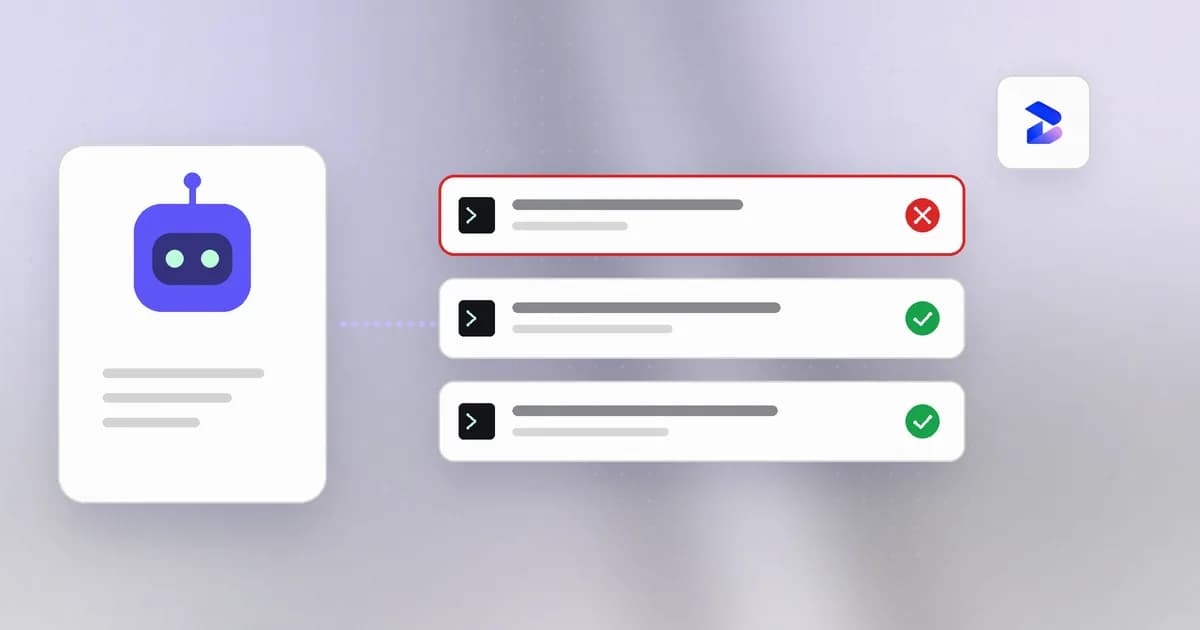
Codex CLI will happily run rm -rf node_modules without asking — that's expected, it's inside your workspace. It's a different story when a prompt-injected README convinces it to run git push --force to main, curl a script into bash, or reach out to a host you've never heard of. OpenAI ships Codex CLI with a real OS-level sandbox and an approval policy that gate exactly those moves, but the defaults, the flag names, and what actually falls outside the sandbox's boundary are easy to get wrong. This post covers Codex CLI's actual approval and sandbox mechanisms, the config.toml keys that control them, and where a local observation layer like Beam fits once you've set them.
TL;DR
| Question | Answer |
|---|---|
| Does Codex block destructive commands inside my repo? | No — sandbox_mode = "workspace-write" (the default) permits reads, edits, and command execution inside the workspace without a prompt, including rm -rf on your own files. |
| What stops Codex from reaching outside the workspace? | The sandbox boundary itself (filesystem writes) plus approval_policy, which by default (on-request) pauses for anything outside the workspace or touching the network. |
| Is network access on by default? | No. network_access under [sandbox_workspace_write] is false by default on every sandbox mode except danger-full-access. |
| What removes all protection? | sandbox_mode = "danger-full-access" (alias --yolo) or the --dangerously-bypass-approvals-and-sandbox flag — both names say what they do. |
| What's the safe default for real repo work? | sandbox_mode = "workspace-write", approval_policy = "on-request", network_access left false. |
| Does Beam block any of this? | Yes, when workspace policy is enforce: matching Codex PreToolUse tool calls are denied. Missing or expired cached policy is fail-open. Pair this with Codex's own sandbox. |
| Does Beam send my Codex activity anywhere? | No by default — events land under apps/sentinel-collector/.data (directory mode 0700, files 0600), with known credential formats redacted before persistence. |
What "dangerous" means for a terminal agent
Codex CLI runs real shell commands with your user's permissions unless something stops it. A dangerous command, in this context, is anything with an effect you can't cheaply undo: deleting files outside the intended scope, force-pushing over shared history, exfiltrating credentials to an external host, or running an arbitrary script pulled from the internet. The risk isn't that Codex is malicious — it's that a misread instruction, an ambiguous prompt, or a prompt-injected file can produce a command that looks routine and isn't.
Two independent controls in Codex CLI address this: an approval policy (should Codex ask before acting) and a sandbox (what can the command actually touch, whether or not it was approved). They're not the same layer, and conflating them is the most common way defaults end up weaker than intended.
Codex CLI's approval policy
approval_policy in ~/.codex/config.toml (or a project-local .codex/config.toml) controls whether Codex pauses for your explicit sign-off before running a command, editing a file, or reaching the network. Per OpenAI's own agent approvals and security documentation, the supported values are:
"on-request"(default) — Codex asks before an action that would go outside the sandbox's current boundary: writing outside the workspace, or reaching the network."never"— approval prompts are disabled entirely; Codex acts within whatever the sandbox mode allows, with no interruption.- A granular form (
approval_policy = { granular = { ... } }) that lets you require approval per category — e.g. network access specifically — rather than an all-or-nothing switch.
An older "untrusted" value from earlier Codex CLI releases has been retired in current documentation; if you're following a guide that references it, treat it as stale and check the config keys against your installed version with codex --version.
CLI flags mirror the config file for one-off sessions:
codex --ask-for-approval on-request
codex --ask-for-approval never
Codex CLI's sandbox modes
The sandbox is the layer that matters even when approval is skipped — it's what the command is physically allowed to do once it runs. sandbox_mode accepts three values:
| Mode | What it allows |
|---|---|
"read-only" | Codex can inspect files but can't edit them or run mutating commands without an approval that escalates the sandbox for that one action. |
"workspace-write" (default) | Read, edit, and run commands inside the current project directory freely; writes outside the workspace or network access still require approval (or are blocked, under "never"). |
"danger-full-access" | No filesystem or network boundary at all. Aliased by the --yolo flag. |
The sandbox is enforced at the OS level, not by asking the model to behave — that's the meaningful part. Per OpenAI's sandboxing documentation:
- macOS uses Apple's built-in Seatbelt framework to constrain the process.
- Linux and WSL2 combine Landlock (filesystem access control) with seccomp (syscall filtering), typically via
bubblewrap; ifbubblewrapisn't installed, Codex falls back to a bundled helper. - Windows uses a native sandbox, or the Linux path when running inside WSL2.
That means a command Codex runs under workspace-write genuinely cannot write outside your project directory or reach the network at the kernel level — it isn't a soft convention the model is asked to respect.
Extending write access without going full-open
If a workflow legitimately needs to write somewhere outside the repo (a shared cache directory, for instance), config.toml supports extending the boundary without dropping the sandbox entirely:
sandbox_mode = "workspace-write"

[sandbox_workspace_write]
writable_roots = ["/absolute/path/to/shared-cache"]
network_access = false
writable_roots is the middle ground between workspace-write's single-directory default and danger-full-access's no boundary at all.
Network access is off by default
Network egress is disabled inside the sandbox by default under both read-only and workspace-write — the mode that stops a curl-pipe-to-bash pattern or a credential-exfil POST from succeeding even if the command itself was approved. It's a separate toggle from filesystem access:
[sandbox_workspace_write]
network_access = true   # false by default
Turning this on for a whole session is a meaningfully bigger grant than it looks — every command Codex runs for the rest of that session can reach the network, not just the one you meant to approve. Leave it false and let approval_policy = "on-request" prompt you per network-touching action instead, unless the workflow genuinely requires unattended network calls (a CI-style run pulling dependencies, for example).
What the sandbox does not stop
The sandbox boundary is a filesystem/network boundary, not a semantic one. It has no opinion on whether a command is a good idea as long as that command stays inside the boundary it's been granted. Concretely, under the default workspace-write + on-request combination, Codex CLI will not prompt you before:
- Deleting or overwriting files inside your own repository, including
rm -rfon a directory you actually needed. - Running
git reset --hardor rewriting history locally — a force-push to a remote is the network action that triggers approval, not the local rewrite that precedes it. - Running any command that reads a
.envfile already inside the workspace and prints it to stdout, since printing isn't a filesystem write or a network call.
This is the gap a local observation layer is built for: not replacing the sandbox boundary, but giving you a record of what happened inside it.
Setting safe defaults in config.toml
For day-to-day work in a real repository, the practical combination is:
# ~/.codex/config.toml
approval_policy = "on-request"
sandbox_mode = "workspace-write"

[sandbox_workspace_write]
network_access = false
This lets Codex move at a reasonable pace inside your project — reading, editing, running your test suite — while every escalation outside the workspace or onto the network stops for your explicit approval. Reserve sandbox_mode = "danger-full-access" (--yolo) and --dangerously-bypass-approvals-and-sandbox for a disposable container or VM you're prepared to throw away, never a machine with your real credentials or an unbacked-up filesystem. Named profiles in config.toml ([profiles.ci], for example) let you scope a looser policy to a specific, isolated context without changing your interactive default.
Where Beam fits: watching Codex locally, and denying matching calls when policy is enforce
Codex CLI's sandbox and approval policy remain the OS-level enforcement layer. Beam sits alongside that: it records what happened, flags patterns, and — when workspace owners or admins set policy to enforce — denies matching Codex PreToolUse tool calls. Missing or expired cached policy is fail-open.
Two mechanisms apply directly to Codex CLI use, both grounded in apps/sentinel-collector/README.md:
- Event ingest. The collector's
/ingestendpoint accepts normalized JSON events (single object, array, or NDJSON, up to 2 MB / 2,000 records) with fields likeevent_type,tool_name,command, andsource_agent— agent-agnostic by design. It also accepts OTLP/HTTP JSON over/v1/logs. Beam's built-in direct hook (cli hook claude-code, wired to aPreToolUse/PostToolUsepayload on stdin) currently targets Claude Code specifically; for Codex CLI, coverage runs through Numbat's own per-agent hook support (numbat agents,numbat hook install --agent <agent>), or by forwarding Codex activity as normalized events yourself. Sentinel is an independent implementation of Numbat's event/finding schema, not a fork of its Go code or CEL engine. - MCP config scanning.
bun run --cwd apps/sentinel-collector cli scan /absolute/path/to/mcp.json --mcpruns 11 heuristic patterns plus a version-pin check against an MCP server config's text before Codex CLI connects to it — useful given Codex CLI's own MCP server support. It checks credential-delivery patterns, deletion, downloaded/encoded execution, network sweeps, privilege changes, and more, without executing anything in the file.
Everything the collector receives is redacted for known credential formats, auth headers, URL query parameters, and private keys before it's written to disk, and it persists under apps/sentinel-collector/.data (directory mode 0700, files 0600) — nothing leaves the machine unless you wire up an export yourself. Workspace enforce can deny matching Codex PreToolUse calls; missing cached policy allows the action.
Honest limitations
- Beam's deny is hook-based, not a kernel sandbox. It can stop a matching Codex PreToolUse call when policy is enforce, but missing cached policy is fail-open, and a destructive command Codex's own sandbox already permits still needs Codex's approval policy or a tighter sandbox.
- Codex-specific event capture is not first-class yet. The collector's direct-hook path is built for Claude Code today; Codex coverage depends on Numbat's own agent support or on you forwarding normalized events manually.
- The MCP scanner is heuristic, not semantic. It pattern-matches known-dangerous shapes in a config file's text; it is not malware analysis and won't catch a genuinely novel obfuscation.
- Pairing can include a workspace console. Individual use is still local-first; team workspaces add owner/admin policy, MDM, and a control plane.
- The sandbox itself has real edges. A workspace-scoped destructive command, a
git reset --hard, or a locally-readable.envprinted to stdout are all inside the sandbox's own default boundary — no config change alone closes that gap; it requires either a tighter approval policy or a habit of reviewing what actually ran.
Summary
Codex CLI's approval policy (approval_policy) decides when it asks before acting; its sandbox mode (sandbox_mode), enforced at the OS level via Seatbelt on macOS and Landlock/seccomp on Linux, decides what an action can actually touch. The safest practical default for real repo work is workspace-write plus on-request with network_access left false — and reserving danger-full-access or --dangerously-bypass-approvals-and-sandbox for disposable, throwaway environments. Beam adds a local, reviewable layer on top of whatever Codex's sandbox already permits — it watches and flags, workspace enforce can deny matching Claude Code and Codex tool calls; missing cached policy is fail-open.
For the same question applied to other terminal agents, see stopping Claude Code from running dangerous commands and stopping Cursor from running dangerous commands. For background on what an "agent harness" like Codex CLI actually is under the hood, see what are agent harnesses. Related reading on Beam's own scope: monitoring vs. blocking AI agent guardrails and using Beam's security skills with Claude Code and Codex sub-agents.
Primary sources: OpenAI's agent approvals & security and sandboxing documentation, and apps/sentinel-collector/README.md in Beam's own repository.
Codex CLI's flag names, config keys, and default values are accurate as of this post's publication date and were verified against OpenAI's own documentation — check codex --version and the current docs before relying on any specific value, since CLI flags in fast-moving agent tooling do change between releases. Beam's own capabilities reflect Sentinel collector v0.1, a local prototype; enforcement and Codex-native hook support are not current features.