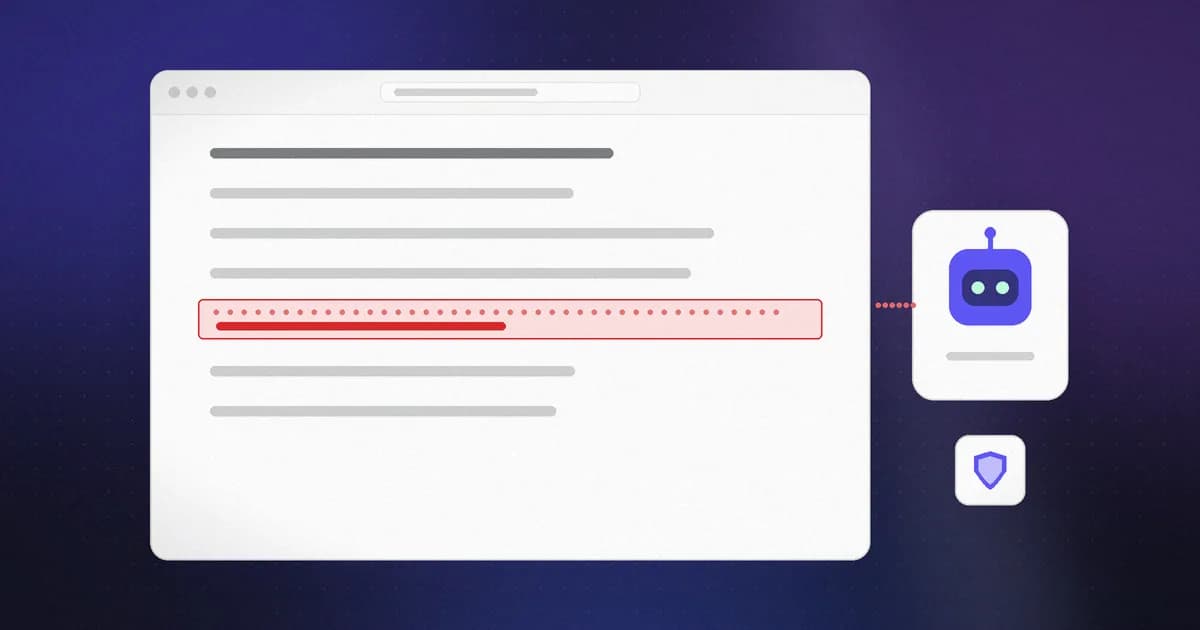
You prevent prompt injection in AI agents by making successful injections harmless: narrow tools, approve consequential actions, isolate untrusted repos, and prove the chain fails in a test VM—not by trusting a longer system prompt. This guide targets coding harnesses (Claude Code, Codex, Cursor-class tools) where injection in a file can become bash on your user account.
TL;DR
| Question | Answer |
|---|---|
| Am I affected? | Yes, whenever agents read third-party content with shell or MCP enabled |
| Is there a fix? | Layered tool gates per OWASP AI Agent Security—not one checkbox |
| Does data leave my machine? | Block exfil-shaped tools; sandbox network; review WebFetch and MCP egress |
| How long does setup take? | Initial inventory ~30–60 minutes; retest after each MCP or skill change |
| Beam link | Agent runtime security for local hooks and scans |
How to prevent prompt injection in AI agents (overview)
OWASP’s LLM01 prompt injection page recommends constraining model behavior and enforcing permissions and parameter validation at the tool boundary. Anthropic’s Claude guardrails doc adds structural rules for indirect injection—tool results carry untrusted data.
The steps below follow that combined guidance for developers running agents locally.
Step 1 — Inventory tools and trust boundaries
Export or open the effective configuration:
- Harness permission file (e.g. Claude Code
settings.jsonper permissions). - Project and user MCP JSON.
- Skills, plugins,
CLAUDE.md/ rules files in the repo. - Current permission mode (Manual vs Auto vs unattended flags).
List every action that can run without a human click. That list is your injection blast radius.
Cross-check with the AI agent security audit checklist so you do not miss shadow MCP on a laptop.
Step 2 — Apply least privilege to tools
For each tool class:
| Tool class | Hardening |
|---|---|
| Shell | Manual mode on sensitive trees; deny network commands; enable /sandbox |
| Files | Restrict additional directories; review Accept Edits auto-approvals |
| MCP | One server per purpose; remove unused entries; pin versions |
| Web | Require approval for fetches; never pipe untrusted HTML straight into prompts |
JetBrains’ security best practices echo OWASP: separate instructions from retrieved content and enforce permissions independently of the model.
Step 3 — Configure human-in-the-loop where it matters
Map high-impact actions—delete, publish, pay, send, arbitrary network—and require approval:
- Claude Code: keep network tools off auto-allow; use denies from the security guide.
- Organization fleets: deploy managed settings so bypass modes cannot spread by copy-paste.
OpenAI’s agent guardrails recommends pausing before shell and sensitive MCP even when input classifiers pass—coding agents should treat classifiers as supplemental, not sole protection.
Step 4 — Isolate untrusted repositories
When the task involves unknown code:
- Clone inside a VM, devcontainer, or sandbox runtime that wraps the entire harness (sandbox environments).
- Mount secrets read-only or not at all.
- Refuse
--dangerously-skip-permissionsoutside that boundary.
Bash sandbox alone is insufficient when MCP and file tools touch the host.
Step 5 — Scan instruction and MCP files before sessions
beam scan SKILL.md
beam scan .mcp.json --mcp
Interpret findings manually—the scanner matches risky patterns, not intent (scanning docs). Combine with MCP security practical guide checks for transport and env vars.
Step 6 — Install hooks and policy for evidence and selective deny
beam agent install claude-code
beam agent install codex
Verify a harmless tool call in Studio. Move workspace policy from observe → advisory → enforce only after testing denies on non-production machines (policies).
PreToolUse hooks record proposals; they complement AI agent security monitoring tables when you investigate an odd session.
Step 7 — Run adversarial smoke tests
In the isolated environment from Step 4:
- Add a test
INJECTION.mdwith an instruction to run a marker command (e.g.touch /tmp/injection-canary). - Ask the agent to summarize the repo including that file.
- Record whether the command executed, was denied, or stalled at approval.
Repeat with a fake MCP tool response if you operate custom servers. Document results like any other security test—compare to humans miss one in three agent command threats research on approval fatigue.
Step 8 — Maintain after changes
Re-run inventory when:
- A new MCP server or skill zip appears.
- Harness major version changes permission defaults.
- A Claude Code advisory affects plugins or sandbox.
Quarterly spot-checks suffice for stable teams; run full steps after any incident.
Common mistakes when teams try to prevent prompt injection
Understanding failures speeds fixes:
Mistake 1 — Longer system prompts as “prevention.” Instructions telling the model to ignore hostile text compete with hostile text in the same context window. OWASP treats behavioral constraints as helpful, not sufficient.
Mistake 2 — Auto-approve for velocity on shared repos. Cursor-class defaults that approve tools quickly increase indirect injection success rates in published research. Revert to explicit approval on anything that touches customer data or production deploy keys.
Mistake 3 — Scanning only the user chat. Attackers do not need to type in chat if package.json postinstall or MCP tool definitions carry the payload. Step 5 scans files the harness loads, not just messages.
Mistake 4 — Bash sandbox without MCP review. The agent edits .mcp.json via file tools, adds a server, then calls it—outside a bash-only boundary. Step 4’s full-process isolation addresses this.
Mistake 5 — No version pin after “it worked once.” A clean test last month does not cover today’s marketplace plugin update. Re-run Step 8 after every plugin bump.
Mapping steps to OWASP LLM01 mitigations
| OWASP LLM01 theme | Step in this guide |
|---|---|
| Constrain model behavior | Step 2 least privilege; organizational policy on allowed tasks |
| Validate tool I/O | Step 6 hooks; Step 7 canary tests |
| Privilege separation | Step 4 isolation; credential path denies |
| Human oversight | Step 3 approvals; managed settings for bypass bans |
| Monitoring and anomaly detection | Step 6 logging; monitoring post |
When auditors ask how to prevent prompt injection in ai agents, walk this table with ticket numbers from your test VM runs—not a vendor slide.
Checklist you can paste into a runbook
[ ] Permission mode documented for this repo tier
[ ] MCP count ≤ team standard; versions pinned
[ ] Skills scanned (beam scan or manual review)
[ ] Network bash denied or sandbox proxy with explicit allowlist
[ ] Hooks show PreToolUse in Studio / local collector
[ ] Canary injection test result ≤ 90 days old
[ ] claude --version / harness semver recorded in ticket
Store results next to change tickets the same way you store penetration test attestations.
When prevention is out of scope
Some workflows accept higher risk temporarily—one-off data migrations, air-gapped legacy ports. Document the exception: time bound, approver name, isolation boundary used, and rollback command. Prevention here means containment, not zero injection attempts.
If the exception becomes permanent, update baseline Step 2 instead of extending the exception forever.
Multi-agent and plugin chains
Modern setups chain skills, subagents, and MCP tools. Injection in one hop can surface as a tool call two hops later. When preventing prompt injection:
- List delegation edges—which skills can spawn others, which MCP servers call outbound HTTP.
- Deny or observe those edges before testing chat injection.
- Read Beam security skills and subagents for review workflows on delegated tasks.
Subagents do not inherit your mental model of “read-only”; they inherit file and tool permissions unless you scope them.
Coordinating with security champions
Assign a champion per squad who owns Steps 1–8 during onboarding and quarterly refresh. Champions do not need to be security engineers—they need repo access and thirty minutes with the harness permission UI.
Deliverables each quarter:
- Updated MCP inventory spreadsheet exported from real laptops (not theoretical architecture).
- Canary test screenshot archived in the team drive.
- One-page summary of deny rules and why each exists—future hires should not rediscover rationale from incident postmortems.
Champions escalate to central security when canary tests pass in VM but fail on developer laptops—that pattern usually means shadow MCP or a personal plugin not in the inventory.
Measuring progress without false confidence
Track tool proposals blocked or denied and time-to-approve on risky patterns, not “number of injections tried in chat.” A flat injection attempt count with rising silent auto-approvals is a regression.
Pair metrics with qualitative review: pick five random sessions monthly and trace file reads that preceded network tools. You are looking for files outside the workspace or instructions files added in the same PR as feature work—common indirect injection staging.
Archive harness version numbers beside those reviews so you can tell whether a regression came from a model update or a settings drift.
Share one internal write-up per quarter that links canary results to permission diffs—future auditors should not reconstruct your reasoning from chat logs alone.
What this means if you run AI coding agents
Prevention is operational: the model will eventually see malicious text. Your job is ensuring that text cannot schedule irreversible work without crossing a control you monitor.
Pair organizational coding assistant security programs with per-repo denies. Developers keeping agents on personal laptops still need local hooks because MCP traffic may never cross the corporate gateway.
What Beam can and cannot do here
Beam helps how to prevent prompt injection in AI agents at the last mile on the workstation: scan before run, log PreToolUse, optional deny on Claude Code and Codex, Sentinel pause on supported browser composers. It is heuristic and hook-limited—not a substitute for VM isolation or Anthropic’s own permission UI.
State limits plainly: fail-open on stale policy; no verified block on every harness; scanner does not understand semantics. Use Beam for evidence and selective gates; use VMs and permissions for primary prevention.
Frequently asked questions
How to prevent prompt injection in AI agents?
Scope tools, approve risky calls, isolate untrusted work, scan configs, test canary injections, and log proposals—per OWASP agent and LLM01 guidance—not prompt polishing alone.
What is the first step to prevent prompt injection in a coding agent?
Inventory silent auto-approvals for bash, MCP, and network tools.
How do you test prompt injection in AI agents safely?
Canary files or MCP responses in a VM; marker commands; verify gates without real credentials.
Does sandboxing prevent prompt injection?
It limits damage; combine with full-process isolation when MCP is enabled.
Should you use keyword blocklists to prevent prompt injection?
Only for signal. Enforce authorization on tool execution.
Where does Beam fit when preventing prompt injection in coding agents?
Offline scans, local PreToolUse capture, optional enforce on wired harnesses—see introducing Beam.
Related reading
-
OpenAI Alfozan Codex wiretap case — trusted insiders are a separate class from injection (November 24, 2026)
-
Prompt injection protection for coding agents — tool-gate focus vs this step-by-step
-
AI agent security permissions and boundaries — permission mapping
-
DeepSeek super-agent proactive triggers — when autonomy widens injection impact
-
How Beam works — collector and dashboard flow
Steps reference OWASP, Anthropic, and JetBrains documentation as of 2026-11-23. Validate against your harness version before enforcing denies on production repositories.