
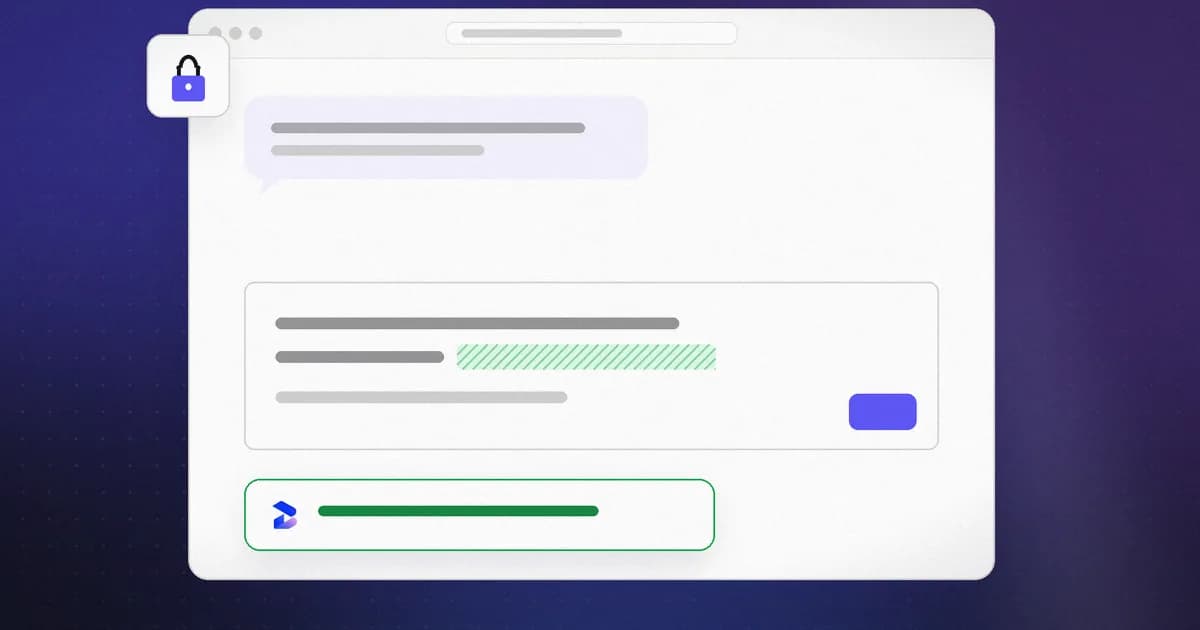
The browser tab where you ask ChatGPT to explain a stack trace is a different trust boundary from the terminal where Claude Code runs — and most teams only instrument the second one. Beam Sentinel is Beam's Manifest V3 extension that checks prompt text on major AI chat sites immediately before it is sent, using the same local heuristic rule set as the sentinel-collector scanner, with high- and critical-severity matches paused for an explicit Allow once. This post is the threat model for that surface: what can go wrong in a chat UI, what the extension actually inspects, and what remains your problem after you click send.
If you want breach statistics and survey numbers, see how much sensitive data people share with AI chatbots. If you want GPU hangs from untrusted pages during agent-driven browsing, see the WebGPU Deathray. Neither replaces this page — they cover adjacent risks, not the paste-and-send path Sentinel targets.
TL;DR
| Question | Answer |
|---|---|
| What is the core risk in browser AI chats? | You paste production context — configs, traces, customer fields — into a composer; the request leaves your browser to a provider you may not govern |
| Does Sentinel read my browsing history? | No — content scripts run only on the six assistant domains listed in the README; checks use page composer text at submit time |
| What happens on a high/critical match? | Send is paused until Allow once; live tokens and private keys are auto-redacted in the message first |
| What happens on medium matches? | Short warning; send continues unless you stop |
| Does data leave my machine for the check? | No authentication and no network request for checks, per chrome-apps/beam-sentinel/README.md |
| What is stored locally? | Latest 100 redacted decisions in chrome.storage.local; raw editor contents are not stored |
| Does this replace DLP or IT policy? | No — it is a personal, local guardrail on supported chat UIs, not fleet enforcement |
The chat-UI threat model (not the coding-agent model)
Coding-agent risk is usually framed around tool use: a skill file that exfiltrates, an MCP server that rug-pulls, a rm -rf the model argued for. Beam's local collector records those side effects — commands, paths, endpoints — from agents running on your machine.
Browser chat risk is mostly human-driven disclosure:
- Paste amplification. A stack trace,
.envexcerpt, ticket export, or SQL fragment goes into the composer in one gesture. The model did not "hack" anything; you supplied the secret. - Account boundary. Many sessions run on personal, free tiers outside employer DLP, even when the pasted material is work product — the pattern the 2026 sensitive-data roundup documents with telemetry, not hypotheticals.
- Dual use of the same machine. The same developer who runs
bun run --cwd apps/sentinel-collector devfor Claude Code hooks still keeps ChatGPT open for quick questions. Monitoring one tab does not monitor the other unless you add a surface-specific control. - Prompt injection in chat (distinct from paste leakage). A malicious snippet embedded in a page you ask the model to summarize can steer the conversation — overlapping with MCP and skill injection conceptually, but arriving through chat content rather than a installed skill file. Sentinel's instruction override rule flags some override phrasing in what you are about to send; it does not scan the provider's reply stream or third-party plugins.
- After send. Retention, training use, subprocessors, and breach surface at the vendor are policy and architecture questions. A pre-send check only affects the moment before the HTTP request leaves the page.
What the outside sources say about that boundary
Three independent sources describe the same gap from different angles.
The UK National Cyber Security Centre's guidance on ChatGPT and large language models makes the point that a query is visible to the organisation providing the model, and that "those queries are stored and will almost certainly be used for developing the LLM service or model at some point." It adds that stored queries may be hacked, leaked or accidentally made publicly accessible, and advises users not to include sensitive information in queries to public LLMs. It also warns about aggregation: many queries from one login can reveal more than any single one.
The OWASP GenAI project lists sensitive information disclosure as LLM02 in its 2025 list. It names personal data, financial details, health records, confidential business data and security credentials as the categories at risk, and says consumers "need to understand the risks of unintentionally providing sensitive data." That word, unintentionally, is the case a pre-send check is built for.
Cyberhaven's 2026 AI Adoption and Risk Report summary puts numbers on the account boundary. It reports that 32.3% of ChatGPT usage and 58.2% of Claude usage in its data came through personal accounts, which "bypass SSO enforcement, centralized logging, enterprise retention policies, and controls related to data usage or model training." It also reports that 39.7% of AI interactions involve sensitive data, and that employees input sensitive data into AI tools on average once every three days. Cyberhaven is a data-security vendor and the figures come from its own customer telemetry, so read them as an indication of direction, not a census. The company's own framing is that this behavior is rational, not malicious: people are trying to work faster.
None of these sources says a browser extension is the answer. They do explain why the moment before send is the only point where an individual can still change the outcome without any help from IT.
None of that is a WebGPU shader locking the GPU (Deathray). None of it is fixed by quoting Cyberhaven percentages alone. The actionable frame is: treat the chat composer like outbound email — once it leaves, you do not get a local undo.
What Beam Sentinel checks (grounded in the repo)
From chrome-apps/beam-sentinel/README.md:
A minimal Manifest V3 extension that checks prompts, code, and commands immediately before they are sent from major AI assistant pages. It evaluates the local Sentinel heuristic rule catalog.
Earlier versions of that README gave a fixed count of 12 patterns. The current README (extension version 0.1.3) no longer states a number, and src/rules.js defines 13 rule entries, so treat any count as a snapshot and check the file.
Behavior, quoted and paraphrased from that README and chrome-apps/beam-sentinel/src/rules.js:
- High and critical matches pause the action and require Allow once.
- Email addresses and labeled private information are treated as high severity and paused before sending.
- Medium matches are allowed with a short warning.
- Ordinary prompts continue without interruption.
- Checks and redaction happen inside the extension — no authentication, no network request.
- The latest 100 redacted decisions stay in
chrome.storage.local; raw editor contents are not stored.
Supported sites: ChatGPT, Claude, Gemini, Perplexity, Microsoft Copilot, and Grok. Triggers include form submissions, send/submit-style buttons, and Enter from editable prompt surfaces; Shift+Enter still adds a new line.
What happens at submit time
The behavior below comes from chrome-apps/beam-sentinel/src/content.js, version 0.1.3.
- Three triggers. The content script listens, in the capture phase, for form
submitevents, for clicks on buttons whose visible text or accessible label matches a fixed list (send, ask, run, submit, execute, check, test, continue, with an optional noun such as "message"), and for the Enter key in an editable field. Shift+Enter and IME composition do not trigger a check. - Gathering text. It collects the text of editable elements in the same form or dialog, skipping password inputs, and joins them. Only the first 20,000 characters are evaluated. A prompt longer than that is checked only up to that point.
- Evaluation. The text is run through the rule list and sorted by severity. High and critical severities produce a "block" decision, which means a pause. Medium findings produce an "allow" with a toast naming the number of warnings.
- Live secrets are removed first. If the text contains a live API key, token or private key block, the script replaces it in the composer with a placeholder such as
[REDACTED TOKEN], dispatches the editor's own input events so the change persists, holds the send, and shows a toast asking you to review and send again. If it cannot edit the composer, it falls back to the pause dialog. - The pause dialog. It shows the most severe finding's explanation and a preview of the text, itself redacted and cut to 240 characters, with the note that it was checked locally. The choices are Keep blocked and Allow once.
- Allow once is short. Choosing it records a hash of the text for five seconds and resumes the send. The same text sent again after that window is checked again.
- What is stored. Each decision stores a timestamp, the host and path, severity, rule IDs and a redacted preview of up to 180 characters. The list is capped at 100 entries in
chrome.storage.local.
Two practical limits follow from this design. The click path depends on button labels, so a send control with an unusual or icon-only label can reach the page without matching the list; the Enter and form-submit paths are separate and still apply. And the checks read text that is in the composer, which is not the same as everything the page will send.
Rule categories (heuristic, not semantic)
The extension evaluates text against a fixed rule list — private email and labeled PII, destructive commands (rm -rf, DROP TABLE, hard git resets), credential references (.env, SSH paths, password fields), credential text paired with outbound delivery language (critical), live token shapes (critical, with in-place redaction), curl-to-shell and encoded execution patterns, network sweeps, sudo / chmod 777, cloud metadata URLs, persistence targets (authorized_keys, crontab, LaunchAgents), reverse-shell shapes, and instruction-override phrasing. That is the same family of checks described for scanning skills before run, applied to chat composer text instead of a SKILL.md on disk.
Important nuance from the store listing copy in chrome-apps/beam-sentinel/assets/listing.md: live API keys, access tokens, and private key blocks are removed from the message automatically and the send is held so you review the cleaned text — not only blocked with a dialog.
What Beam Sentinel does not do
Stating limits plainly (same credibility principle as what is AI agent monitoring):
| Out of scope | Why |
|---|---|
| Provider-side storage or training | Once you Allow once and send, Sentinel has no visibility into vendor retention |
| File uploads, screenshots, voice | Checks target composer text at submit hooks described in the README |
| Unsupported domains or mobile apps | Host permissions are limited to the six sites above |
| Semantic "is this NDA-covered?" | Pattern matching, not legal or data-classification review |
| Blocking without user action | Pauses require your confirmation; medium severity warns and proceeds |
| Agent tool calls in the IDE | Use the local collector for Claude Code / hook instrumentation |
| Browser-engine or GPU bugs | See WebGPU Deathray — different class entirely |
| Malware in downloaded chat attachments | Not scanned; extension does not intercept downloads |
False positives and false negatives apply: mentioning .env in a benign question can warn; a novel secret format with no token shape can slip through. That is the tradeoff documented for collector scans in MCP security as well — heuristic triage, not proof of safety.
Reading a warning: what to do next
A pause is a prompt to decide, not a verdict. A few cases and sensible responses:
- A live token or key was replaced. Assume the secret may still exist in your clipboard history, terminal scrollback or the file you copied it from. Removing it from the message does not rotate it. If it was ever pasted into an unprotected place, rotate it.
- A labeled personal field or email paused the send. Mask the value or replace it with a placeholder and send the question without it. Most debugging questions do not need real customer data.
- A destructive command or
curl | shpattern paused the send. The rule reads text, not intent. If you are only asking about the command, confirm with Allow once after checking the preview; if you meant to run it, check the target and backups first. - An instruction-override phrase paused the send. This usually appears when you paste a prompt or a web page that contains such text. It is a useful reminder that the text you are about to send may itself carry injected instructions.
False positives are expected from pattern matching. If a rule fires often on harmless text in your work, read the pattern in src/rules.js before deciding to switch the extension off; a disabled extension protects nothing.
Install and verify (from the README)
Build and load unpacked — no paid service, no Beam account:
bun run --cwd chrome-apps/beam-sentinel build
Then open chrome://extensions, enable Developer mode, choose Load unpacked, and select chrome-apps/beam-sentinel/dist.
Toggle protection from the toolbar popup; review the last redacted decisions there. For the full rule source and tests, see chrome-apps/beam-sentinel/src/rules.js and rules.test.js in the repo.
How this fits next to Beam on coding agents
Think of two layers on one workstation:
Coding agent (Claude Code, Cursor, …)  →  sentinel-collector hooks / ingest  →  local NDJSON timeline
Browser chat (supported assistants)     →  Beam Sentinel content script       →  pre-send heuristic pause
Introducing Beam covers the first leg. Sentinel covers the second. Vibe coding security checklist ties both habits together — scan before run, watch after run, and do not treat the chat box as a private scratch pad.
Enterprise readers comparing sanctioned warehouse agents to shadow browser paste should also read enterprise data agents and permissions — Sentinel is a personal guardrail, not a replacement for access control in Snowflake or BigQuery.
Related reading
- How much sensitive data do people share with AI chatbots? — measured paste behavior and breach context
- The Deathray: WebGPU and agent browser risk — untrusted URL rendering, not chat paste
- Introducing Beam: local-first AI agent security — collector, hooks, and scan CLI
- How to vibe code safely with Beam — wiring the collector on your machine
- MCP security: a practical guide — heuristic scanning limits on skills and configs
- AI agent security: securing coding assistants — skill injection and pre-run scan workflow
- Build and load instructions:
chrome-apps/beam-sentinel/README.mdin the Beam monorepo
Beam Sentinel behavior reflects chrome-apps/beam-sentinel/README.md and src/rules.js as of September 12, 2026. The extension is a local prototype; rule IDs and severities may change between releases — verify in the repo before citing exact counts in compliance docs.
For a workflow that spans a remote development machine and AI chat tabs, see Beam on Raspberry Pi, including the separate workspace extension and its metadata collection controls.