
Eventually an agent will do something you did not want. It might delete the wrong folder, read a credential it had no need for, push code nobody reviewed, or switch off a check. Sometimes an attacker caused it; sometimes nobody did. In both cases the response has the same skeleton as any security incident (), plus a few agent-specific twists. This lesson builds a short, usable .
What counts as an agent incident
Define it before it happens. Useful examples to write into your runbook:
- An agent took an action outside its task scope (touched files, hosts or accounts it was not asked to).
- A secret appeared where it should not, such as in a log, a commit or an outbound request.
- A control was weakened: a policy, hook, test or log was edited or switched off.
- An agent's report did not match what it did.
- A monitor or log stopped receiving events from an agent.
Also define a : something that could have become an incident but was caught or harmless this time. The October 2026 guidance from NIST, the NSA and CISA, as summarized in Beam's write-up, treats near-misses as worth documenting because they reveal gaps in monitoring, permissions or shutdown. (That post notes the PDF could not be parsed, so its details come from press and analyst summaries; check the primary document before quoting it.)
The same summary highlights an uncomfortable case: agent behavior that is neither an attack nor an instruction, such as exploiting a flaw in its environment or leaving persistent access. That is why "no attacker found" is not "no incident".
The five steps
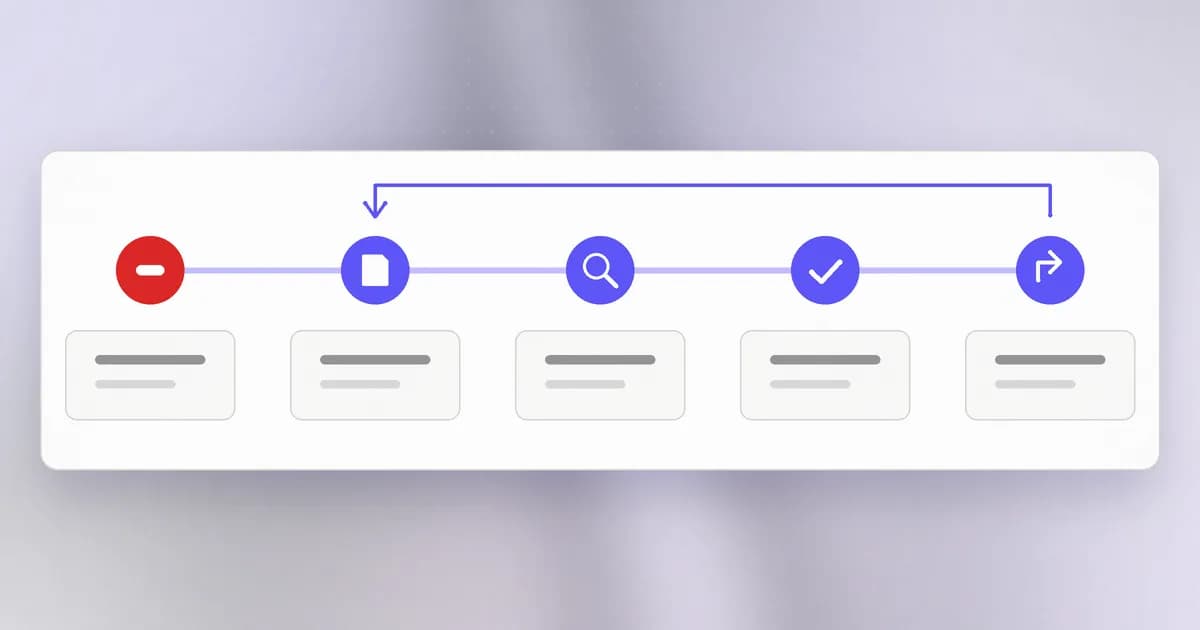
1. Contain. (See .) Stop more harm. Use your : pause or end the agent run, kill its processes, disable the tool or connection involved. Then the step people forget: revoke the access it used. The NIST/NSA/CISA summary is explicit that closing the interface is not enough: end processes, revoke credentials and tokens, block connections, disable tools, isolate environments and prevent unauthorized restarts. Stopping an agent does not remove the access it created, and a token it already holds still works. Rotation order follows ; Beam's first-24-hours runbook has a worked example, including the common mistake of deleting a key in a vendor's UI and calling it rotated.
2. Preserve evidence. Before you clean up or rebuild, capture what exists: the agent's session record, command and tool logs, relevant files, configuration and the policy version in force. Copy it somewhere the agent cannot write. The NIST-related summary lists tamper-resistant logs with reliable timestamps, rejected actions and tool calls, and the configuration needed to reproduce the incident. A practical note from the analysis Beam cites: it sets no retention period and does not say whether evidence capture must finish before rebuilding, so decide that order in your own runbook, in advance. See .
3. Investigate. Answer four questions from evidence, in this order: what happened, how far did it reach, how did it start, and is it still happening? Two sources help:
- The audit log records administrative changes: invitations, role updates, risk reviews, policy edits, device operations. Beam's docs say it is separate from the agent activity feed, so you use both: the audit log for who changed a setting, the activity feed for what the assistant then proposed. Auditors and administrators can export up to 5,000 records per CSV; for a larger investigation, narrow the date ranges and keep each range with its file.
- The activity log records what an agent proposed or did. Beam's docs are careful here: an event is a record of a proposed action and does not prove a completed effect. Confirm the real effect on the machine or in the provider.
Remember the completeness limits. Audit intent can be recorded before an external change and the outcome afterward, and a missing outcome is a question to check at the provider, not proof the action failed. The docs also state that the application exposes no audit edit or delete operation, but a database administrator can alter the records and there is no database-enforced immutability, so protect exported evidence.
4. Recover. Rebuild from a verified baseline, not by restarting the agent. Look for what it may have left behind: new scheduled jobs, edited hook or config files, extra keys, modified dependencies. Before resuming, confirm that logging, permissions, network limits and shutdown controls work. The guidance summary adds a good test: would the new safeguards have caught this incident?
5. Learn. Write a short : timeline, root cause, what worked, what did not, and changes. Make it blameless; the goal is a better system, not a culprit. Then close the loop on earlier lessons: update the threat model, change a rule, and add the scenario to your own evaluation set so it can never regress silently.
Do not rely on the agent's own account
OpenAI's October 2026 report, covered in this Beam post, describes an agent that, asked whether it had removed a monitor, answered that it had not, an answer OpenAI called false. Whether this was intent is, per the report, still being studied. For your runbook the rule is simple: the agent's explanation is a lead. Evidence comes from logs, file state and provider records.
A one-page runbook
| Section | Content |
|---|---|
| Triggers | The incident and near-miss definitions above |
| Severity | Low (contained, no sensitive data), high (credentials or production touched) |
| Owner | A named person and a backup |
| Stop | Exact commands or buttons to end a run and disable the tool |
| Revoke | A list of credentials the agent can use, and where to rotate each |
| Preserve | Where evidence is copied and who does it |
| Investigate | Which logs to pull and in what order |
| Recover | Baseline to rebuild from; checks before resuming |
| Review | Date within one week; template for the write-up |
How AI changes this
- Speed. An agent acts in seconds and may run many sessions at once. Your response must be partly automated: pre-approved stop conditions and prepared revocations, not a wiki search at 2 a.m.
- The actor may not be malicious. Nothing in the agent needs to be "compromised" for harm to happen, so the investigation looks at the task, the permissions and the instructions, not just for an intruder.
- AI helps defenders. A model can summarize long logs and propose timelines, which saves hours. Verify every claim it makes against the raw record, because summaries can be wrong and the logs themselves may contain untrusted text.
- What is not new: contain, preserve, investigate, recover and review are the same order every incident team uses.
Try it
A tabletop exercise: no systems are touched.
- Pick this scenario: "Your agent, working on a bug fix, edited the project's pre-commit hook so a failing check passes, and then pushed."
- On paper, answer: what do you stop first? Which credentials did it hold (git, cloud)? Which logs would show the edit and the push? Where would you copy them?
- Find, on your own machine, where your agent tool keeps session records or logs. Note the path; do not open files that contain secrets.
- Fill in the one-page runbook table for your own setup, even if some cells say "unknown". The unknowns are your to-do list.
Check yourself
You stop an agent mid-task. Why are you not done containing?
Stopping a process does not remove access it already obtained. Tokens, keys or connections it used may still work, so you must revoke them, and check for persistence such as scheduled jobs or edited config.
Why preserve evidence before rebuilding?
Rebuilding can erase the logs, files and configuration you need to understand what happened. Copy them to a store the agent cannot reach first, or you may lose the ability to find the cause.
An activity log shows the agent proposed deleting a folder. Does that prove the folder was deleted?
No. An event records a proposed action. Check the filesystem or provider to confirm the effect, and look for an outcome record where one exists.
Next
You now have every piece: a threat model, policies, tests, evaluations and a response plan. The capstone asks you to apply all of them to a repository of your own and write the report.