
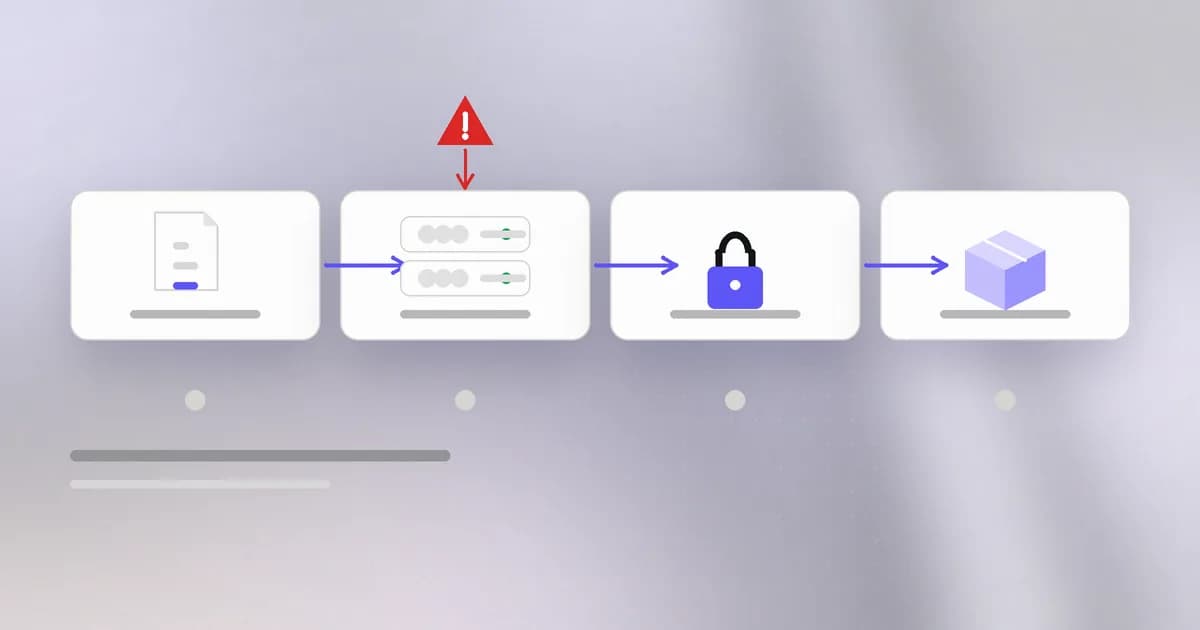
In the last lesson, an attacker published something. There is a far better position: be the one who publishes for the project. If you control the pipeline that builds and releases a popular tool, every user receives your code through the official channel, signed off by the project's own name. This lesson is about attacking the factory instead of the product.
What a pipeline is
When a developer pushes code, an automated system, called a (continuous integration), takes over. On a temporary machine called a it checks out the code, builds it, runs tests, and for releases uploads the result to a registry or download page.
To do that last step the runner needs the keys to the registry. So a pipeline holds : publishing tokens, cloud credentials, signing keys. Anything the job can read, a malicious step in the job can read too.
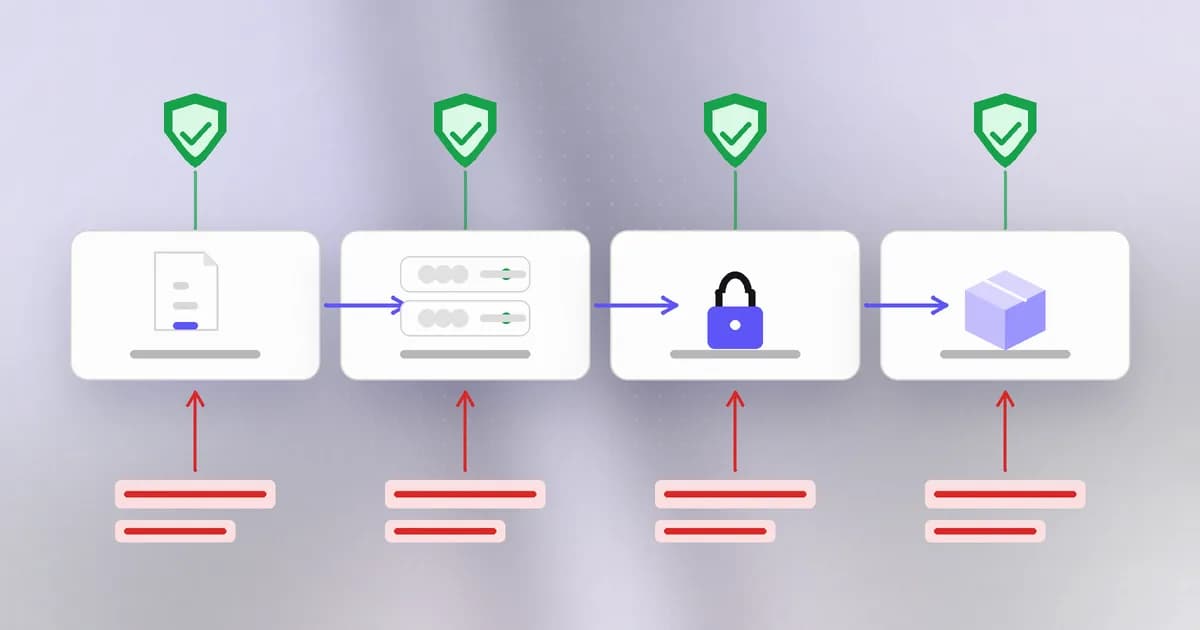
The diagram shows why this is such rich ground. Each stage is a place to interfere:
- Source. Change what goes in: a stolen account pushes a commit or a new workflow file.
- Build. Change what is made: swap the freshly built output for something else.
- Sign and attach. Change what vouches for it: replace files and checksums together.
- Publish. Use the legitimate credentials to push the result to everyone.
How real pipelines were abused in October 2026
These cases come from Beam's October 2026 tracker, every incident, what was taken and what to do. Each shows one stage above.
The workflow became the key (SubQuery, October 5). The package @subql/common 5.8.3 was published through a modified publish workflow. According to the tracker, the workflow swapped the locally built package for an archive from an external domain just before release, and it was still published through GitHub Actions OIDC trusted publishing. removes the long-lived token, which is good, but the registry now trusts a specific workflow. Anyone who can alter that workflow can publish. So the workflow file deserves the same review as production code.
Stolen tokens write workflows (GhostAction). Attackers used stolen personal access tokens to push workflows with innocent names like security-audit.yml, which sent package, cloud, GitHub and AI service credentials to attacker infrastructure. The tracker reports scale estimates from 790 repositories to tens of thousands, and notes that deleting the workflow does not revoke what was already sent.
The official download was swapped (OVHcloud CLI, October 19). An attacker hijacked a contributor's GitHub account and replaced release assets for versions 0.11.0 through 0.15.0, including the checksums.txt file, so verification would not have caught it. The swapped files were live for about 94 minutes. OVHcloud's founder said the root cause was that GitHub release immutability was disabled. means a published release cannot be edited, so a change has to appear as a new version. It is now on, and v0.16.0 is a clean, immutable release.
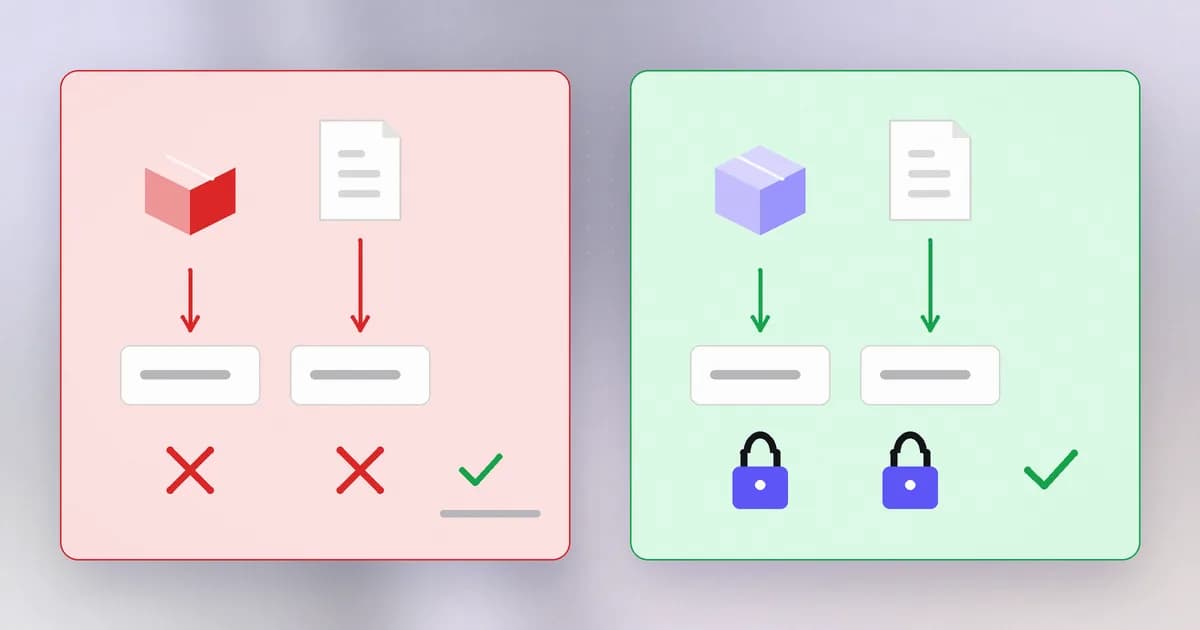
The build came from the wrong place (LiteLLM, October 21). Beam's analysis of Socket's and Wiz's reports says the release workflow was dispatched with its source owner set to a lookalike repository name with an extra hyphen. The attacker's payload was in a commit on that lookalike. A detail worth remembering: a commit added a packaging setting that included the payload directory, and the tagged release did not carry that setting, so reviewing the tag alone would have missed it. See LiteLLM 1.107.0 compromised.
A bot with a token was talked into leaking it (Clinejection). Beam's npm worm article describes how prompt injection in a GitHub issue title manipulated Cline's automated issue-triage bot into leaking a publish token, used to push a malicious release. Here the pipeline's own automation was the entry point.
One more flaw: text becoming commands
A subtle pipeline bug is worth knowing by name: . Workflows can include shell commands that mention values like an issue title. If the title is substituted straight into the shell command, whoever writes the title controls part of the command. A shape to recognise (never to copy):
# risky: the title is pasted into the shell command
- run: echo "New issue: ${{ github.event.issue.title }}"
The safer habit is to hand untrusted values to the step as an environment variable, so they are data and never part of the program text. If you must handle outside text in a privileged workflow, assume it is hostile.
How to protect a pipeline
| Risk | Control |
|---|---|
| Stolen long-lived token | Short-lived credentials; trusted publishing; one narrow token per job |
| Edited workflow | Require review for changes under .github/workflows; limit who can approve |
| Replaced release files | Turn on release immutability; publish provenance |
| Floating references | Pin actions and images to a commit or digest, never latest |
| Outside text in commands | Pass values through environment variables; do not give secrets to jobs triggered by outsiders |
| Stolen accounts | Hardware-key two-factor; review new tokens and OAuth apps |
records where and how an artifact was built. Be exact about what it proves. The Agent Baseline reference architecture that Beam summarised says it directly: provenance proves where a component came from, not that it is safe. Provenance is a clue to check, not a stamp of approval.
Finally, check the first rule of the previous lesson again: pin by digest or exact version. The tracker's pattern list says it plainly: checksums and tags are not enough, because OVHcloud's attacker replaced the checksum file and LiteLLM's attacker moved latest.
How AI changes this
New actor in the pipeline. AI agents now triage issues, review pull requests, write code and open releases. Each one reads text that outsiders can influence (issue titles, PR descriptions, tickets) and holds credentials to act. Clinejection is the clearest example: the text was the attack and the token was the loot. The Agent Baseline architecture, as Beam summarises it, starts from the assumption that the agent and anything it reads are untrusted, and puts the limits in a place the agent cannot reach: sandbox, network, supply chain and identity.
New loot. GhostAction's 2026 variant harvests AI service keys along with cloud and package keys, according to the tracker, and the tracker's pattern list says AI keys are now a primary target.
Speed, on both sides. The same tracker shows how fast stolen tokens became releases. Defenders can use AI scanning to spot malicious releases quickly, but as the OVHcloud and LiteLLM windows (94 minutes and about 100 minutes) show, an hour is plenty of time for installs. Prevention at the pipeline matters more than faster detection.
Same old problem: a stolen credential and a pipeline that trusts it. The tracker's first pattern is "stolen tokens, not zero-days".
Try it
Review one of your own projects, locally and read-only. Do not use anyone else's repository.
- If it uses GitHub Actions, open each file under
.github/workflows. - Search for floating references and risky substitutions:
grep -rn "uses:" .github/workflows | grep -v "@[0-9a-f]\{40\}"
grep -rn "github.event" .github/workflows
The first lists actions not pinned to a full commit hash. The second lists workflow lines that use event data; check whether any sit inside a run: command.
- Look for a
permissions:block. If a workflow has none, it may get broader default access than it needs. - Write down every secret the workflow can reach and the narrowest scope you could give each.
If you have no project with workflows, create a sample file in a scratch folder with one run: line using github.event.issue.title, then write what you would change. Nothing here executes anything.
Check yourself
Why does trusted publishing make the workflow file as sensitive as a password?
Because the registry accepts a release from that workflow's identity instead of a token. Anyone who can change or run the workflow can publish as the project, as the SubQuery case shows, so edits to workflow files need review.
An attacker can edit a release's binaries. Why can they still defeat a checksum check?
The checksum file is part of the release too. If they can replace the binaries they can replace the checksums.txt next to them, as happened with the OVHcloud CLI, so the file still matches. Release immutability and pinning to a hash you recorded earlier avoid that.
What is wrong with putting an issue title straight into a shell command in a workflow?
Whoever writes the title controls part of the command text, so outsider text becomes code in a job that may hold secrets. Pass it as an environment variable so it stays data.
Does build provenance prove a release is safe?
No. It shows where and how it was built, which helps you detect a build from the wrong place. It cannot tell you that the right place was not itself compromised.
Next
Pipelines and packages are only half of what you trust. Next: the certificate authorities your devices believe without question, and what happens when one of their keys turns out to be guessable.