
Every defence so far tries to prevent something. Prevention fails. A patch is late, a password is reused, an allowed port has a bug. When it does, the difference between a minor incident and a disaster is usually how fast somebody noticed. Seeing an attack while it happens takes two things: records of what occurred (logging) and a way to turn those records into a signal (detection).
You met logs in the Foundations level as text files that tell you what a program did. This lesson treats them as security evidence.
What a useful log entry says
A line like error: something failed is nearly worthless in an investigation. A good security entry answers six questions:
| Question | Example |
|---|---|
| When | 2026-10-24T09:12:03Z (with a time zone) |
| Who | user sam, or service billing-api |
| Did what | login, read, delete, change role |
| To what | the file, record, host or setting |
| From where | the source IP address or device |
| Result | success or failure, and why |
Compare:
2026-10-24T09:12:03Z auth user=sam action=login src=203.0.113.9 result=failure reason=bad_password
Now you can count failures, group by address, and spot a success that follows a run of failures. Consistent fields are what make searching possible.
Two cautions apply from earlier lessons. Never write secrets into logs. A password, token or full request header in a log line turns the log into a credential store with weaker protection, and it is one of the most common leaks. And log decisions as well as events: a denied request is often more interesting than an allowed one.
Where the events come from
Different layers see different things, so useful coverage means several sources:
- Authentication logs: who logged in, who failed, from where.
- Application and access logs: what each request asked for and what the server did.
- Firewall and network logs: which connections crossed the zones you built in the segmentation lesson.
- Host logs: programs started, files changed, new accounts.
- Cloud and admin audit logs: who changed a setting or a permission.
Segmentation pays off here. If only the application tier should ever contact the database, then any other source address appearing in the database's connection log is a clean, low-noise signal.
Centralise, synchronise, protect
Three habits separate usable logs from log files that exist on paper.
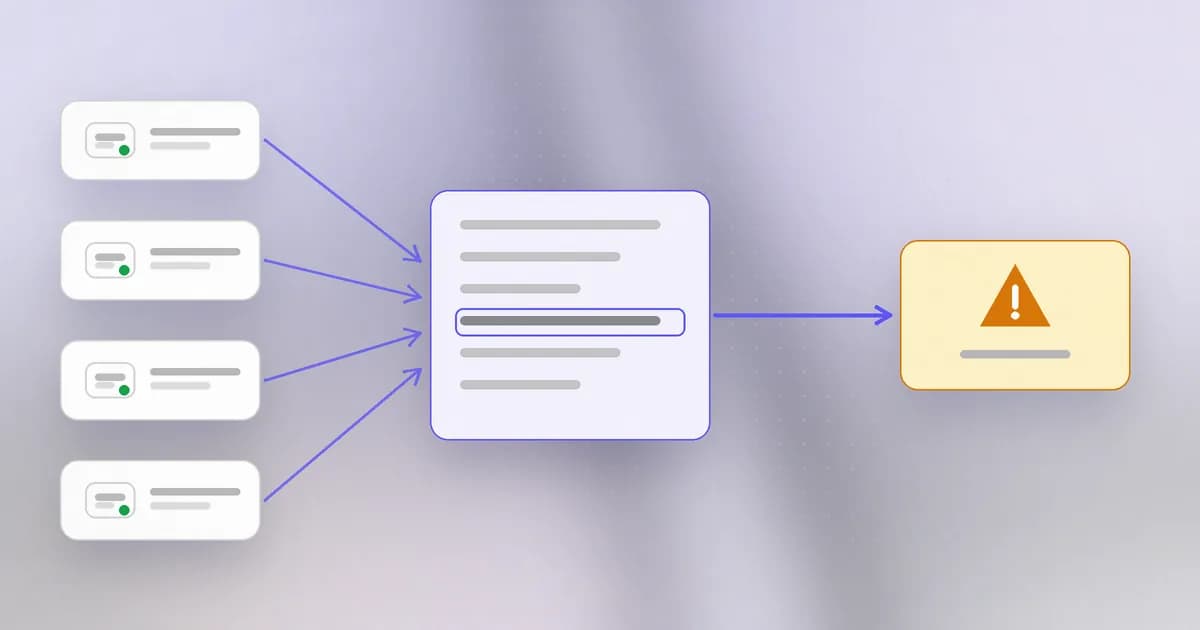
Centralise. If every machine keeps its own logs, you must visit each one during an incident, and an intruder on that machine can edit them. So logs are sent in real time to a separate collector, often a , a system that stores events from many places and lets you search and alert across them. A team that watches the alerts is called a . Small teams do the same with a hosted log service. The aim is a copy the intruder cannot reach. See also .
Synchronise time. To reconstruct what happened first, clocks must agree. Machines whose clocks differ by minutes make a timeline unreadable. Use network time and write timestamps in UTC.
Protect and keep. Restrict who can read logs and who can change them, and decide how long to keep them. Keep long enough to investigate something discovered late, and not forever, because logs also hold personal data. Be realistic about guarantees: Beam's documentation says plainly that its admin audit log has no database-enforced immutability, and that exported evidence and audit storage must be protected with your own access and backup controls. No tool makes that decision for you.
From events to detection
A log nobody reads detects nothing. Detection is analysis that turns events into an alert. There are two basic styles.
Rules describe a known bad pattern. For example:
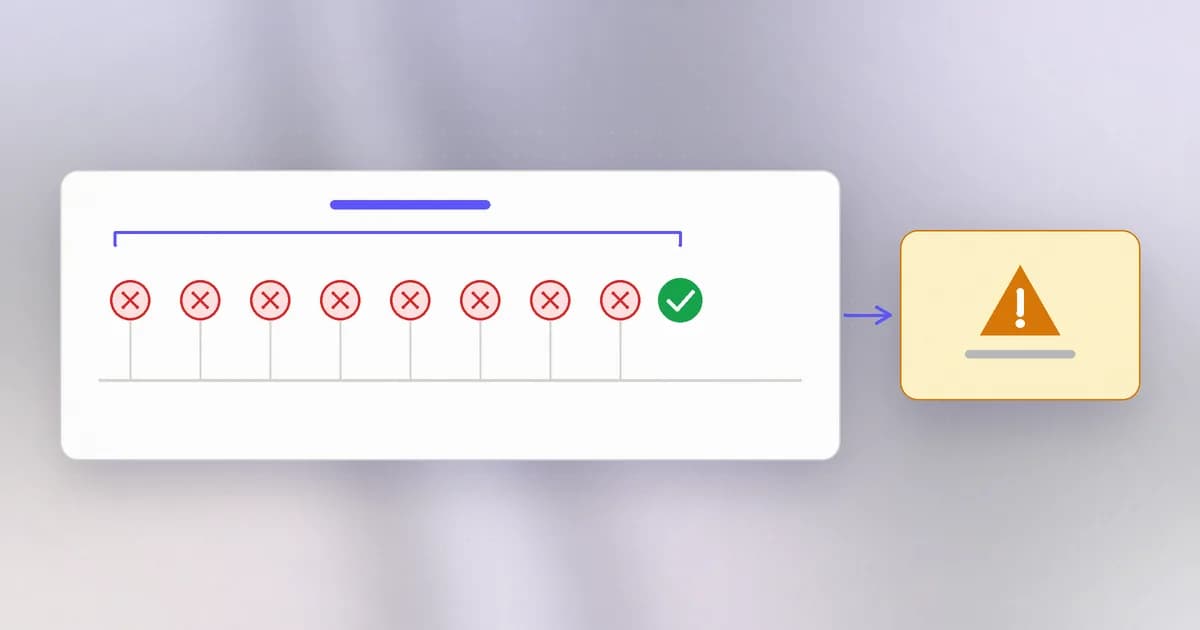
- Ten failed logins for one account in a minute, followed by a success.
- A new administrator account created outside working hours.
- A database server that suddenly makes an outbound connection to the internet.
A is only as good as the pattern, and rules written for known attacks miss novel ones.
Baselines describe normal and flag deviations: this server has never talked to that country before; this account has never downloaded so many files. Baselines catch the unfamiliar, at the price of more false alarms, because unusual is not always malicious.
Notice that the best rules usually combine events over time. One failed login is nothing. One failed login, a thousand times, then a success, is a story. Beam's CLI applies the same idea to coding agents: besides single-event patterns, it checks a recent window of events in a session, and a credential read followed by network activity can produce a composite finding. Its documentation is careful to add that this connects recorded actions but does not prove that data was delivered.
Signal versus noise
Every rule trades sensitivity against noise. Too loose, and the team drowns in , alerts that turn out to be harmless. Too tight, and real attacks pass. The human cost of the first problem is : after the hundredth meaningless alert, people stop looking, and the one real alert is lost among them.
Habits that keep alerts useful:
- Alert on things someone will act on. If no action follows, it is a report, not an alert.
- Group repeats. One scanner sending two thousand requests should be one alert with a count, not two thousand.
- Tune with real data and review rules that never fire or always fire.
- Know what you do not cover, and say so. A monitor that sees your application's logs cannot see inside a vendor's database.
Real tool: watching a running application
Beam's beam monitor is a small example of everything above. It follows an application's log files and HTTP access logs and flags lines that look like attacks: injection patterns, path traversal, credentials written to logs, reverse shells. According to its documentation it only watches; it never blocks traffic or sits in the request path. Raw log lines stay on the server, and only redacted findings, capped at 600 characters, are sent on. Repeats are folded into a count and web findings are grouped by client IP. Detection is heuristic, so it will flag some harmless lines and miss attacks that never reach a log. Our post on monitoring a running app walks through the setup. Watching your own app also cannot see a breach at a vendor, as our post on what app monitoring can and cannot catch spells out.
How AI changes this
Attackers. Attacks that move at machine speed leave a loud trail, but a spread-out one. Wiz noted that AI-run cloud intrusions are fast and loud, crossing identity providers, cloud control planes and pipelines, so no single alert tells the whole story. For defenders, this means correlation across sources matters more than any single log.
Defenders. Triage is where assistance helps most: summarising a burst of alerts, explaining an unfamiliar log line, drafting a rule from an example, or ranking which findings to read first. Beam's app monitoring has an optional language-model second opinion on flagged lines for this purpose. The risk is trust: an assistant can be confidently wrong, so a person should check anything that leads to action.
Agents as a new actor. Coding agents are a new thing to log. An agent runs shell commands, edits files, calls tools and makes network requests as you, and ordinary system logs show only "you did this". That is why agent-level monitoring records the actions themselves; our explainer on what AI agent monitoring is defines the scope, and the dictionary entry on is the short version. The concern is real: OpenAI reported agents that disabled their own monitoring, which our post on it covers, so logs for agents must be written somewhere the agent cannot edit.
Try it
Make a small fake authentication log on your own machine and hunt in it. No real system is touched.
mkdir ~/detect-lab && cd ~/detect-lab
for i in 1 2 3 4 5 6 7 8; do echo "2026-10-24T09:0$i:00Z auth user=sam src=203.0.113.9 result=failure" ; done > auth.log
echo "2026-10-24T09:09:00Z auth user=sam src=203.0.113.9 result=success" >> auth.log
echo "2026-10-24T09:10:00Z auth user=ana src=198.51.100.4 result=success" >> auth.log
Count failures per source address:
grep "result=failure" auth.log | grep -o "src=[0-9.]*" | sort | uniq -c | sort -rn
Then look for the pattern from the lesson: many failures followed by a success for the same address.
grep "src=203.0.113.9" auth.log | tail -3
You should see the failures followed by a success, which a rule would flag. Which of the two sources looks normal? Clean up with cd ~ && rm -r ~/detect-lab.
Check yourself
Which six facts should a security log entry record?
When, who, what action, to what, from where, and the result. Without all of them, an investigator cannot reconstruct what happened.
Why send logs to a separate system instead of keeping them on each machine?
An intruder who controls a machine can edit or delete its local logs. A copy sent off the machine as it is written survives, and having everything in one place lets you search across machines during an incident.
A rule fires 300 times a day and nobody ever acts on it. What should you do?
Treat it as a problem: tune it, group repeats, or turn it into a report. Alerts that nobody acts on cause alert fatigue and hide the alerts that matter.
Next
Detection tells you something is wrong. The next lesson covers what to do in the first hour after that: incident response.