
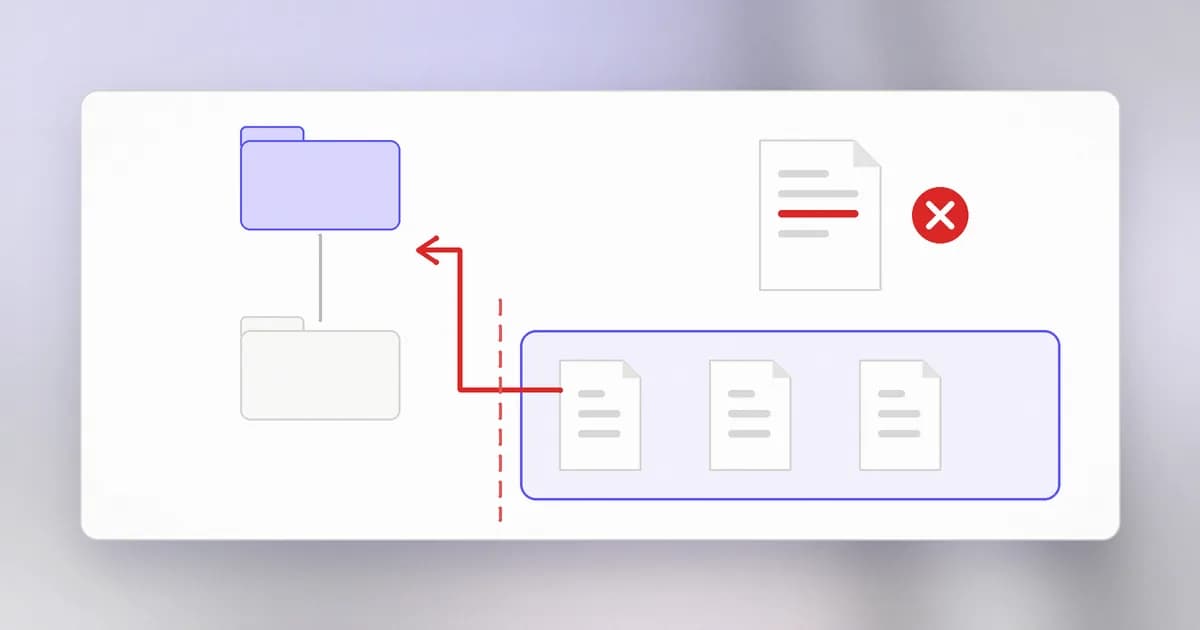
Many applications let you ask for a file by name: a report to download, an image to show, a template to load. The program keeps those files in one folder and trusts the name it is given. Path traversal is what happens when that name can lead out of the folder.
Paths, folders and the parent step
From files, folders and permissions, a path is an address in the file tree. Two special names matter here:
.means "this folder"..means "the folder above this one"
So if you are in /srv/app/reports, then .. is /srv/app, and ../config/settings.txt is /srv/app/config/settings.txt. A single name can step upward as many times as it likes. The operating system does not ask whether you meant to; it follows the steps.
The vulnerable pattern
Imagine a small download function. Files live in /srv/app/reports, and the visitor passes a file name:
import os

REPORTS = "/srv/app/reports"

def read_report(name):
    path = os.path.join(REPORTS, name)
    with open(path, "rb") as f:
        return f.read()
For name = "q3.pdf" the path is /srv/app/reports/q3.pdf, which is correct. The program checked nothing about the name; it relied on the visitor to ask only for reports. If the name contains parent steps, the joined path points somewhere else, and open happily reads it. The function never decided what "inside the reports folder" meant, so it cannot enforce it.
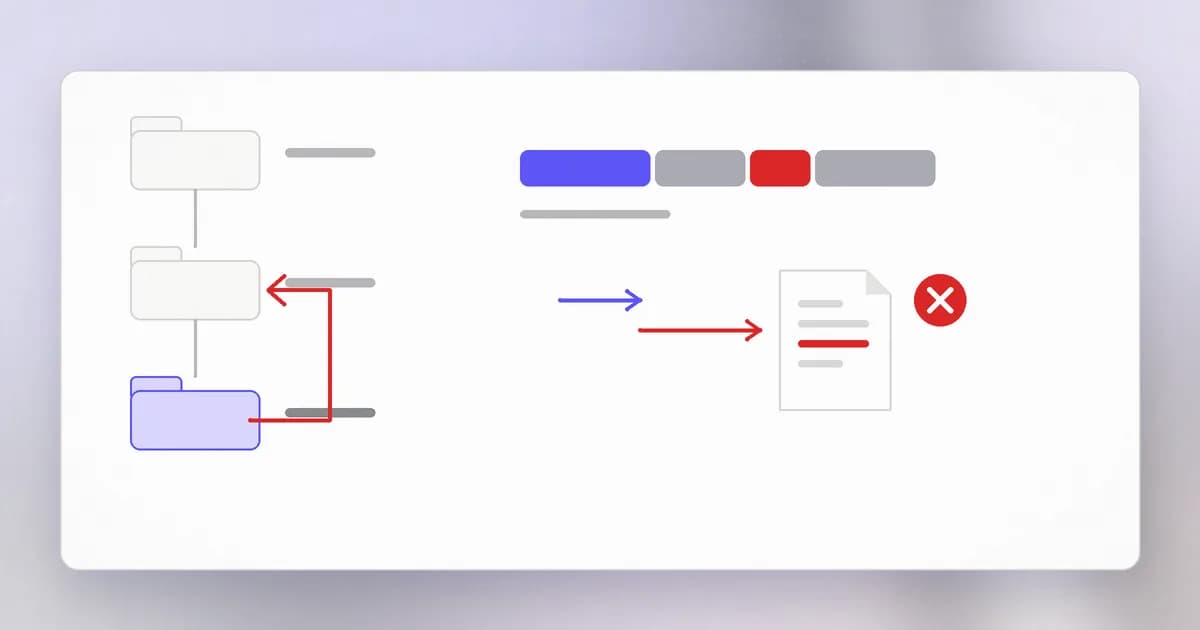
This is the flaw, catalogued as CWE-22. The consequences depend on what the program can read: configuration files, source code, keys, other users' data. Because a server process often runs with broad read access, the damage is usually bigger than the feature deserved.
Why quick fixes fail
The tempting fix is to look for the bad text:
if ".." in name:
    raise ValueError("bad name")
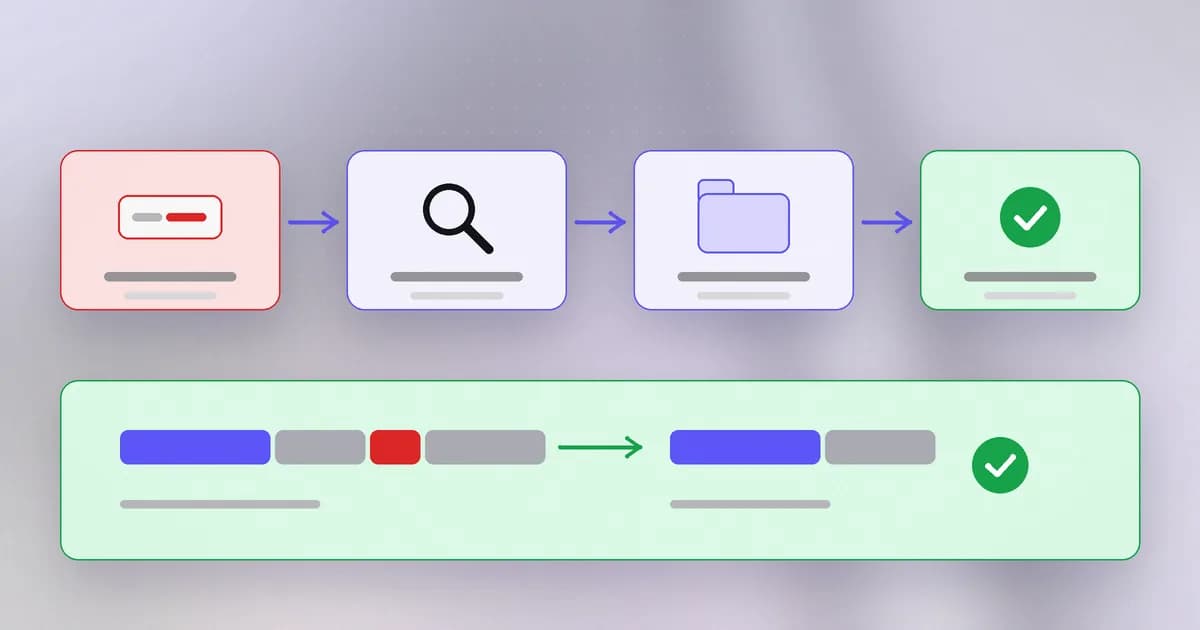
This is a denylist, and it is fragile for reasons that have nothing to do with cleverness. Paths can be written with different separators on different systems, URLs can encode characters before they reach your code, and a symbolic link inside the folder can point anywhere. Each time you add a rule for one variation, another is waiting. The problem is that you are checking the text of the name, not where it ends up.
The fix: resolve, then compare
Turn the path into its single, final form first, and then check that this final form is inside the allowed root. This step is called .
import os

REPORTS = os.path.realpath("/srv/app/reports")

def read_report(name):
    path = os.path.realpath(os.path.join(REPORTS, name))
    if os.path.commonpath([REPORTS, path]) != REPORTS:
        raise PermissionError("outside the reports folder")
    with open(path, "rb") as f:
        return f.read()
realpath removes the . and .. steps and follows symbolic links, giving the true location. commonpath then asks what the two paths share; if the shared part is not the reports folder, the request escaped. The decision is made on the final answer, so every spelling of "go up" fails the same way.
Two further habits make this stronger:
- Accept less. If reports are only ever called
q1.pdftoq4.pdf, validate the name against that list or a strict pattern first. Then traversal is impossible by construction. - Run with less. If the server process cannot read the sensitive files at all, a bug here exposes less. This is least privilege applied to the web server's account.
Why is comparing the resolved path better than searching the name for dot-dot?
The resolved path is the true destination, no matter how the name was written or whether a symbolic link redirects it. Searching the text only catches the spellings you thought of.
Spotting it in a code review
- Find every use of a file-opening function (
open,readFile,send_file,File(...)) and trace the argument backwards. - If any part came from a request, header, database field or archive entry, look for a resolve-and-compare step. A
joinalone is the red flag. - Check that the check happens on the resolved path, and that the file is opened after the check using the same resolved value.
- Look at the process privileges. A web server that can read
/etcor the whole home folder is making every path bug worse.
Real cases
Path traversal is not a beginner-only mistake. Two entries on CISA's Known Exploited Vulnerabilities list, meaning they have been seen attacked in the wild, show two shapes of it.
Both are rated high severity, and both can leak files without any login. The common thread is not an unusual technique but a missing boundary check.
How AI changes this
Attackers. Path traversal is easy to find by pattern, and automated scanners have tested for it for years. What AI changes is the cost of reading code: a model can scan a large repository for places where a request value reaches a file call, then adapt to the framework and custom filters it finds. The weakness being searched for is the same; the time to find it shrinks. Reports of AI-assisted exploit work on Beam's blog, such as the Hacktron write-up, show that.
Defenders. AI review is useful for this exact job: "list every function that opens a file using a request-derived name and show whether it resolves and compares." It is quick to produce a candidate list. Check each one yourself and write a regression test, because a model may say a path is safe when a symbolic link says otherwise.
AI agents. An agent with file tools is a path-handling program whose input is language. If it is told to write to notes/summary.md but a page it read convinces it to write to ../../.ssh/authorized_keys, the same bug appears through a different door. Agents also run as you, so a traversal reaches everything you can reach. The fix is the same: the tool resolves the path and refuses anything outside an allowed root, rather than hoping the model behaves. Beam's covers the agent angle, and the entry explains why a confined folder matters.
Try it
This lab stays inside a folder you create. Nothing outside it is touched, and a "secret" file is simply one you make yourself.
mkdir -p ~/traversal-lab/public && cd ~/traversal-lab
echo "this is a public report" > public/report.txt
echo "pretend secret" > secret.txt
Save this as lab.py in ~/traversal-lab:
import os

ROOT = os.path.realpath("public")

def unsafe(name):
    return open(os.path.join(ROOT, name)).read()

def safe(name):
    path = os.path.realpath(os.path.join(ROOT, name))
    if os.path.commonpath([ROOT, path]) != ROOT:
        raise PermissionError("outside the folder")
    return open(path).read()

for name in ["report.txt", "../secret.txt"]:
    for fn in (unsafe, safe):
        try:
            print(fn.__name__, name, "->", fn(name).strip())
        except PermissionError as e:
            print(fn.__name__, name, "-> refused:", e)
Run python3 lab.py. The unsafe function returns the pretend secret from one folder above public, while the safe one refuses. Now change report.txt into a symbolic link to secret.txt with ln -sf ../secret.txt public/report.txt, run it again, and notice that safe also refuses a name that looks harmless. That is why resolving beats inspecting text. Clean up with cd ~ && rm -r ~/traversal-lab.
Check yourself
What is the root cause of path traversal, in one sentence?
A program joins an outside name onto a folder and opens the result without checking that the final location is still inside that folder.
A developer rejects any name containing '..' and says the endpoint is safe. Name one way it can still be unsafe.
A symbolic link placed inside the folder can point anywhere, and the name has no dot-dot at all. Encoded or alternative separators may also slip past a text check. The check must run on the resolved path.
Why did the DrayTek record matter more because the process ran as root?
Path traversal lets a visitor read whatever the server process can read. A process with root rights can read nearly every file on the system, so the same missing check exposed far more than the intended download folder.
Next
Paths were the first place data became structure. The next lesson moves to the database, where a name typed into a login box can stop being a name and start being a command.