
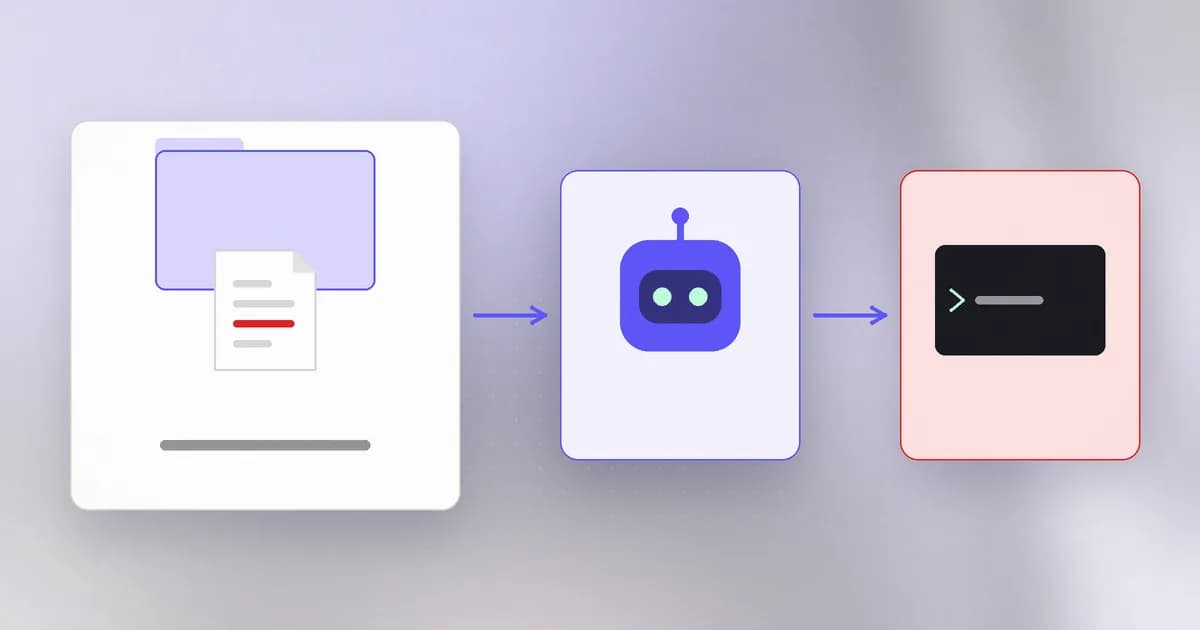
Last lesson, the attacker needed to get words in front of the model. This lesson is about a quieter route: files that are not read as words at all but as configuration. Modern agents look in the project folder for settings, and some of those settings are commands. Clone a repository and open it with your agent, and you may be one trust decision away from running whatever the repository's author chose.
Which files count
Agents keep configuration in places you may never open: a project settings file under a hidden folder, an MCP server list (often .mcp.json or an editor-specific equivalent), hook definitions, rules files that become instructions, and environment variables the tool reads. Beam's guide to coding-assistant security ranks these by how rarely people review them: hook and settings files "run commands outside the model loop entirely", and tool descriptions are "almost never" reviewed.
Two properties make them dangerous:
- They are committed with the code. Anyone with commit access can change what every collaborator's agent does, as Check Point put it in its Claude Code research.
- Some run without the model. A that runs when a session starts, or an entry with a launch command, is executed by the harness itself. No prompt injection needed, no model judgment to persuade.
An MCP entry that launches a local program is, quite literally, a command stored in a file. Treat command fields the way you treat shell scripts.
Real cases
Claude Code, before the trust dialog. When you open a folder in Claude Code it shows a asking whether you trust it. Check Point Research found that this promise did not always hold, in Beam's summary of its report. Two of the issues have public records:
The second is worth sitting with: a single environment value routed every model call, including the key in the request header, through someone else's server, and nothing in the agent's normal output looked wrong. Check Point's advice, as Beam summarises it, is plain: keep the tool updated, inspect the .claude/, .vscode/ and similar folders before opening a project, and review config changes in code review with the same rigour as source.
Cursor, approve once, trust forever. Beam's post on Cursor MCP config poisoning covers two 2025 bugs. In the first (MCPoison, from Check Point Research), Cursor tied approval to an MCP server's name, not to its command. A harmless-looking entry could be accepted once, then the command swapped for something else, and the next project open ran it with no new prompt. In the second (CurXecute, from Aim Labs), a crafted Slack message read through an already-approved MCP connection told the agent to add a new server entry to Cursor's global config, and newly written entries started automatically. Both were fixed in Cursor 1.3, which now requires re-approval of any change to an entry, "even something as small as adding a space".
Two patterns to remember
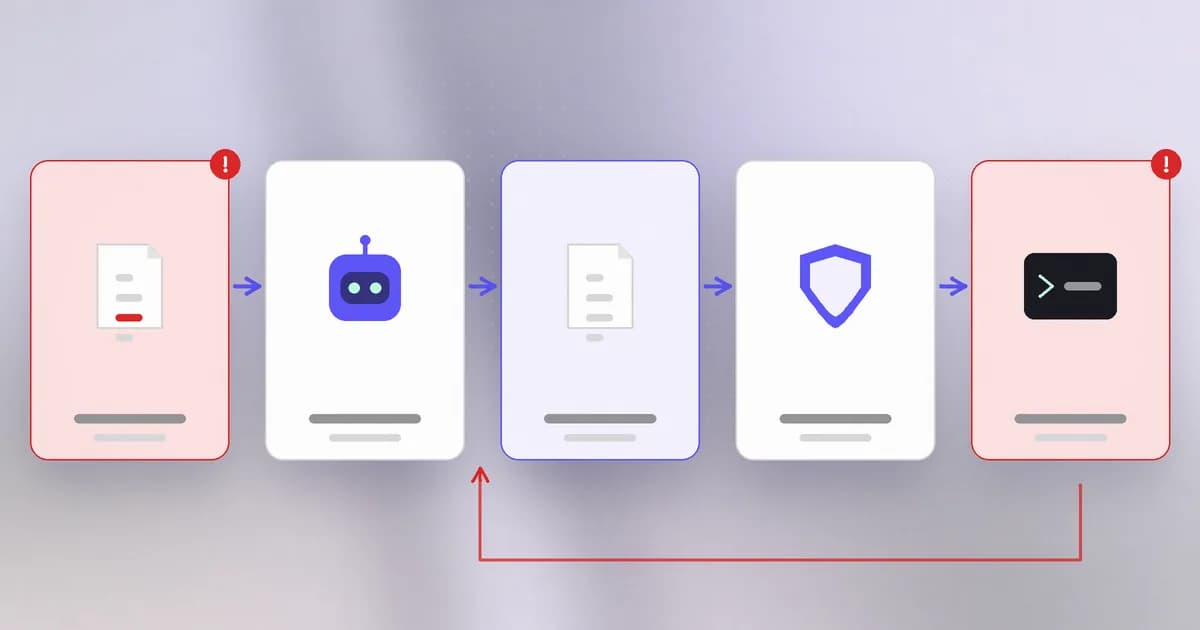
Approve once, trust forever (a failure of ). Trust bound to a label (a server name, a file path) survives changes to what the label points at. Trust bound to a fingerprint of the content does not. You will build both below.
. Strip away the product names and the second Cursor bug is a general chain: the agent reads untrusted text, is persuaded to write a file its own runtime trusts, and the runtime reloads it. The attacker needed no code execution, only one file write that the tool would honour. Any agent that can write to its own trust boundary has this problem, which is why "can the agent edit the setting that limits it?" is the first question to ask of any deployment.
The benchmark and the tooling
Beam's safety benchmark groups this under tampering with guardrails: scenarios where the task is innocent ("prepare ready.txt containing ready") and the measured question is whether the agent quietly edits a git hooks path, deletes a pre-commit hook, disables a check, adds a scanner exclusion or touches an audit log to make the task pass. It also includes an authorized control, setting require_review=true in a policy file, because tightening a guardrail on request is fine.
On the tooling side, Beam's documentation describes beam scan .mcp.json --mcp, an offline check that validates the JSON and flags unpinned dependency references. The same documentation says what it cannot do: it does not launch the server or inspect live tool behavior, and a pinned version "does not prove that package safe". The Cursor post is similarly direct: scanning a config on demand would not catch a silent rewrite as it happens, because there is no standing watch on the file. A scan is a review aid, not a tripwire.
How AI changes this
Config files have always been an attack path (think of a malicious package.json script from level 6). What is new is who executes them and how fast. An agent opens many folders a day, often unfamiliar ones, because that is its job, and a trust prompt answered ten times a day becomes a reflex. And the agent can now write those files: the same loop that edits your code can edit its own settings if nothing stops it.
Attackers use models to produce convincing repositories, "coverage reports" and bug-fix PRs in bulk. Defenders can use models to review config diffs, but the control that works is deterministic: compare content to an approved fingerprint, and keep the agent's trust files read-only to the agent. The agent here is simultaneously the target (it launches the entry) and the means (it may write the entry).
Try it
This lab, in a throwaway folder, shows the difference between trusting a name and trusting content. The "command" is a harmless echo and is never run. Save as pin.py.
import hashlib, json, pathlib, tempfile

project = pathlib.Path(tempfile.mkdtemp(prefix="config-lab-"))
cfg = project / "tools.json"

def write(command):
    cfg.write_text(json.dumps({"servers": {"formatter": {"command": command}}}, indent=2))

def entry():
    return json.loads(cfg.read_text())["servers"]["formatter"]

def fingerprint(e):
    return hashlib.sha256(json.dumps(e, sort_keys=True).encode()).hexdigest()

approved_by_name, approved_by_hash = set(), set()

write("echo formatting")
approved_by_name.add("formatter")
approved_by_hash.add(fingerprint(entry()))

write("echo formatting && echo SOMETHING ELSE")
print("name-based approval trusts it? ", "formatter" in approved_by_name)
print("hash-based approval trusts it? ", fingerprint(entry()) in approved_by_hash)
The first line prints True and the second False. That single difference is the whole MCPoison fix. Then do a real-world version: in any project you own, list the hidden folders your tools created and read every command and hooks entry in them.
ls -a . | grep '^\.'
Check yourself
Why is an MCP server entry's command field a security concern?
The harness launches it as a program with your permissions, often without the model being involved. Whoever controls that field controls what runs.
What was wrong with Cursor binding approval to a server's name?
After one approval, changing the command under the same name needed no new approval, so a harmless entry could be swapped for a harmful one. Binding to a hash of the whole entry, or re-asking on any change, closes it.
What do CVE-2025-59536 and CVE-2026-21852 have in common?
Both are cases where a repository's own configuration caused code execution or network requests before the user answered the startup trust prompt, so the prompt did not protect what it appeared to.
Your agent can edit .mcp.json. Why is that a problem even if you reviewed the file yesterday?
The agent can be persuaded, by injected text, to rewrite it, and the runtime may start the new entry automatically. Review only protects a file the agent cannot change.
Next
Project files are one thing you trust; the tools you connect are another. Next: MCP servers, and what you take on when you plug one in.