
Level 2 was about who is allowed in. This level is about what the people already allowed in can make your program do. Almost every bug class in it comes from a single mistake, and once you see it, the next eight lessons become variations on one theme: the program treated data from outside as if it were safe.
Input is more than a form
Untrusted input is any data your program did not create itself. If someone other than the developer could have chosen or changed a value, it is untrusted until your code has checked it.
The obvious cases are text boxes and search bars. The ones people forget are just as real:
- URL parts and query parameters (
/files?name=report.pdf) - HTTP headers, including cookies and the
User-Agentstring - The name of an uploaded file, not only its contents
- Replies from other services your server calls
- Data read back from your own database, if it was originally typed by a user
- For AI agents: web pages, emails, tickets and documents the agent reads
If you worked through HTTP by hand, you saw that a request is just text a client chooses. A browser form is one polite way to produce it. Anyone can write the same text by hand, so a page that only allows "numbers" in a box has not limited anything. The server sees whatever arrives.
Trust boundaries
A is a line where data moves from a less trusted side to a more trusted side. In a typical web app there are several:
| Crossing | Question to ask |
|---|---|
| Internet to your server | Is this request shaped the way I expect? |
| Server to database | Can this value change the meaning of my query? |
| Server to the operating system | Can this value change which command runs? |
| Server to the visitor's browser | Can this value become script on the page? |
| Server to another server | Can this value choose where my server connects? |
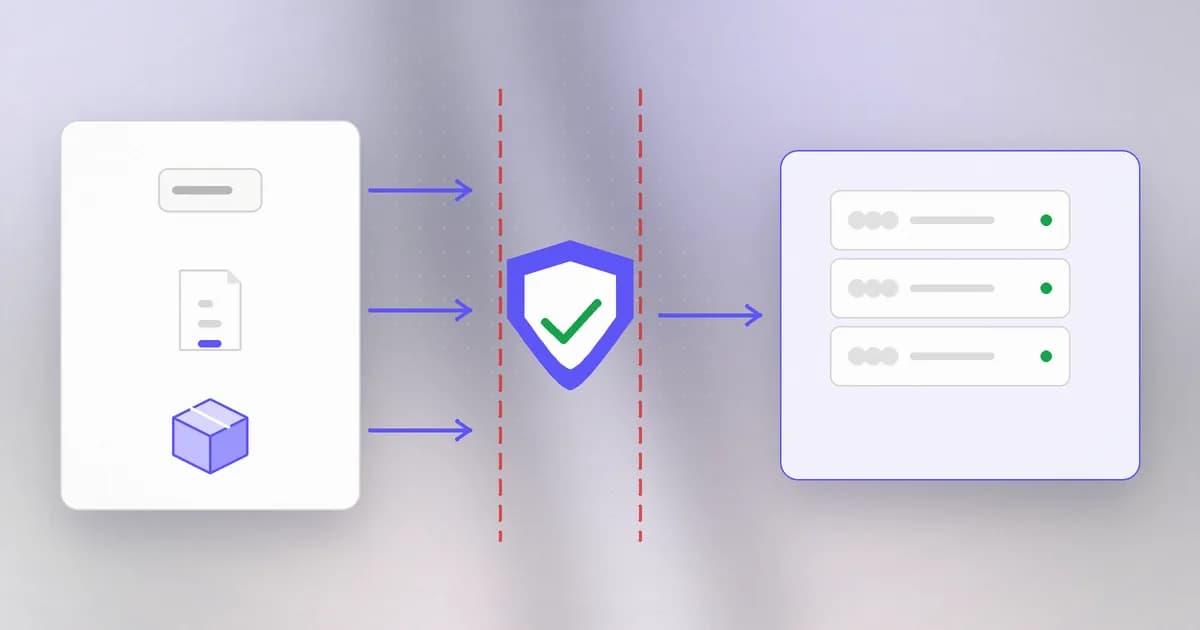
Each row is a later lesson. That is the whole map of this level. A vulnerability usually lives at a crossing where nobody checked.
The mistake, in one picture
Here is a small Python function. It builds a sentence for a log from a name. Read it before the explanation.
def greet_line(name):
    return "name=" + name + ";role=guest"
If name is sam, the result is name=sam;role=guest. Now suppose a visitor types the name sam;role=admin. The result becomes:
name=sam;role=admin;role=guest
The program meant to produce one name and one role. The data contained the program's own separator, so the receiver sees two role fields and may read the wrong one. The name stopped being data and started acting as structure.
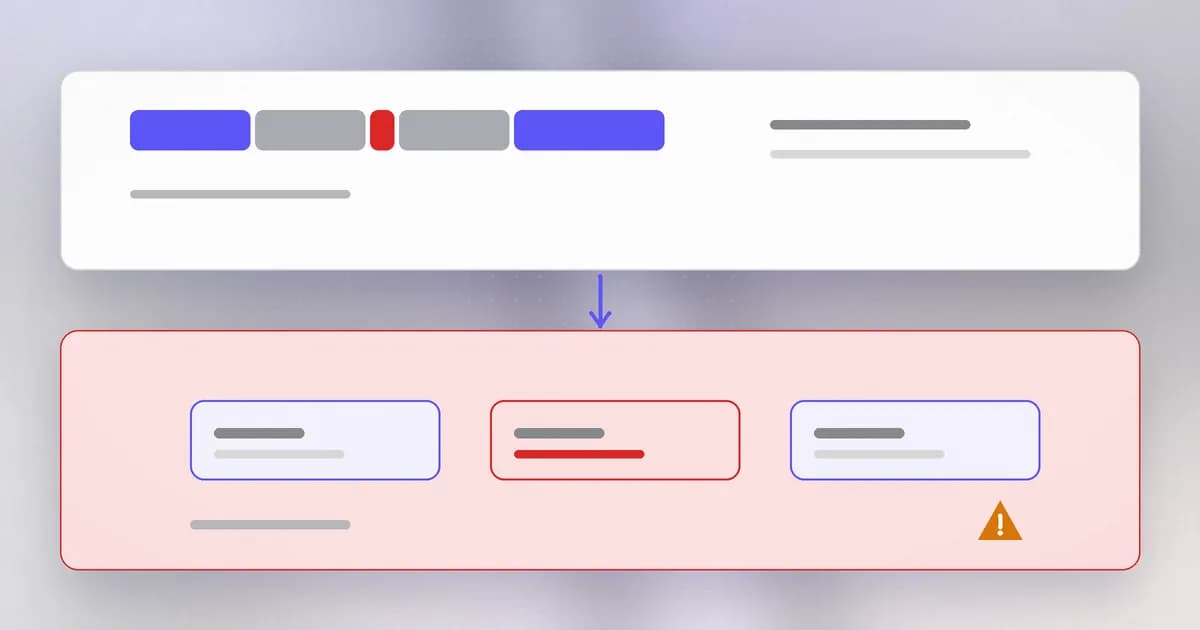
That is an injection flaw in miniature. Code and data were packed into one string, and the thing reading the string could not tell where one ended. Replace the semicolon with a quote mark and the receiver with a database, and you get SQL injection. Replace it with an angle bracket and a browser, and you get cross-site scripting. We will meet each one properly.
Three habits that prevent whole classes
1. Validate with an allowlist. Decide what a good value looks like, and refuse everything else. For a role that must be one of two values:
ALLOWED_ROLES = {"guest", "member"}

def parse_role(value):
    if value not in ALLOWED_ROLES:
        raise ValueError("unknown role")
    return value
A does the opposite: it lists bad things, such as "reject input containing a semicolon". It fails because bad input has many shapes, and you only have to forget one. that says "this must be a whole number from 1 to 100" is an allowlist, and it is strong because there is almost nothing left for an attacker to say.
2. Keep data and instructions apart. When you must pass a value to something that interprets text, use the interface that carries values separately: a query with placeholders, a command given as a list of arguments, an HTML template that encodes by default. This is the real fix, and each of the next lessons shows its version.
3. Encode for the destination. If a value must be placed inside another language, such as HTML, convert its special characters into harmless text for that exact language. The rule differs for HTML, URLs and shell commands, so the destination decides.
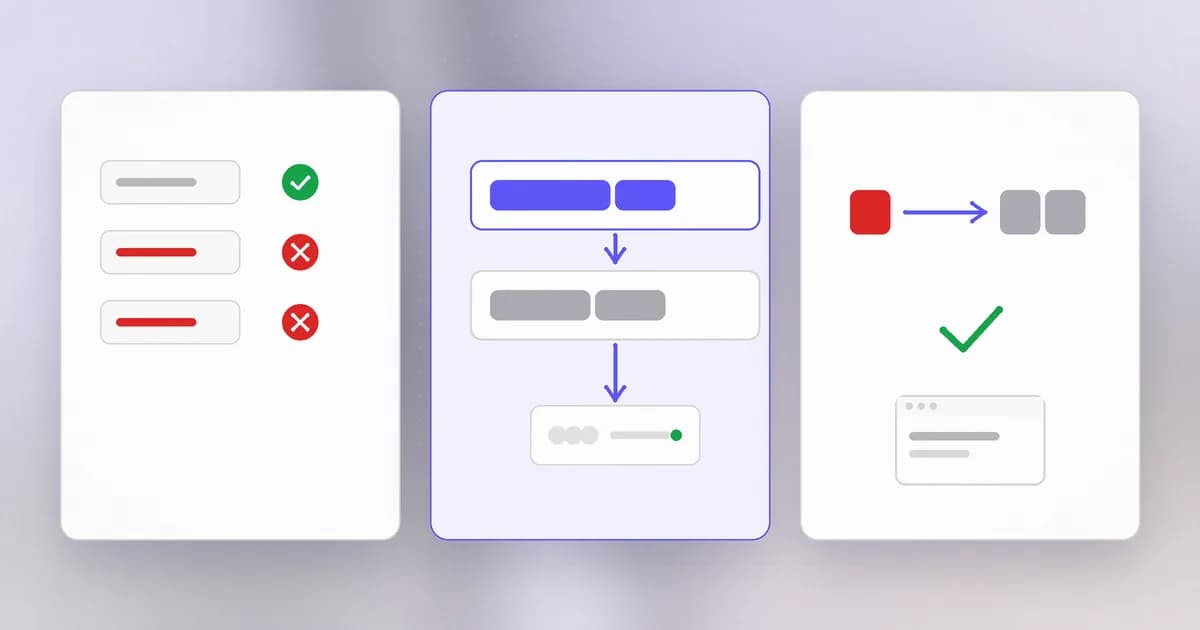
Validation is the quick gate; separation is the lasting wall. You want both, and when you can only do one, choose separation.
A form field accepts a 'quantity'. Which check is stronger: reject values containing letters, or accept only whole numbers from 1 to 99?
Accepting only whole numbers from 1 to 99. That is an allowlist: it says exactly what is good. "Reject letters" is a denylist and still lets through things like negative numbers, huge numbers or decimals.
Spotting it in a code review
You do not need to find an exploit to find a risk. Read for the pattern, not the attack:
- Find where outside data enters (request parameters, headers, uploads, files, API replies).
- Follow that value forward until it is used. Ask whether it is used inside a query, a command, a path, a web page, a URL or a deserializer.
- Look for string joining or formatting at the point of use:
+, f-strings,format, template literals. - Ask what stands between the entry and the use: a check, an encoder, a safe API, or nothing.
The first and last steps are the "source" and the "sink". Many security tools work exactly this way, tracing data from sources to sinks.
A real pattern in the wild
The next lessons each attach one of these bugs to a real CVE in the public record. Here is the shape to expect. Each is a case where input crossed a boundary, and each ended up on CISA's Known Exploited Vulnerabilities list, which is the US government's catalogue of flaws seen attacked in the wild. The pairing of a plain mistake with a high impact is what makes this level worth studying.
How AI changes this
Attackers. The root cause did not change, but the work around it got faster. AI tools can read a codebase and point at places where a request parameter flows into a query or a command, which is the source-to-sink search above, done at scale. Reports collected on Beam's blog describe AI-assisted exploit development, for example Hacktron using Claude to chain an OpenAI forum bug. The advice is the same, the time you have to apply it is shorter.
Defenders. The same ability helps in review: ask an assistant to list every place user input reaches a sink, then verify its answer yourself. It finds candidates quickly. It also misses things and invents false alarms, so treat its list as leads, not findings.
AI agents are the new untrusted-input problem. A language model has no hard boundary between instructions and data: a web page it reads sits in the same context as the task it was given. That is why is described as an injection flaw, the same family as SQL injection, but without a clean fix like placeholders. Your agent also produces output that other systems consume, so what it writes into a query, command or page is untrusted input too. For a practical review of those boundaries, see AI agent web and transport security.
Try it
This lab runs only on your own machine and only prints text. Make sure Python 3 is installed (python3 --version), then create a folder and a file:
mkdir ~/input-lab && cd ~/input-lab
Save this as lab.py:
def greet_line(name):
    return "name=" + name + ";role=guest"

ALLOWED_NAME = set("abcdefghijklmnopqrstuvwxyz")

def safe_line(name):
    if not name or not set(name) <= ALLOWED_NAME:
        raise ValueError("name must be lowercase letters only")
    return "name=" + name + ";role=guest"

for test in ["sam", "sam;role=admin"]:
    print("unsafe:", greet_line(test))
    try:
        print("safe:  ", safe_line(test))
    except ValueError as err:
        print("safe:   refused -", err)
Run python3 lab.py. Notice that the unsafe version silently produces a line with a smuggled role, and the safe one refuses it. Then change ALLOWED_NAME to also allow capital letters and run again, to see that an allowlist is something you widen deliberately. Clean up with cd ~ && rm -r ~/input-lab.
Check yourself
Give three examples of untrusted input that are not text boxes.
Any three of: a URL parameter, an HTTP header or cookie, the file name of an upload, a reply from another service, a web page an AI agent reads, or text from your own database that originally came from a user.
Why is a denylist a weak defence?
It only blocks the bad values someone thought of. Attackers can try variations, and any one that is missed gets through. An allowlist reverses the default: anything not explicitly good is refused.
You are reviewing code and see a query built with an f-string that includes request data. What is your next question?
Whether the value is validated by a strict allowlist, or better, whether the query should use placeholders so the value can never be parsed as SQL. String-building at a sink is the pattern to flag.
Next
You now have the root idea. The next lesson applies it to the first sink we all rely on without noticing: file paths, and what happens when a name climbs out of its folder.