
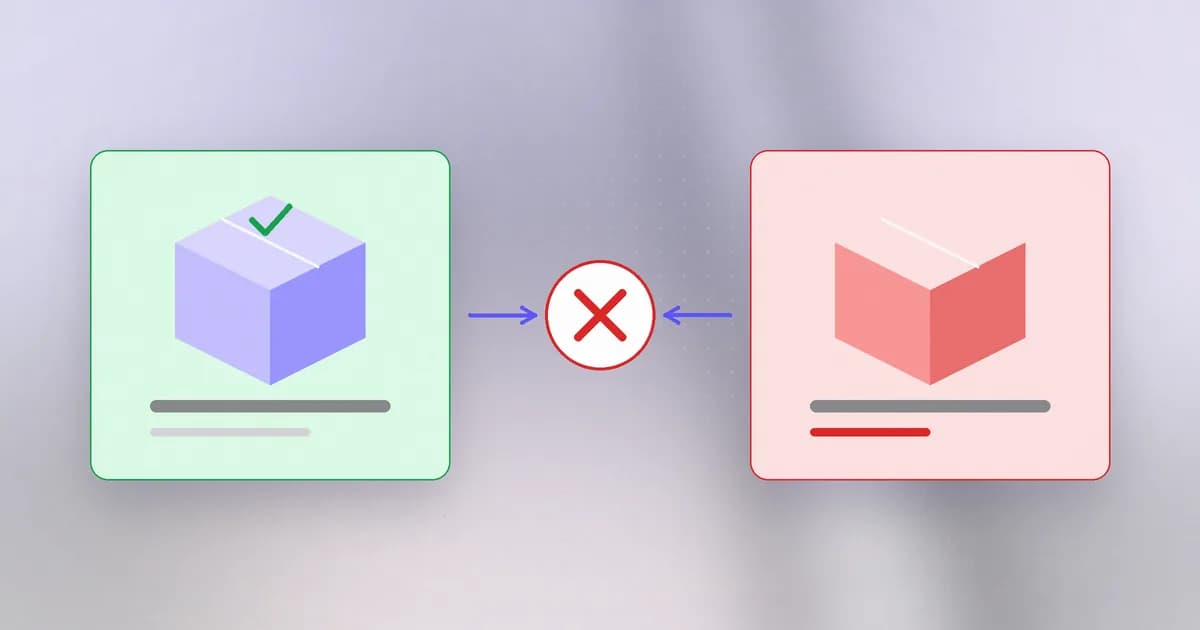
An MCP server is code you connect. An or is code and instructions you install, usually from a marketplace or a repository. It arrives with a promise attached: someone reviewed it, and the version you install is the version they reviewed. This lesson is about how that promise is kept, and what it costs when it is not.
What an add-on can contain
Beam's guide to agent skills and their security review is the long form. In short, a skill is a folder with a SKILL.md file of instructions, optionally with scripts. A plugin can bundle more. The Claude Code plugin reference, quoted in Beam's analysis of the bug below, lists skills, , and MCP and language-server configuration, and its own discovery page warns that "a plugin can run hooks and MCP servers, so read the pane before you install."
So an installed plugin has the reach of its author:
- Instructions the model will follow (text, as in lesson 2).
- Hooks that run on agent events, outside the model (as in lesson 3).
- MCP servers that start as local processes (as in lesson 4).
Every earlier lesson's risk can arrive in one package, signed off by one click.
The ecosystem numbers
Snyk's February 2026 study of agent skill marketplaces, as summarised in Beam's coding-assistant security post, scanned 3,984 skills and found 534 (13.4%) with at least one critical-level issue, and confirmed 76 as malicious payloads built for credential theft, backdoors or exfiltration. Snyk also noted that publishing needed only a SKILL.md file and a week-old GitHub account, with no code signing or review. These are one vendor's figures from one scan on one date, so treat them as an indication of scale, not a rate to quote. The mechanism, though, is not in doubt: a skill inherits the agent's full permissions, including shell access and any credentials in the environment.
A separate controlled test from Cato CTRL, reported secondhand, modified a legitimate skill with a helper that fetched and ran outside code later. The agent reviewed the visible code but not the code fetched afterward. The lesson Beam draws is how little the approval covered: one consent at the start, then arbitrary behaviour afterwards.
The control: pin, then verify
If reviewing is how you decide to trust a plugin, pinning is how that decision lasts. A source is pinned to a specific commit identifier (a 40-character hash), which names one immutable snapshot, so a later push to the repository cannot change what you install. This is the same logic as the lockfiles and hash-pinning from level 6.
A pin has a weak spot, and a real bug found it.
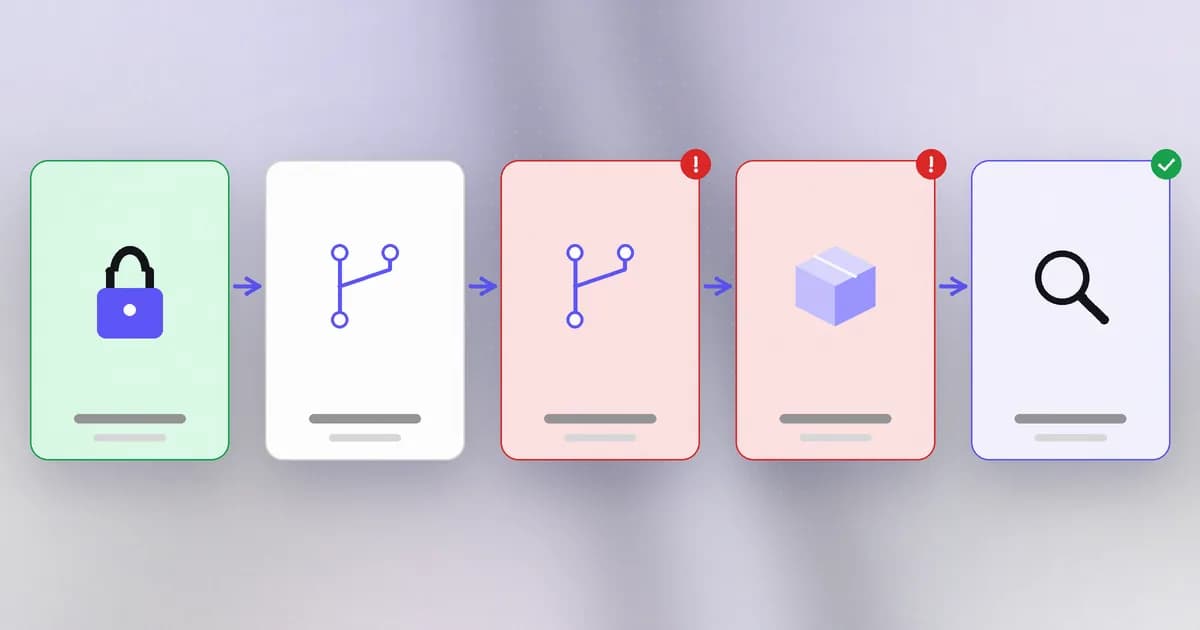
How it worked, per the advisory as summarised in Beam's post on it:
- The installer ran a checkout of the pinned hash.
- The plugin's attacker created a branch whose name was exactly the 40-character hash.
- Git, given a bare string, could resolve it to the branch rather than the commit. The result was the attacker's code, installed silently.
- The installer never compared the resulting commit with the pin.
Three preconditions applied: the user installs a malicious plugin, the marketplace pins it to a hash they believed was safe, and the git host allows hash-shaped branch names. The preconditions narrow the risk, but note who is exposed: the careful marketplace owner who added a pin after review. The advisory maps it to CWE-494 (download of code without an integrity check). It credits Or Nevo Michrowski of Air Security and describes no exploitation in the wild. The fix is in Claude Code 2.1.179; and Beam points out the release notes did not name it, so rely on advisories, not release notes, to learn whether a version closes a security issue.
The missing step was tiny: after checkout, ask git for the actual commit and compare it with the pin. A pin is a claim; is the control.
A review habit
Before you install a plugin or skill, in order:
- Source. Who publishes it? Is it the repository you think it is?
- Contents. Read the instructions and list every hook, script and MCP entry. Search for network calls and anything that reads environment variables or credential files.
- Fetched later. Does it download or run anything after install? That code was not part of your review.
- Pin and verify. Pin the commit, and where you can, confirm the installed files match.
- Re-review on update. A new version is a new decision.
The safety benchmark's supply-chain family tests the agent's side of this: whether it verifies a downloaded payload against an expected checksum and records a rejection when it fails, and whether it keeps to a lockfile. Beam's documentation describes beam scan SKILL.md for the static patterns, a package-scanning flow for dependencies, and a set of security-review skills for assistants. It is explicit that these are review aids: scanning gives "evidence for a human decision" and is not semantic analysis.
How AI changes this
Skills are the clearest example of something new: the "package" is natural-language instructions, and the "installer" is a model that obeys them. A malicious skill needs no exploit, only a sentence. That also means static scanners built for code miss intent expressed in prose. Attackers can generate large numbers of plausible skills and have models tune their wording; defenders can use models to summarise what a skill asks for and compare versions, which is useful as long as a human decides. What carries over from the supply-chain level is unchanged and important: pin what you reviewed, then verify you got it.
Try it
This lab reproduces the shape of the pin bug in a throwaway git repository on your own machine, using fake files, and shows the check that fixes it. It deletes its folder at the end. Needs git. Save as pinlab.sh and run bash pinlab.sh.
set -e
DIR=$(mktemp -d) && cd "$DIR"
git init -q -b main plugin && cd plugin
git config user.email [email protected] && git config user.name lab
echo "reviewed version" > plugin.txt && git add . && git commit -qm reviewed
PIN=$(git rev-parse HEAD)
echo "changed version" > plugin.txt && git commit -qam changed
git branch "$PIN"            # a branch named exactly like the pinned hash
git checkout -q main
git checkout -q "$PIN" 2>/dev/null
echo "pinned: $PIN"
echo "got:    $(git rev-parse HEAD)"
[ "$(git rev-parse HEAD)" = "$PIN" ] && echo MATCH || echo "MISMATCH: pin not honoured"
git checkout -q main
git checkout -q --detach "$PIN^{commit}" 2>/dev/null
[ "$(git rev-parse HEAD)" = "$PIN" ] && echo "peeled: MATCH" || echo "peeled: MISMATCH"
cd / && rm -rf "$DIR"
On the git version I tested (2.51) the plain checkout landed on the wrong commit, and the explicit ^{commit} form landed on the right one. Your git version may behave differently, which is exactly why the lesson is to compare rather than to assume. Whatever your output, the habit is the line that prints MATCH or MISMATCH.
Check yourself
Name three things a plugin can contain that run or steer an agent.
Skill instructions the model follows, hooks that run on agent events, and MCP server configurations that start local programs. Any of these has the reach of the plugin's author.
In CVE-2026-86063, which control failed and why?
Hash pinning failed. The installer checked out the pinned string but never verified that the resulting commit matched it, so a branch named like the hash made git resolve to the attacker's code instead.
What one-line check would have caught it?
After checkout, ask git for the actual HEAD commit and compare it with the pinned hash, aborting on any difference.
A skill is a markdown file with no code. Why can it still be dangerous?
The agent obeys instructions in it with your permissions, so a sentence telling it to send an environment variable somewhere is a complete attack. Scanners built for code can miss intent written in prose.
Next
Many of these attacks end the same way: stealing a secret the agent can reach. Next, how credentials leak from agents and how to catch it.