
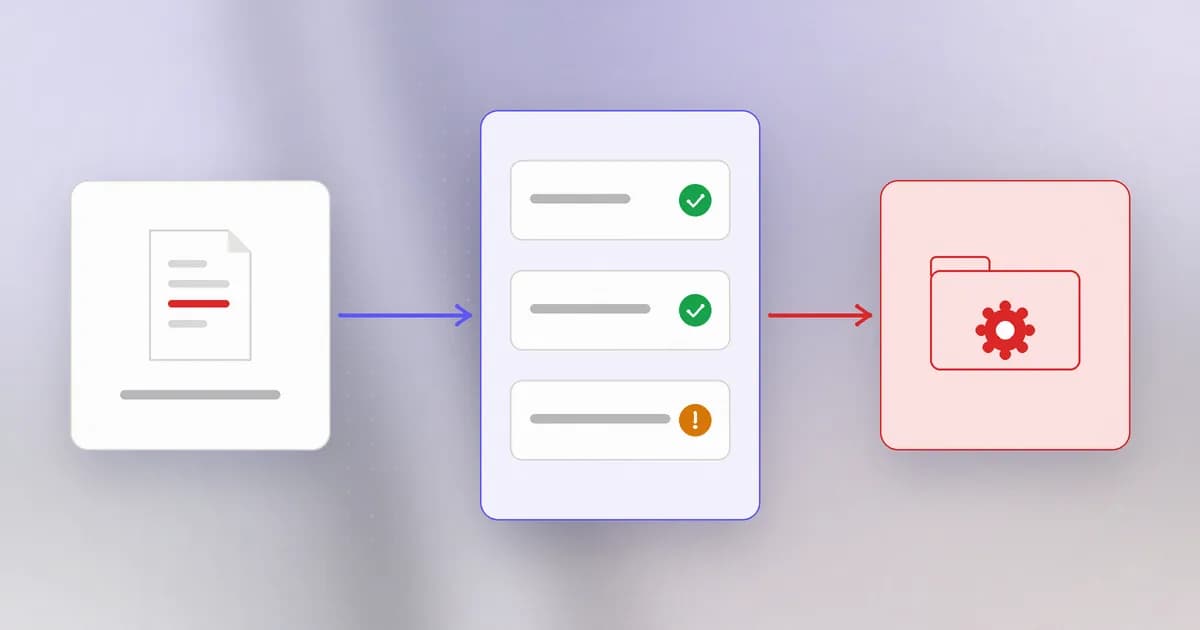
Profile photos, resumes, invoices, attachments: almost every web product accepts files from strangers. A file feels like inert content, but the server does things with it: stores it, serves it back, scans it, resizes it, indexes it. Each of those is a place where an upload can turn into a program.
What an upload actually carries
When a browser uploads a file, three separate things arrive, and the sender controls all three:
- The bytes: the file's contents.
- The name: for instance
photo.jpg, written by the sender, free to contain odd characters or path segments. - The declared type: a label such as
image/jpegin the request, which is just a claim.
All three are . A site that reads the label image/jpeg and believes it has checked the file has checked nothing. The old rule from files, folders and permissions still applies: whether a file is dangerous depends on whether the system will run it.
The vulnerable pattern
import os

UPLOADS = "/srv/app/public/uploads"

def save_upload(filename, data):
    with open(os.path.join(UPLOADS, filename), "wb") as f:
        f.write(data)
    return "/uploads/" + filename
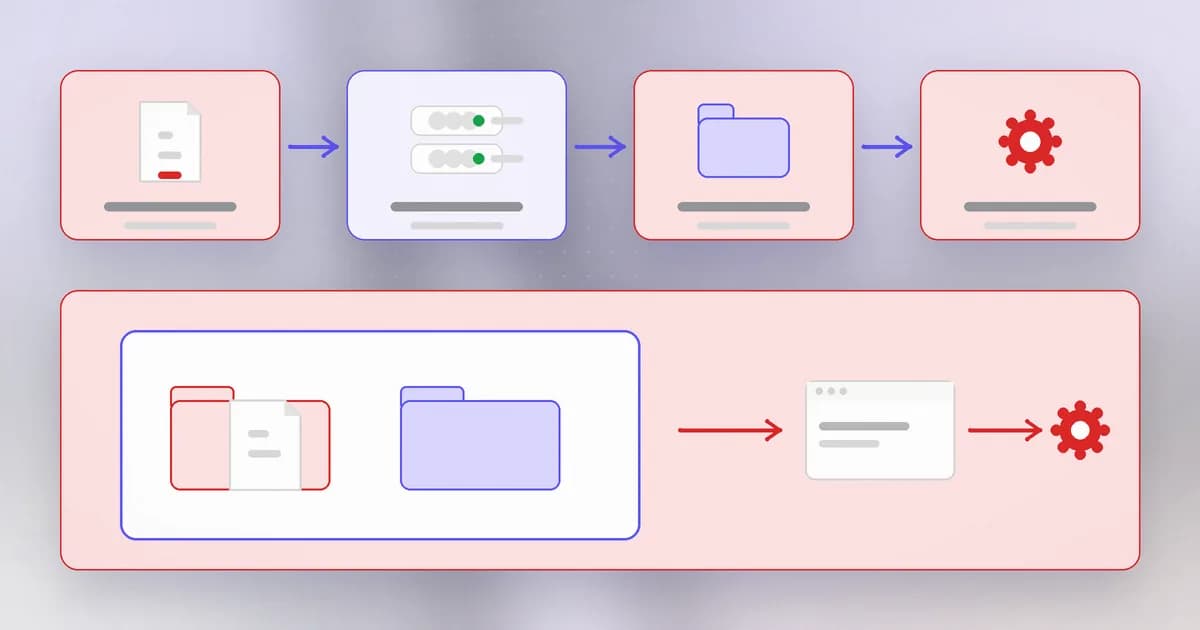
Read it for what the author forgot to decide:
- Name. The file keeps whatever name the sender chose. A name containing path segments could write elsewhere, exactly as in the path traversal lesson. A name ending in a script extension might be treated as a program.
- Type. Nothing checks what the file is.
- Location. The folder sits inside what the server publishes, called the . Anything there can be fetched by URL, and on some servers files of certain types in that folder are executed rather than downloaded.
- Size and count. Nothing limits them, so a flood of large files can fill the disk.
The worst case combines them: a script uploaded into a publishable, executable folder, then requested by its URL. The server runs it as the web application, and the attacker has a foothold. This is , CWE-434, and the stored script is often called a web shell.
Layered defences
No single check is enough, so stack them. Work through these in order of importance.
1. Decide where files can land, and make that place inert. Store uploads outside the web root, or in object storage that only serves bytes. Configure the folder so nothing in it can be executed. If files must be served, serve them from a separate domain with a safe content type and a Content-Disposition: attachment header for anything that is not an image. This is the most powerful control, because even a malicious file is just stored bytes.
2. Choose the name yourself. Ignore the sender's file name for storage. Generate a random one and keep the original only as display text, with the extension taken from your own allowlist:
import os, secrets

ALLOWED = {".png": b"\x89PNG\r\n\x1a\n", ".jpg": b"\xff\xd8\xff"}
UPLOADS = "/srv/app/private/uploads"  # not under the web root

def save_upload(filename, data):
    ext = os.path.splitext(filename)[1].lower()
    if ext not in ALLOWED:
        raise ValueError("file type not allowed")
    if not data.startswith(ALLOWED[ext]):
        raise ValueError("file content does not match its type")
    if len(data) > 5_000_000:
        raise ValueError("too large")
    stored = secrets.token_hex(16) + ext
    with open(os.path.join(UPLOADS, stored), "wb") as f:
        f.write(data)
    return stored
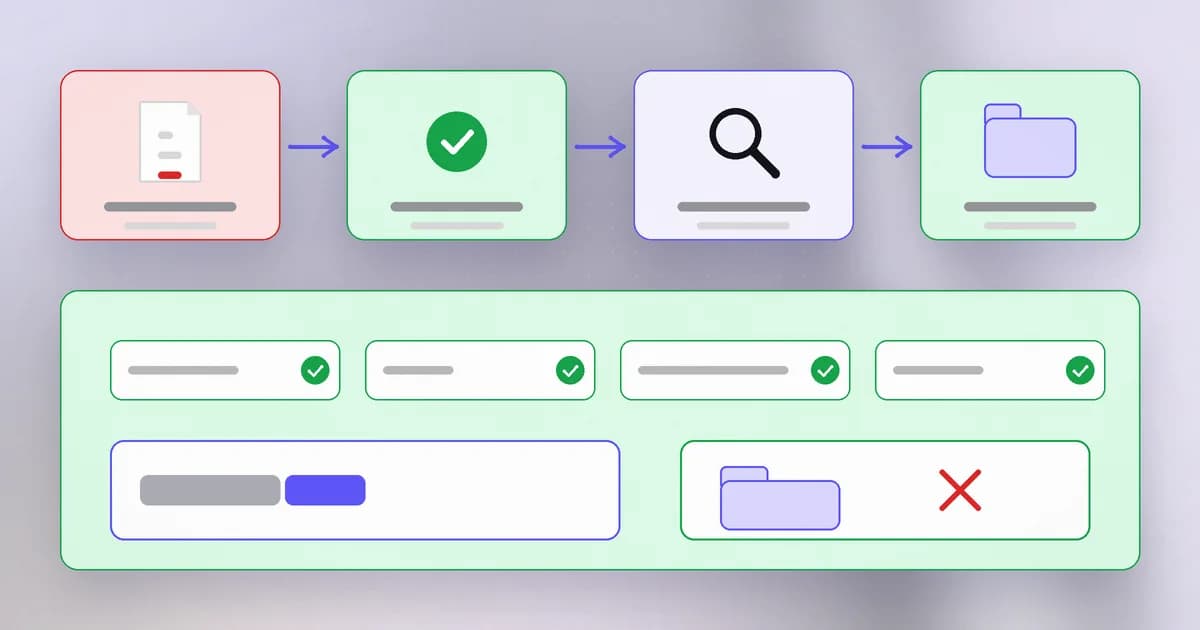
3. Allowlist the type, and check the real content. Accept only the few types the feature needs. Compare the extension with the file's first bytes, its : a PNG begins with a fixed signature, a JPEG with another. This catches a script renamed .png. It does not prove the file is harmless, because a file can start correctly and carry more, so the next step matters.
4. Re-encode what you can. For images, decode and re-save them with a trusted library. The result is a fresh file your code wrote, which discards extra data hidden in the original.
5. Limit size, count and rate, and authenticate the uploader. Many uploads that should have required a login did not, which is part of the case below.
6. Isolate the processing. Parsers, thumbnail generators, virus scanners and document converters run on the file's bytes, and each has its own bugs. Run them in a sandbox or a separate low-privilege process.
A site renames every upload to a random string but keeps it inside the web root with execute rights. What is still wrong?
The location. A script upload with a harmless-looking random name can still be requested and run. Random names help against overwriting and guessing, but the folder must also be non-executable or outside the web root, and the type must be allowlisted.
Spotting it in a code review
- Find every route that accepts a file, and read what it does with the name, the type and the destination.
- Ask: can this file ever be served, and can any server component execute it?
- Look for the sender's file name being used in a path. Combine this check with the one from the path traversal lesson.
- Check authentication on the upload route and any size limits.
- Look at what processes the file afterwards: image libraries, archive extraction, document converters. Those versions need patching too.
A real case
The phrase to notice is any location. This is not a harmless avatar that landed in the wrong folder: the sender could choose where the file went, which is the path traversal mistake joined to the upload mistake, with no login required. A mail server is also a high-value host, since it holds an organisation's messages and sits trusted on its network. That combination explains the severity score.
A different record on Beam's blog shows the second half of the lesson, that processing an upload is attack surface. In Hacktron's reported breach of an OpenAI forum, the forum passed HEIC image uploads to ImageMagick's libheif parser instead of validating them first, according to the researchers' write-up, and that parsing path was the start of the chain. The file was an image; the weakness was the code that read it.
How AI changes this
Attackers. Upload endpoints were already easy to probe. What AI adds is speed at the awkward parts: reading a framework's upload handler to learn which checks exist and which do not, and writing files that satisfy a particular combination of checks. The Hacktron report shows models participating in building an exploit for a file-parsing bug; that account is a single reported case, but the direction is clear. Defence by layers matters more, since any single check is easier to get around.
Defenders. Assistants can review an upload handler against the list above and propose a stricter version with random names, an allowlist and content checks. They may confidently approve a check that only looks at the extension, so make "does it verify content, location and execution?" an explicit question in the review. Dependency scanning for the image and document libraries your processors use is a good job to automate.
AI agents. Two things. First, agents accept uploads too: chat tools let users attach documents and images that the model reads, so an uploaded file can carry text aimed at the model (a form of ), and the handling code is parsing untrusted bytes as above. Second, agents write files. A coding agent that saves a file where a server or a build will later run it is placing code in an execution path, so the "where it lands and what runs it" thinking applies to its output folders as well.
Try it
This lab builds the "fixed" save function from the lesson and tests it against a few inputs. It works inside a folder you create and writes only text files.
mkdir ~/upload-lab && cd ~/upload-lab && mkdir uploads
Save as upload_lab.py:
import os, secrets

ALLOWED = {".png": b"\x89PNG\r\n\x1a\n", ".txt": b""}
UPLOADS = "uploads"

def save_upload(filename, data):
    ext = os.path.splitext(filename)[1].lower()
    if ext not in ALLOWED:
        raise ValueError("type not allowed: " + ext)
    if ALLOWED[ext] and not data.startswith(ALLOWED[ext]):
        raise ValueError("content does not match " + ext)
    stored = secrets.token_hex(8) + ext
    with open(os.path.join(UPLOADS, stored), "wb") as f:
        f.write(data)
    return stored

tests = [
    ("photo.png", b"\x89PNG\r\n\x1a\n...pretend image bytes"),
    ("notes.txt", b"hello"),
    ("script.py", b"print('hi')"),
    ("fake.png", b"print('this is not an image')"),
    ("../escape.txt", b"hello"),
]
for name, data in tests:
    try:
        print(name, "->", save_upload(name, data))
    except ValueError as err:
        print(name, "-> refused:", err)
Run python3 upload_lab.py. The real-looking PNG and the text file are accepted and saved under random names; the .py file and the fake PNG are refused. The last test is accepted for a different reason than you might expect: look in the folder and notice the file is stored under a random name, so the ../ in the sender's name never reaches a path. Check with ls uploads. Clean up with cd ~ && rm -r ~/upload-lab.
Check yourself
Name the three things an upload carries and why none can be trusted.
The bytes, the file name and the declared type. The sender writes all three, so each can lie: the bytes may be a program, the name may include path steps or a dangerous extension, and the type label is only a claim.
Why is the storage location the most important control?
If uploads are stored outside the web root or in a folder that cannot execute anything, even a malicious file is just inert bytes. Other checks can be bypassed, but a non-executable location limits what a bypass achieves.
What made the SmarterMail record so severe?
An unauthenticated sender could upload files to any location on the server, which can place code where it will run. No login was needed and the target is a trusted, high-value mail server, so it earned the maximum score.
Next
The final lesson of this level looks at two famous cases where the vulnerable code was not even written by the victim: Log4Shell and Spring4Shell, and what it means when a library you never chose becomes your biggest hole.