
You type a password into a website on cafe Wi-Fi. Between your laptop and that site, your data passes through the cafe router, your internet provider and a dozen other machines you will never see. Any of them could read or alter it if nothing protected it. The protection is TLS, and the padlock in your browser is its public face. This lesson explains how the padlock is earned and, just as important, what it does not promise.
If you have followed this course, you know a program runs as a process with a user's permissions, and that sandboxes limit what a process can reach. TLS protects a different place: the wire between two machines.
What TLS gives you
(Transport Layer Security) is a protocol that wraps a network connection so that three things hold:
- Confidentiality. Anyone watching the traffic sees scrambled bytes, not your password.
- Integrity. If someone changes a byte in transit, the receiver notices.
- Authentication of the server. You know you reached the machine that really holds the name you asked for, not an impostor.
HTTPS is simply HTTP carried inside TLS, usually on port 443. The older name, SSL, is retired, but "SSL certificate" survives in everyday speech.
The first two properties come from cryptography you can take on trust for now. The third is where certificates come in, and it is the subtle one. Encryption alone is not enough: if you set up an encrypted tunnel to an attacker, it is a very private conversation with the wrong party.
The handshake in four moves
Before any web page is sent, the two sides run a short handshake. Simplified:
- Hello. Your client says which TLS versions and ciphers it supports and which name it wants, for example
example.com. - Certificate. The server answers with its certificate, a small signed document, and proof that it holds the matching private key.
- Key agreement. Both sides combine secret values so each ends up with the same fresh session key, without ever sending that key across the wire.
- Encrypted traffic. From here on, everything is encrypted with that session key, which is fast.
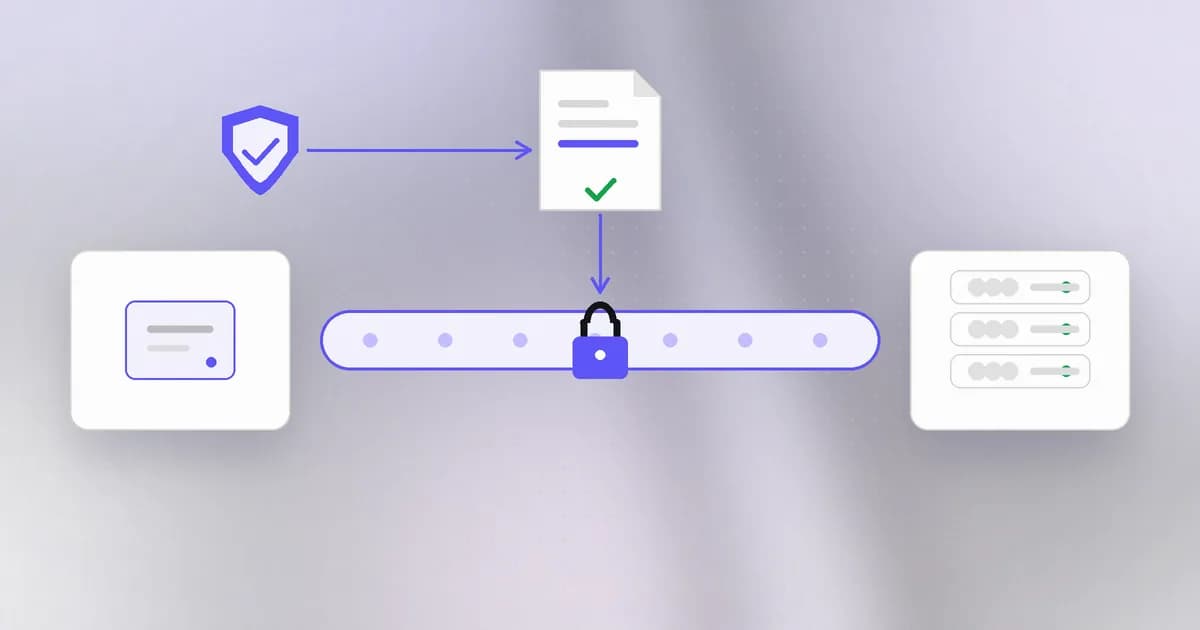
The slow, careful work happens once at the start. The rest of the connection uses the cheap session key.
What a certificate says
A is not a secret. It is a public statement that contains:
- the names it covers, such as
example.comandwww.example.com; - the server's public key, the half of a key pair that anyone may see;
- the dates it is valid from and until;
- the issuer, the organisation that vouches for it;
- the issuer's signature over all of the above.
Anyone can write a document that says "I am example.com". The signature is what gives it weight. A (CA) is an organisation that checks the requester controls the name, then signs the certificate with its own private key. Some CAs, such as Let's Encrypt, issue certificates free and automatically for sites that can prove they control the domain.
The chain of trust
Your computer cannot know every server's issuer personally. Instead, it ships with a list of root CAs it trusts, kept in the operating system or the browser. This is called the trust store, and a later lesson looks at how it can go wrong.
Roots rarely sign server certificates directly. They sign intermediate CAs, which sign the server's leaf certificate. The server sends its leaf and the intermediates, and your client walks the chain upward:
| Link | Who signed it | Where trust comes from |
|---|---|---|
Leaf certificate for example.com | An intermediate CA | The chain |
| Intermediate CA | A root CA | The chain |
| Root CA | Itself | Already in your trust store |
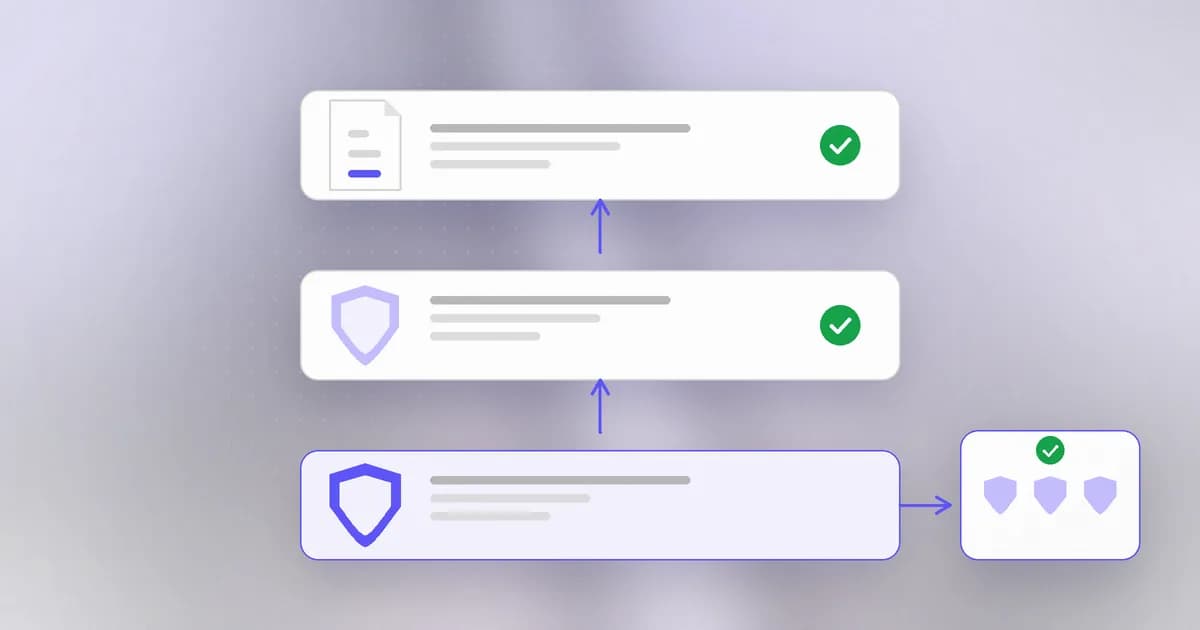
If every signature checks out and the chain ends at a root you already trust, the first test passes.
The four checks
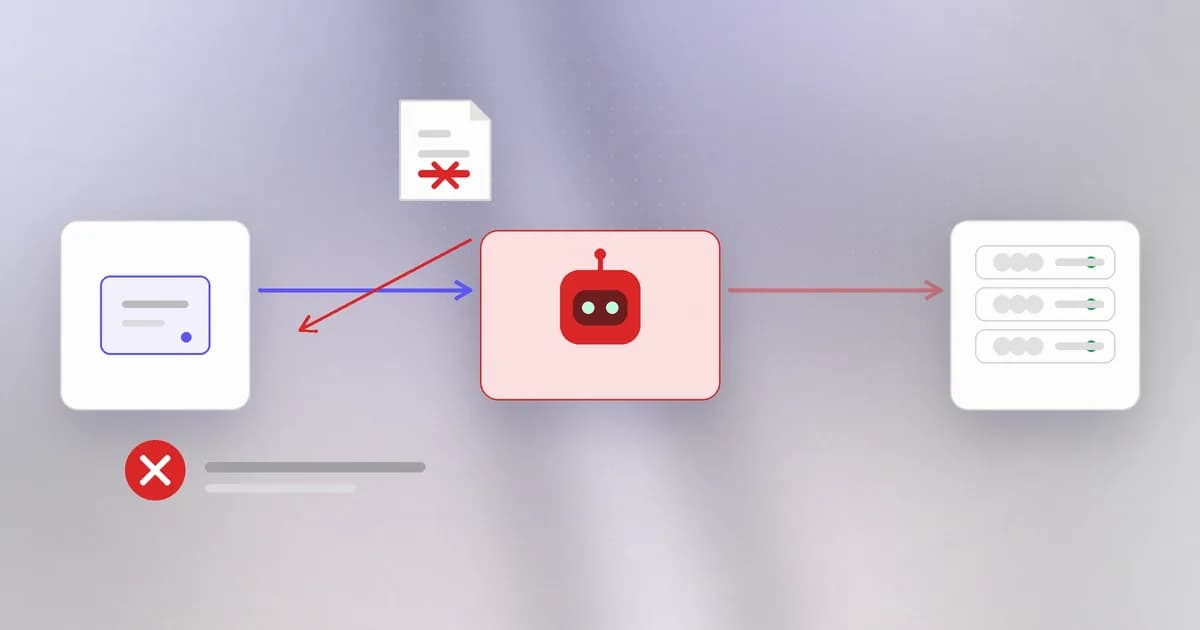
A well-behaved client asks, in effect:
- Is the chain trusted? It must end in a root in the trust store.
- Does the name match? The name you typed must appear in the certificate. A valid certificate for
evil.testis useless onbank.example. - Is it in date? An expired certificate is no longer vouched for. Expired certificates are one of the most common real outages, usually just someone forgetting to renew.
- Does the server hold the key? It has to prove it, or anyone could replay a copied certificate.
If any check fails, a browser shows a full-page warning. That warning is the system working. A attacker who sits on your network can relay bytes, but cannot produce a certificate for the real name that your trust store accepts, so the checks fail and you are told.
A valid certificate is issued for bank-login.example, and you are on bank-login.example. Does the padlock prove it is your bank?
No. It proves the connection is encrypted and that the certificate covers the name in the address bar. Anyone can register a lookalike name and get a certificate for it. The padlock is about the pipe, not the person at the end of it.
What goes wrong in practice
Most TLS failures are not broken cryptography. They are humans working around the checks:
- Verification switched off. The classic quick fix for a certificate error is
curl -k, orverify=Falsein a Python script, or an environment setting that disables checking. The traffic is still encrypted, but to whoever answered. It removes the very property that stops an impostor. These flags have a way of surviving into production. - Private keys leaking. The private key behind a certificate is the server's identity. Anyone who copies it can impersonate the server. This is the file-permissions lesson again: keys belong at
600and nowhere near a repository. - Self-signed certificates. A certificate that vouches for itself is fine for a local test, and meaningless to a stranger, because no trusted authority is behind it.
- Library flaws. The protocol can be sound while the code that implements it has a bug. You met this in the Heartbleed lesson: the flaw was in an implementation, not in TLS itself. Keeping libraries patched matters as much as having a certificate.
- Encrypted is not authorised. TLS protects data in motion. It does nothing about what the server then does with it, or whether the page itself is malicious.
Why defenders care
You will rarely implement TLS. You will constantly configure or debug it. A defender's TLS habits are short:
- Renew automatically and watch expiry dates, so outages do not push people toward
-k. - Keep private keys unreadable by others and out of version control.
- Turn off retired protocol versions and keep the TLS library patched.
- Treat any "disable certificate verification" instruction as a red flag that needs a reason.
How AI changes this
Attackers. Free certificates and cheap generated text mean a convincing lookalike site, padlock included, takes minutes to stand up and can be produced in bulk. The padlock was never a good sign of honesty; AI-written phishing at scale makes teaching people to trust it even more costly. What stays the same is the mechanism: the certificate really does match the fake name.
Defenders. Certificates are logged publicly, so defenders can watch for newly issued certificates that resemble their own brand and use automated triage, increasingly AI-assisted, to rank which lookalikes deserve a takedown. That is the old idea of monitoring, with faster sorting.
Agents as a new actor. A coding agent that hits a certificate error is trying to finish a task, and the quickest way to make the red error disappear is to turn verification off. It may do so inside a script it writes, or a setting it changes, without the same instinct a careful person has. The connection still works, which is exactly why the mistake is invisible. Encryption also does not decide where an agent sends a credential: our guide to agent web and transport security makes the point that an encrypted connection does not protect a credential forwarded to the wrong provider. Beam's own CLI shows the safe default: it refuses to send an app token over plain HTTP, except to localhost.
Try it
Everything below only reads data or touches files in a scratch folder.
First, look at a real certificate chain. This is a normal connection, exactly what a browser does.
openssl s_client -connect example.com:443 -servername example.com </dev/null 2>/dev/null | openssl x509 -noout -subject -issuer -dates
Read the subject (who it is for), issuer (who vouched for it) and the notBefore and notAfter dates. Is it in date today?
Now make your own certificate, which will be self-signed:
mkdir ~/tls-lab && cd ~/tls-lab
openssl req -x509 -newkey rsa:2048 -nodes -keyout key.pem -out cert.pem -days 7 -subj "/CN=localhost"
chmod 600 key.pem
openssl x509 -in cert.pem -noout -subject -issuer
Notice that the subject and issuer are identical. Nobody but you vouches for it, which is why a browser would reject it. Check that key.pem is -rw-------. Clean up with cd ~ && rm -r ~/tls-lab.
Check yourself
Name two things TLS protects and one thing it does not.
It protects confidentiality (others cannot read the traffic) and integrity (changes are noticed). It does not tell you whether the site's owner is honest or the page is safe; it authenticates a name, not intentions.
A script fails with a certificate error and a teammate suggests verify=False. What is lost?
The client no longer checks the chain, name, dates or key proof. Traffic is still encrypted, but possibly to an impostor, so the protection against a man-in-the-middle is gone. The right fix is to find out why a check fails: wrong hostname, expired certificate, or a missing intermediate.
Why does the chain have to end at a root already in your trust store?
Your computer cannot verify a stranger's signature from nothing. It trusts a short list of roots in advance, and every certificate is only as trusted as the unbroken chain of signatures back to one of them.
Next
TLS protects the wire between two machines. The next lesson looks at the machines themselves: firewalls and segmentation, and how to limit how far a breach can travel.