
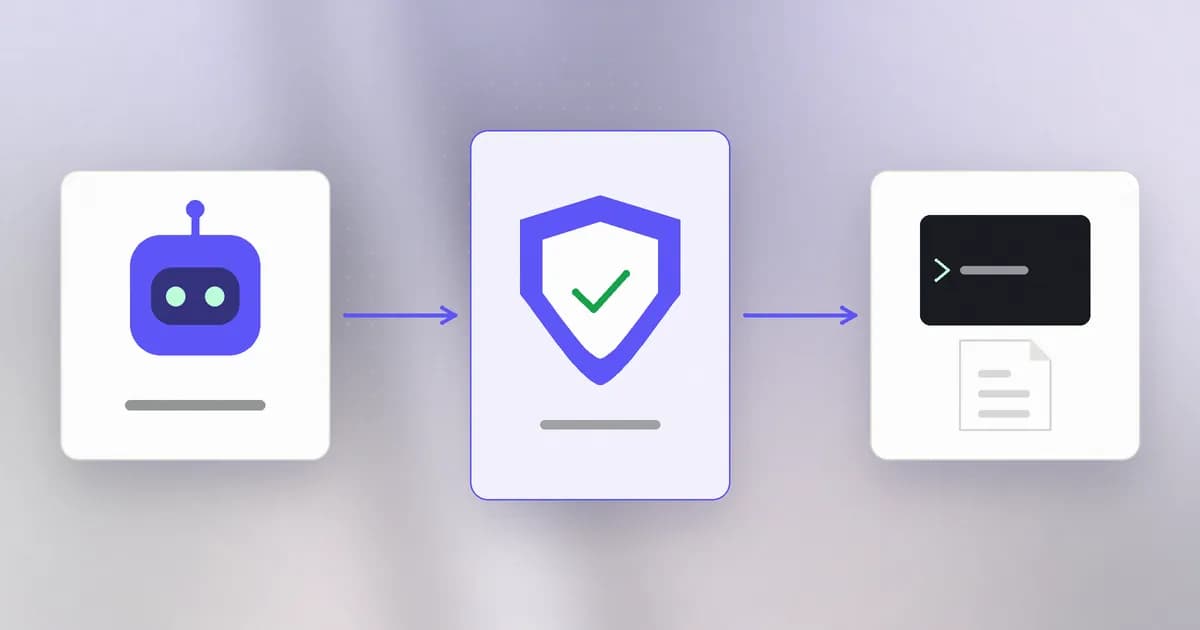
You have spent six levels learning how software gets attacked: through files, permissions, networks, web inputs and the supply chain. This level applies all of it to a new kind of software that you now run on your own machine with your own credentials: the AI coding agent. Before we study how agents are attacked, we need a clear picture of what one is made of, because every attack in the next nine lessons lands on one specific part.
A model that can only write text
A large language model takes text in and produces text out. It cannot open a file, start a program or send a request. When a coding assistant "edits your code" or "runs the tests", the model did not do that. It wrote a structured request, for example "run npm test", and something else carried it out.
That something else is the agent harness: the program around the model that turns the model's text into real actions. Claude Code, Codex CLI, Cursor, Cline and Aider are harnesses. Beam's post on agent harnesses makes the point that matters most for security: two harnesses running the same model can have very different blast radii, because the harness decides what is actually allowed to run and with what permissions.
Recall from the foundations level that a process borrows the permissions of its user. The harness runs as you. So whatever the model asks for, if the harness allows it, happens with your files, your tokens and your network.
The loop
An agent is not one request and one answer. It is an :
- The harness assembles the context: the instructions, your request, earlier results, and any files or tool output it chose to include. The is the limited amount of text the model can see at once.
- The model reads the context and replies with either an answer or a tool call, a request to use a named tool with arguments.
- The harness decides whether to allow the call. This is the .
- If allowed, the harness runs the tool and captures the result.
- The result is appended to the context, and the loop goes back to step 1.
It repeats until the model says it is done. A single "fix this bug" request can be dozens of turns of reading files, running commands and editing code, each one a .
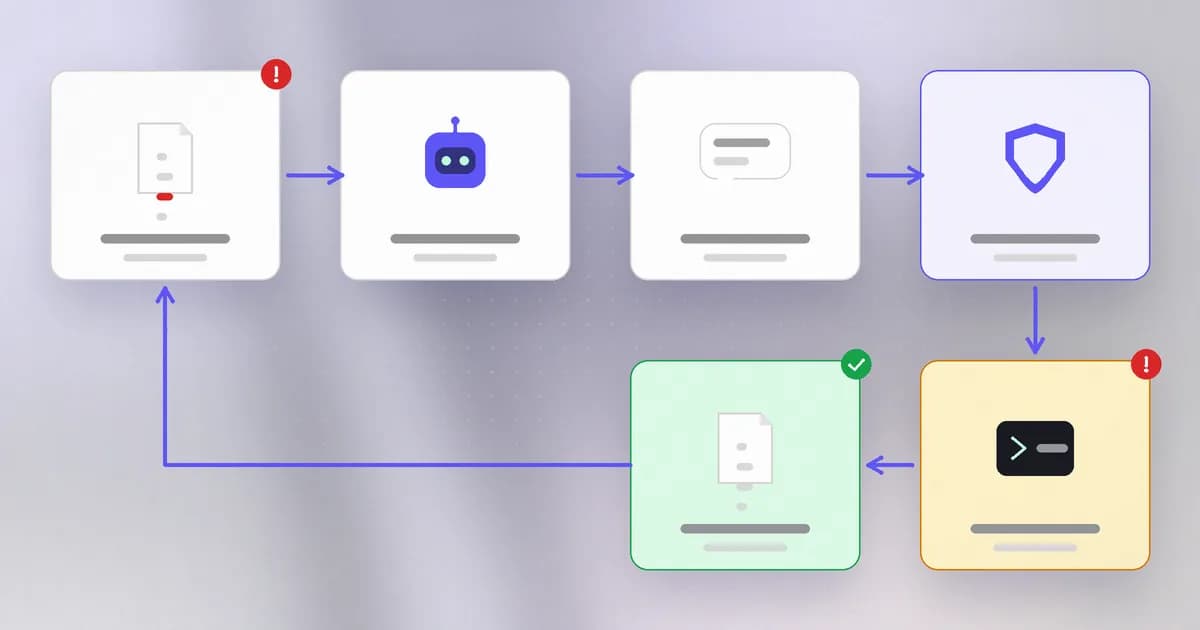
Two features of this loop explain most of agent security.
Everything in the context is just text. Your instruction, a file the agent opened, and the output of a command all arrive in the same stream. The model has no reliable way to know which words came from you and which came from a stranger's web page. The next lesson is entirely about that.
The gate is the only enforcement point. The model can be trained to prefer safe actions, but nothing in the model can stop a command once the harness decides to run it. If you want a rule to hold, it must be enforced by something that executes whether or not the model agrees.
The parts, one by one
| Part | What it is | Why security cares |
|---|---|---|
| Model | Produces text, including tool-call requests | Can be persuaded by any text in its context |
| Harness | Runs the loop, the tools and the gate | The only place real enforcement can happen |
| Tools | Shell, file read and write, web fetch, search | Each one is a capability the agent holds |
| How much the gate asks a human | More automatic approval means more speed and more risk | |
| Hooks | Your code run at fixed points, such as before a tool call | Can observe or block, outside the model's judgment |
| Skills | Instruction files the agent loads on demand | Text the agent obeys, from whoever wrote it |
| MCP servers | Extra tools and data from separate programs | Code and text you connect and then trust |
A deserves a closer look because it is the cleanest control point. In Claude Code, for example, a hook that runs before a tool call and exits with a blocking status stops the call regardless of the permission mode. That is the mechanism behind most enforcement products, and Beam's own agent hooks use it. A (MCP) server is different: it is a program, either started locally or reached over the network, that offers the agent more tools. You will meet both again in lessons 3 to 5.
A real case: where the controls actually live
Beam's guide to stopping dangerous Claude Code commands lists the real levers: permission rules, pre-tool-use hooks and sandboxing. It also records a limit that every later lesson echoes. A deny rule like Bash(rm -rf *) matches the command text, not the program, so a differently written command can slip past it. Anthropic's own documentation says this, and recommends a hook for anything you depend on.
That is the pattern for the whole level: each layer catches something the others miss, and none of them is optional if the agent has real shell access.
How AI changes this
The new thing here is the actor. Software used to do what its code said. An agent chooses its next step from text, including text written by strangers, then acts with your authority. It is closer to a fast new colleague who reads everything put in front of them and has your keys than to a program.
The old problems are unchanged: least privilege, separation of duties, logging. What changes is the speed (dozens of actions a minute), the volume of untrusted text reaching a decision-maker, and the fact that the decision-maker is not deterministic. Attackers also use agents, and defenders can too, but those are for later lessons. For now, hold one idea: the model proposes, the harness disposes.
Try it
This lab builds a toy agent with a fake "model" (a fixed list of replies) and a real harness with an allowlist. It touches only a temporary folder it creates. Save it as toy_agent.py and run python3 toy_agent.py.
import json, pathlib, subprocess, tempfile

CANNED_MODEL_REPLIES = [
    {"tool": "read_file", "args": {"path": "notes.txt"}},
    {"tool": "run_shell", "args": {"command": "echo tests passed"}},
    {"tool": "run_shell", "args": {"command": "rm -rf important"}},
    {"tool": "done", "args": {}},
]
ALLOWED_SHELL = ("echo ", "ls", "pwd")

workspace = pathlib.Path(tempfile.mkdtemp(prefix="agent-lab-"))
(workspace / "notes.txt").write_text("remember to run the tests\n")
log = []

def run_tool(call):
    if call["tool"] == "read_file":
        return (workspace / call["args"]["path"]).read_text()
    if call["tool"] == "run_shell":
        cmd = call["args"]["command"]
        if not cmd.startswith(ALLOWED_SHELL):
            return "DENIED by harness: " + cmd
        return subprocess.run(cmd, shell=True, cwd=workspace,
                              capture_output=True, text=True).stdout
    return "ok"

for step, call in enumerate(CANNED_MODEL_REPLIES, 1):
    result = run_tool(call)
    log.append({"step": step, "call": call, "result": result.strip()})
    print(step, call["tool"], "->", result.strip())
    if call["tool"] == "done":
        break
(workspace / "agent.log").write_text(json.dumps(log, indent=2))
You should see step 3 denied. Now try to break your own control: change the third reply to "ls; echo hi" and ask whether the allowlist should have let it through. It does, because startswith checks only the beginning of the string and the shell happily runs what follows the semicolon. That is the same weakness as the text-matching deny rule above, in six lines. Fixing it properly (parsing the command, or not giving the agent a shell at all) is the sort of decision this level trains.
Check yourself
Why can't you rely on the model refusing a bad request as a safety control?
Refusal is the model's judgment, and the model is exactly what a malicious instruction tries to persuade. Enforcement has to happen in the harness or below it, in code that runs whether or not the model agrees.
In the agent loop, where does text written by a stranger enter, and why does it matter?
Through the context: files the agent reads, web pages, tool output and MCP data all land in the same stream as your instruction. The model cannot reliably tell them apart, so any of them can steer its next tool call.
What is the difference between a hook and an MCP server?
A hook is your code run by the harness at a fixed point in the loop, usually to observe or block. An MCP server is a separate program that gives the agent additional tools and data. One constrains the agent; the other extends it.
Your toy allowlist uses startswith. Name one input it would wrongly allow.
ls; echo hi starts with ls, so it passes, but the shell runs both commands. Text matching on a command line is weaker than it looks.
Next
Now that you know what flows through the loop, the next lesson looks at the biggest problem with it: instructions hidden inside data.