
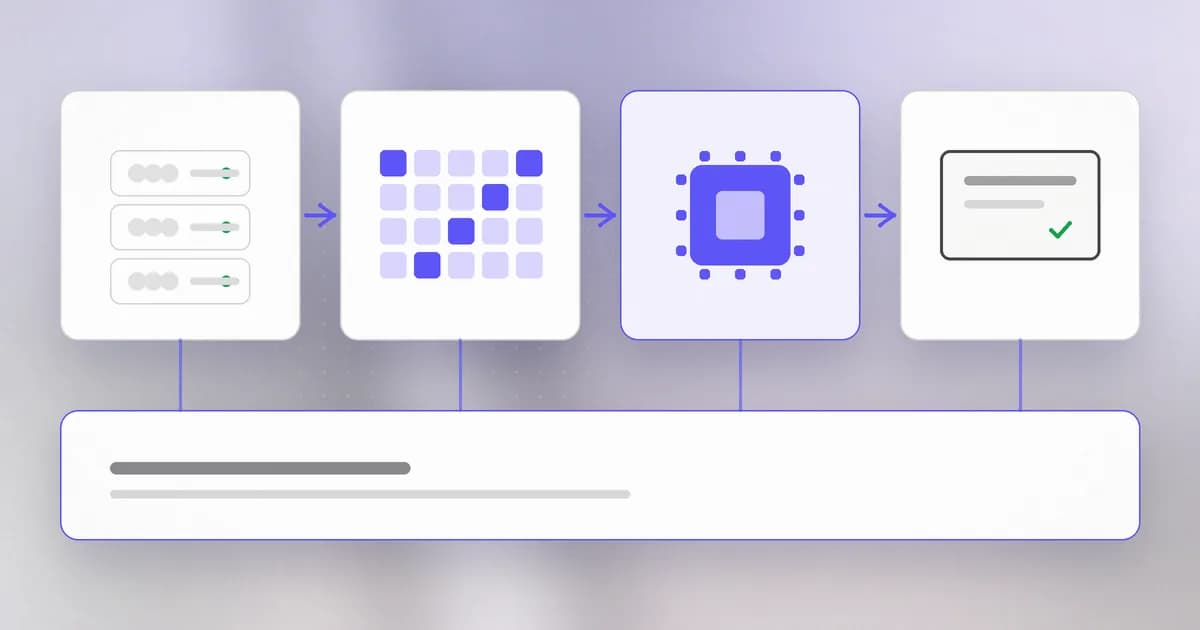
When you double-click an app, a lot happens in a fraction of a second. You do not need to know the electronics. You need one clear picture of four parts and how they hand work to each other, because almost every security idea later in this course is about one of those handoffs.
Four parts, one job each
Disk (a hard drive or SSD) stores things permanently. It keeps your files and your installed programs when the power is off. It is large and comparatively slow.
Memory (RAM) is the working desk. It is small, very fast, and forgets everything when power is lost. A program must be copied from disk into memory before it can run.
The processor (CPU) is the part that actually does things. It reads one tiny instruction at a time from memory, carries it out, and moves to the next, billions of times a second. It does not know what a "photo" or a "login" is. It only follows instructions.
Input and output (screen, keyboard, network) is how results reach you and how your actions reach the machine.
What happens when you open an app
- You double-click. The app is a file on disk, full of instructions.
- The operating system copies those instructions into memory.
- It tells the processor where in memory to begin.
- The processor starts following instructions. Some draw a window on the screen. Some ask the operating system to read a file or open a network connection.
The file on disk is a program. Once it is loaded and running, it becomes a process. You can have one program and five processes: open a browser five times and you have five processes of the same program, each with its own memory.
The operating system is the referee
Many processes share one processor, one memory and one disk. Something has to decide who gets what. That is the : Windows, macOS or Linux.
It does three jobs that matter for security:
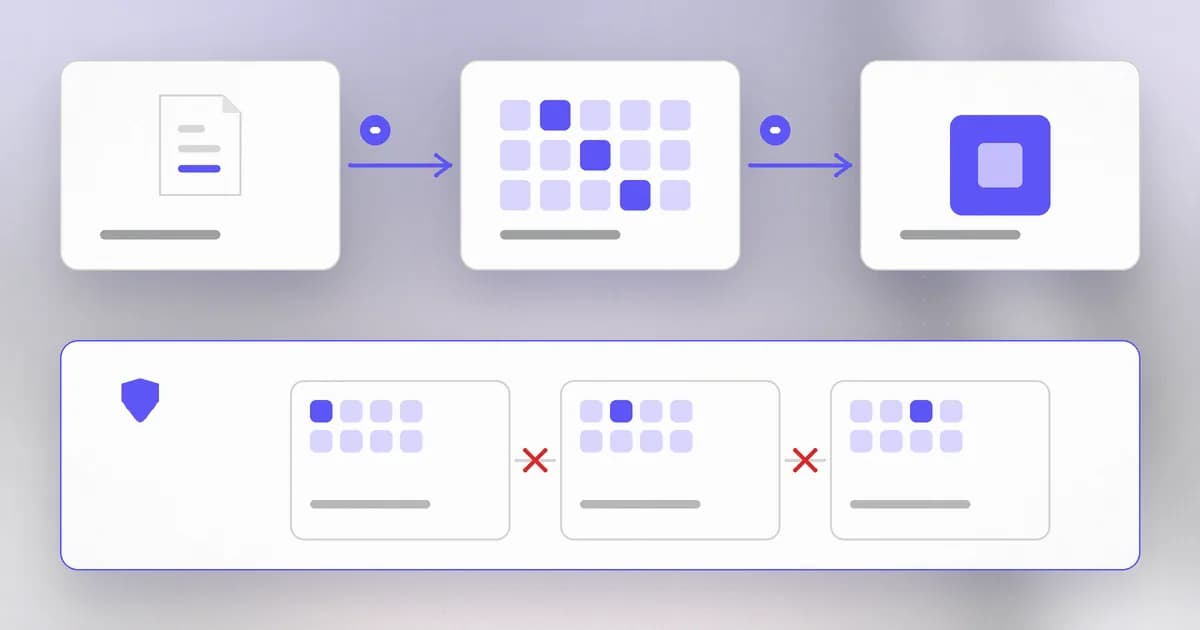
- Sharing. It gives each process a turn on the processor and a private slice of memory.
- Gatekeeping. A process cannot read a file or open a network connection by itself. It asks the operating system, which checks whether the account running that process is allowed.
- Identity. Every process runs as someone: a user account. The permissions of that account become the permissions of the process.
Why this matters for security
Put those facts together and a lot of security follows from them.
- Running a program is trusting it. Whatever you run can do everything you can do: read your documents, send them over the network, delete them. This is why an unknown file is dangerous even if it "just looks like a PDF", and why a coding agent that runs commands on your behalf deserves care.
- Memory is where programs keep secrets while using them. A password you typed lives in memory, briefly. Bugs that let one process read another's memory, or let a program read beyond its own, are a major family of vulnerabilities. We study them in level 4.
- Isolation is the defense. The operating system keeping processes apart is what stops a broken web page from reading your files. When that wall has a flaw, the damage is large, because everything built on it inherits the flaw.
Try it
Look at the processes on your own machine. This only reads; it changes nothing.
On macOS or Linux, open a terminal and run:
ps aux | head -n 15
On Windows, open Task Manager and look at the Details tab.
You will see a list of running processes. Find three things:
- The user column. Most processes run as you; a few run as
root(macOS and Linux) orSYSTEM(Windows), the all-powerful account. Those are the ones that matter most when something goes wrong. - A process ID (PID), the number the operating system uses to refer to it.
- How much memory each one is using.
Pick one you do not recognise and look it up by name. Most are system components. The habit of asking "what is this and why is it running" is the start of detection work.
How AI changes this
An AI coding agent looks like magic, but at the level of this lesson it is ordinary. The language model itself usually runs on a remote server. The part on your machine, often called the , is a normal program: a process that the operating system started for you, running with your permissions, able to start more processes and touch your files. Everything above about processes, memory and isolation applies to it unchanged.
That makes two things true at once.
- The old risks are still the risks. If you let an agent run commands, it can do what you can do. The operating system does not know that a human did not type the command.
- Attackers use AI to find the old kind of bug faster. The memory bugs we mentioned are an example. Wiz says AI models did much of the work of discovering and developing exploits for PHP2Shell, a set of memory flaws in PHP, and that one researcher did in about a week what once took a team months (see Beam's PHP2Shell analysis). The bug class is decades old; the time to find one is shrinking.
Defenders can use the same speed, for example to read unfamiliar code or check a patch. The practical conclusion is to treat anything an agent runs as a process you are responsible for.
Check yourself
You have one app installed and open it three times. How many programs and how many processes is that?
One program, three processes. The program is the file on disk; each opened copy is a separate process with its own memory.
Why must a program be copied into memory before it can run?
The processor reads instructions from memory, which is fast, and not from the disk, which is too slow to keep up. The disk is for keeping the program; memory is where it is used.
You run a downloaded installer while logged in as an ordinary user. What can it do, and what can it not?
It can do anything that ordinary user account can: read and change that user's files, use the network. It cannot, by itself, change protected system files, unless it asks for administrator rights and you approve. The next lessons explain how those rights are decided.
Next
The operating system's gatekeeping is mostly about files. Next we look at how it decides who can read, change or run a file.