
Level 5 ended with routers and appliances that run old code nobody remembers installing. The same problem exists inside your own software, only quieter: you run far more code than you wrote, and most of it arrived because something else asked for it. This level is about how that code gets compromised. First, the dull but essential step: knowing what you actually run.
You wrote a little, you run a lot
Almost no modern program is written from scratch. If you need to parse dates, talk to a database, or resize an image, you add a : a library written by someone else, downloaded by name from a such as npm (for JavaScript) or PyPI (for Python).
That is sensible engineering. It also means a small project is mostly other people's code. Here is a project that names only two packages:
{
  "name": "my-app",
  "dependencies": {
    "web-framework": "^4.2.0",
    "date-helper": "^1.0.3"
  }
}
Those are your direct dependencies. But web-framework has dependencies of its own, and so do those, and so on. The ones you never named are :
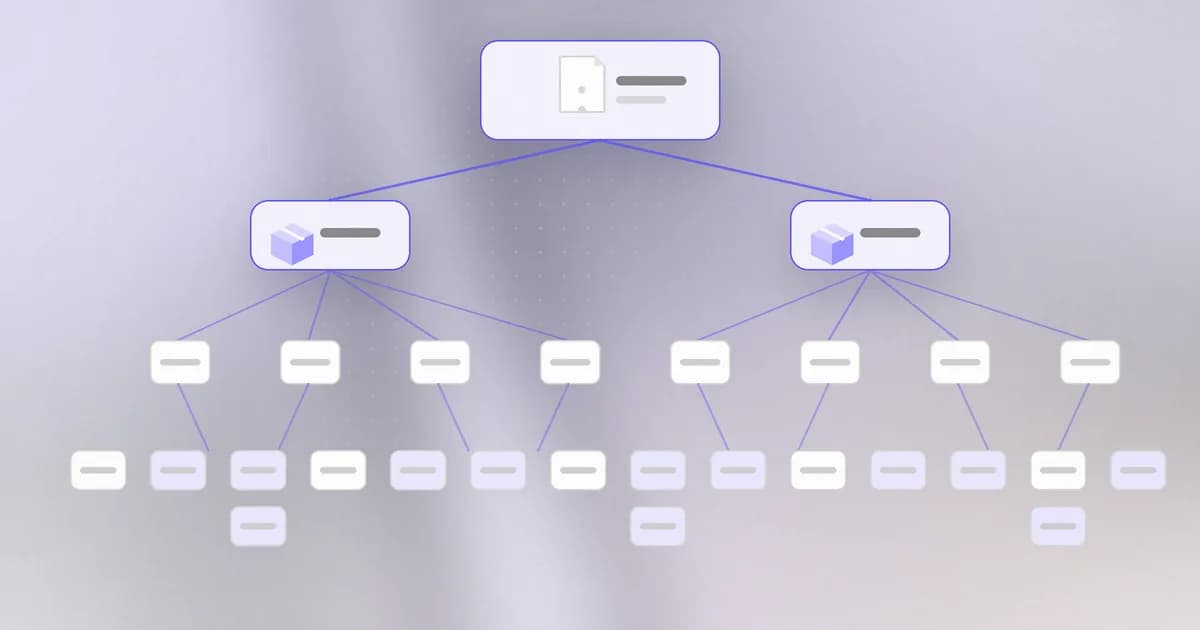
You asked for two packages. You may be running two hundred. Every one of them executes with the permissions of your program, and if your program runs as you, with yours. Nothing in this picture makes the lower boxes less trusted than the top one.
This is the heart of a : the attacker does not attack you. They attack something upstream that you already trust.
Version ranges: why two installs can differ
Look again at ^4.2.0. That is a version range, written in a convention called . A version has three numbers, major.minor.patch. The caret means "4.2.0 or any newer 4.x release". It exists so you receive bug fixes automatically.
Think about what that implies. If you install today and a teammate installs next week, you may get different code, because a newer 4.x was published in between. Most of the time that is a feature. If the newer release was published by an attacker, it is the way the attack reaches you without you changing a single line.
Lockfiles: freezing the answer
A fixes that. After the package manager works out the whole tree, it writes down the exact version of every package, direct and transitive, and usually a hash of each package's contents. In npm this file is package-lock.json. Python tools have their own (poetry.lock, uv.lock).
A line from one looks like this:
"node_modules/date-helper": {
  "version": "1.0.3",
  "resolved": "https://registry.npmjs.org/date-helper/-/date-helper-1.0.3.tgz",
  "integrity": "sha512-..."
}
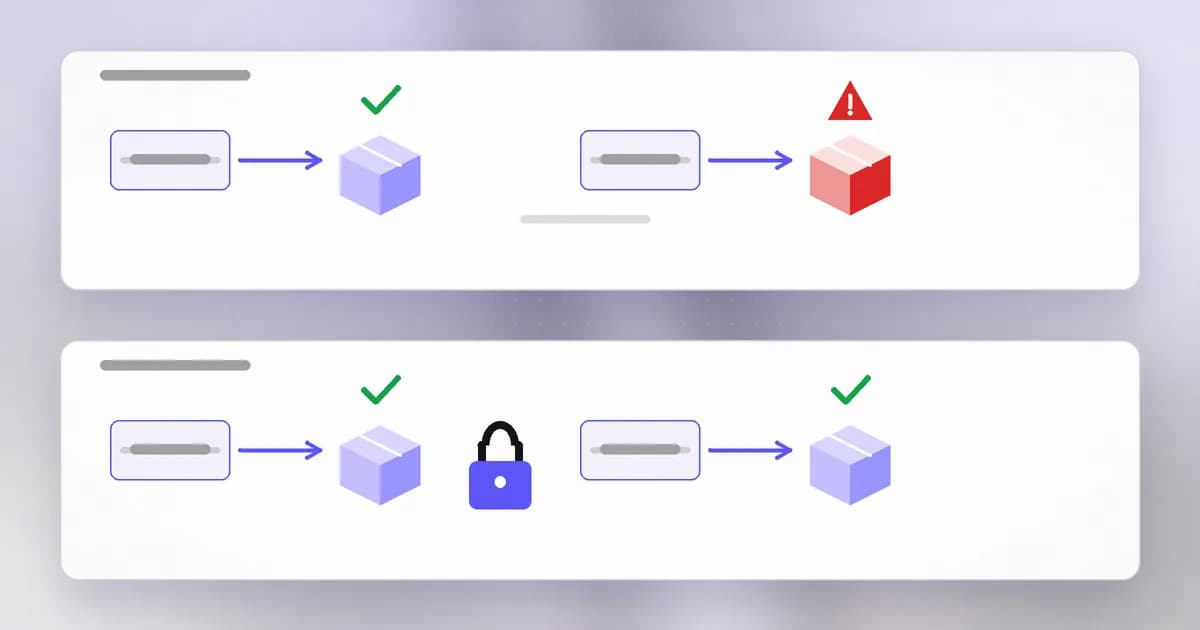
Read it as three promises: this exact version, from this location, whose contents must match this hash. That hash is in its simplest form: if someone swaps the file but keeps the version number, the hash no longer matches and the install fails.
Two cautions, because lockfiles are often oversold:
- A lockfile stops a new bad version slipping into the tree. It says nothing about whether the version it recorded is good. If you locked a version that was already malicious, you locked the malice.
- It only helps if it is committed and used. Deploys that run a plain install, or developers who regenerate the file casually, get the range behaviour back.
That record is a reminder to ask not just "do we pin?" but "does the tool actually verify the pin?"
SBOMs: the list you can search
A lockfile is written for the package manager. An , a software bill of materials, is written for people and for tools: a machine-readable inventory of the components in a piece of software, with names, versions and where each came from. Common formats are CycloneDX and SPDX.
Why bother, when you already have a lockfile? Because of the question that arrives during an incident: "Package X version 1.107.0 was just reported as compromised. Do we run it?" With SBOMs for each product, that is a search taking minutes. Without them it is a week of asking teams.
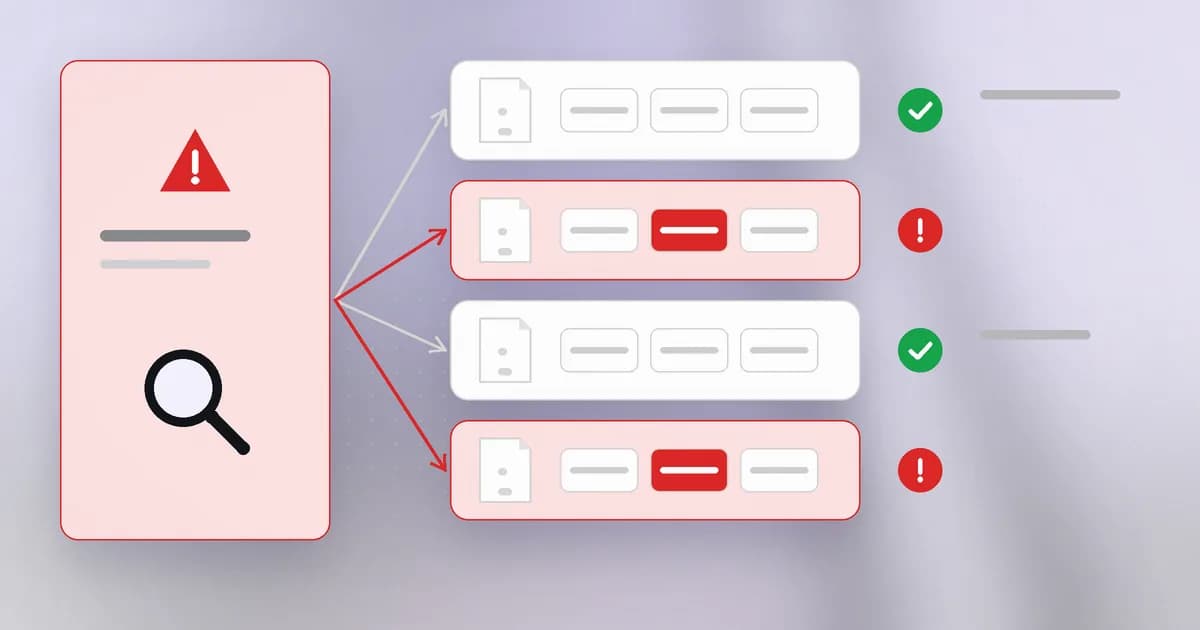 An SBOM also covers things lockfiles miss, like the base image of a container, or a binary you vendored.
An SBOM answers "what is in here". It does not say whether any of it is vulnerable. For that you compare the list against vulnerability data, which is what tools do. Beam's beam cve check does a version of this: it reads the lockfiles in a project and matches names and versions against its CVE database. As its guide explains, a dependency can become vulnerable tomorrow without a line of your code changing, because the advisory changed, not the package. See Check dependencies for known CVEs in CI.
How AI changes this
New actor: agents add dependencies for you. A coding agent that runs an install command to make a test pass has made a supply chain decision on your behalf. The only record may be a lockfile diff nobody reads. That is the same decision a human makes, just made faster and more often, and with less of the "hm, who wrote this?" pause.
New failure: invented package names. Language models sometimes suggest package names that do not exist. An attacker can register such a name and wait. This is , and it is genuinely new: the typo comes from the model, not from a human.
New inventory: the AI parts count too. Models, MCP servers, agent skills and tools are dependencies as well. An extends the idea of an SBOM to them. Beam's write-up on AI agent application and supply chain security covers that wider inventory.
Same old problem: knowing what you run. AI does not change that a list beats a guess; it raises the cost of not having one, because more code is now added without a person choosing it.
Try it
This lab runs in a scratch folder on your own machine. You need Node.js with a recent npm. It installs one well-known package and only reads what it brings with it.
mkdir ~/sbom-lab && cd ~/sbom-lab
npm init -y
npm install --ignore-scripts express
--ignore-scripts stops any package from running install-time code. You will learn why in the next lesson. Now look at what you actually have:
npm ls --depth=0        # only what you asked for
npm ls --all | wc -l    # the full tree, roughly counted
You asked for one package. Compare the two numbers. Then open package-lock.json and find the integrity fields. Finally, produce an SBOM:
npm sbom --sbom-format cyclonedx > sbom.json
Open sbom.json and find the component list. Pick any name you do not recognise and note it down: that is a package you run and have never heard of. Clean up with cd ~ && rm -r ~/sbom-lab.
Check yourself
Your project lists three packages in its manifest. Why might it run three hundred?
Each of those three has its own dependencies, and so do those. The ones you never named are transitive dependencies, and they run with the same permissions as the code you chose.
What does the range ^2.5.0 allow, and why is that a supply chain concern?
It allows 2.5.0 or any newer 2.x release. If an attacker publishes a malicious 2.x version, an install without a lockfile can fetch it automatically, with no change to your code.
A lockfile pins version 3.1.0 of a package that was malicious from the day it was published. Does the lockfile protect you?
No. The lockfile faithfully records the bad version and its hash. It prevents silent changes after the fact, but it cannot judge whether what you pinned was safe. You need scanning and review as well.
An advisory says version 1.107.0 of a package is compromised. What makes an SBOM useful right now?
You can search every product's SBOM for that name and version and know quickly which ones contain it, instead of asking each team to check by hand.
Next
Now that you can see what you run, the next lesson looks at how a package becomes malicious: typosquats, account takeovers and the install scripts that run before you have read a line.