
Every lesson so far has had a defender's frustration inside it. You cannot stop every flaw from existing (vulnerabilities), you cannot patch instantly (exposure windows), and you cannot predict every attacker (threat models). Something will eventually go wrong. The last idea of this level is the one that decides how bad that day is: .
The rule
Least privilege says: every person, program and system gets only the access its task requires, no more, and ideally only while it needs it.
You have already met it. In the permissions lesson, chmod 600 on a private key was least privilege: only the owner needs to read it, so only the owner can. The lesson that told you to remove services you do not use is the same idea applied to network doors. Now we state it as a principle and use it everywhere.
Why it works: blast radius
When something goes wrong, whatever it could reach is at risk. That reach is the . Least privilege shrinks it.
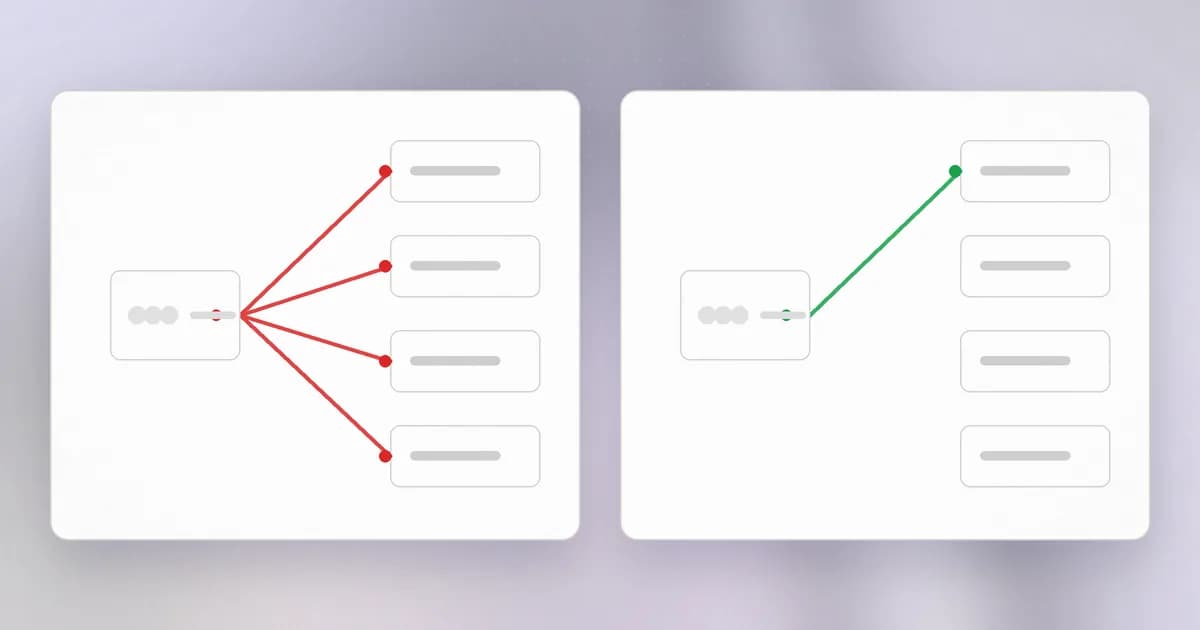
Imagine two setups for a website that only needs to read product photos from a storage bucket:
- Broad: it uses the company administrator key, which can read, write and delete everything in the cloud account.
- Narrow: it uses a key that can only read that one bucket.
Now suppose an attacker finds a flaw in the website and takes control of it. In the broad setup, they own the cloud account. In the narrow setup, they can read some photos. The flaw is identical; the outcome differs by orders of magnitude. Least privilege does not prevent the first failure. It limits what the second step is worth.
That also means it works against mistakes, not just attackers. A script that can only touch one folder can only damage one folder.
A report-generating script needs to read a database but has been given read, write and delete rights. What goes wrong if it has a bug?
The bug could modify or delete data it never needed to touch. Read-only access would have turned the same bug into a harmless error message.
Four dimensions to narrow
Privilege has more than one axis. When you review access, ask about each:
| Dimension | Question | Example of narrowing |
|---|---|---|
| What | Which resources can it touch? | One folder, one bucket, one table, not "everything" |
| How | Which actions? | Read but not write; no delete |
| Who | Which identities? | A dedicated account per program, not a shared admin login |
| How long | For how long? | A token that expires in an hour, not one that lasts forever |
A good default is deny by default: start with nothing and add what is demonstrably needed, rather than starting with everything and removing what seems dangerous.
Privilege creep
Access almost never starts too wide. It grows. A person changes teams and keeps the old rights. A temporary permission added for an emergency is never removed. A service account gets one more right "just to make it work". This slow accumulation is , and no individual step looks like a decision.
The cure is routine, boring review: list who and what has access, ask whether each entry is still needed, and remove the rest. Prefer short-lived grants that expire on their own, because forgetting is then safe.
Notice the parallel with attack surface: unneeded access, like unneeded software, is pure cost.
Where it applies
- Operating system accounts. Do daily work as a standard user and use administrator rights only for tasks that need them.
- Programs and services. A web server does not need to run as an administrator. Run it as its own limited user.
- Credentials. Prefer narrowly scoped tokens () over all-powerful keys, and a separate per job so one leak does not unlock everything.
- Humans. Role-based access gives people the access their role needs, and the approvals for the rare exceptions.
- Networks. Machines should reach only the machines they must talk to.
The cost, honestly
Least privilege creates friction. People hit a "permission denied", ask for access and wait. If the friction is high, they route around it: they share a password, or ask for a broad grant to avoid asking twice. The principle survives only when granting narrow access is fast, which is a design job for whoever runs the system.
Why can 'just give it admin so it works' be worse than a permission error?
A permission error tells you exactly what is missing and costs a few minutes. An admin grant hides the problem, and it hands anyone who compromises that program the whole system.
How AI changes this
This is the lesson where AI changes the most, because an agent is the clearest case of a program that inherits whatever you can do.
An agent is a new, very broad actor. A coding agent typically runs as you. It can read your files, run shell commands, use credentials in your environment and reach the network. It also reads untrusted text, and a steered agent will use all that access. Least privilege is the main defence you have against both a tricked agent and an agent that simply makes a confident mistake. Microsoft's guidance, covered in treat AI agents as insiders, points the same way: give an agent the access of a new, closely supervised employee, not of the owner.
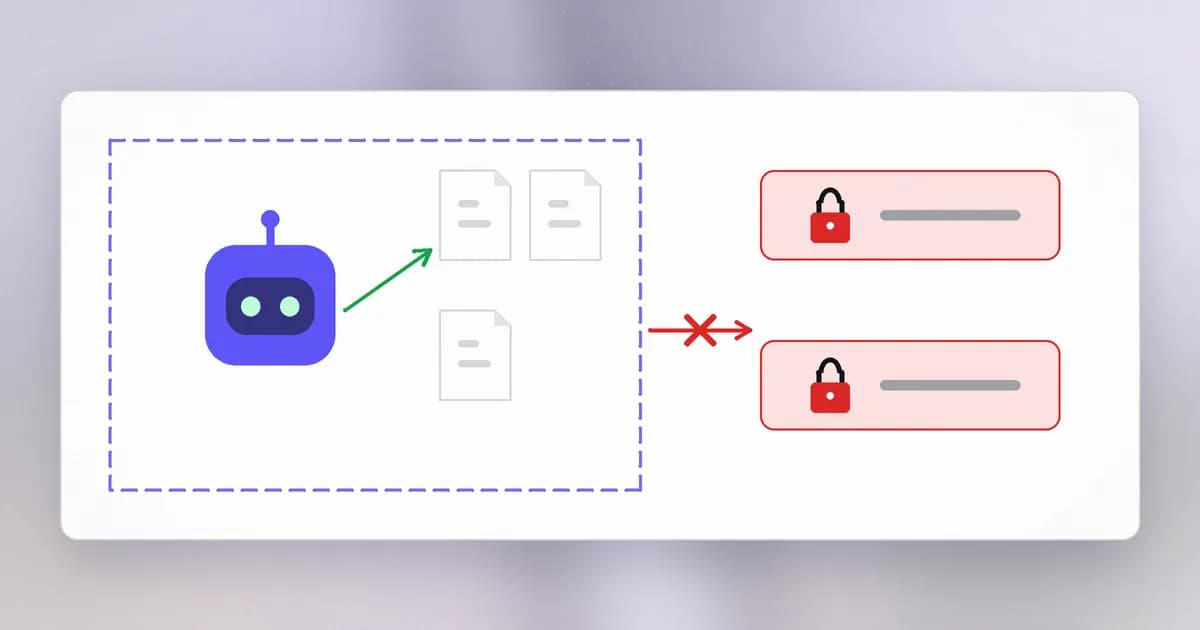
What to narrow. Mapped onto the four dimensions:
- What: restrict the agent to one project folder, away from
~/.sshand other credential stores. See Beam's guide to stopping dangerous commands in Claude Code for the kinds of commands worth blocking. - How: allow read operations freely, and require a human to approve deletes, installs and anything that sends data out. Beam's enterprise data agent safety post is a good read on permissions combined with injection.
- Who: give the agent its own credentials, not yours, so access can be revoked without touching yours.
- How long: prefer tokens that expire, and take them away when the task ends.
Attackers use it too. Beam's October 2026 roundup lists over-broad cloud roles and long-lived keys among the weaknesses that recurred across incidents (see AI-led attacks in October 2026). Faster attackers make the blast radius matter more, because less time passes between entry and damage.
Defenders can prune with AI. A model can read an access list or a cloud policy and flag entries that look broader than needed. As always, a person confirms before access is removed, since cutting a needed permission is an outage.
What is the same as ever: the four dimensions, deny by default, and review. What is new is how much access one program holds by default.
Try it
This lab only reads your own environment and creates a folder you delete afterwards.
First, see what every program you launch from this terminal inherits. This prints variable names only, not values:
env | cut -d= -f1 | grep -i -E 'token|key|secret|pass'
Any name you see is a credential that a coding agent or script started from this shell could read. Note which ones you could remove from your shell profile, or replace with a narrower one.
Second, practise the folder rule:
mkdir -p ~/lp-lab/workspace ~/lp-lab/private
echo "keep out" > ~/lp-lab/private/notes.txt
chmod 700 ~/lp-lab/private
ls -l ~/lp-lab
Write down: if you gave an agent only ~/lp-lab/workspace, what would it not be able to reach by design? Then think about what it could still reach by being run as you, because that gap is why separate accounts and containers exist. Clean up with rm -r ~/lp-lab after checking the path.
Check yourself
Describe least privilege in one sentence and name its payoff.
Give each person, program and agent only the access its job needs, for only as long as it needs it. The payoff is a smaller blast radius when something is compromised or makes a mistake.
What is privilege creep, and what is a cheap defence against it?
Access that accumulates over time without anyone deciding to grant it, such as rights kept after a role change. Cheap defences are regular access reviews and short-lived grants that expire on their own.
You want a coding agent to fix a bug in one repository. List three ways to narrow its privileges.
Any three of: limit it to that repository's folder; keep your SSH keys and cloud credentials out of its reach; give it its own scoped, expiring token; allow reading freely but require approval for deletes, installs and outbound sends; block network access it does not need.
Next
That completes Level 1. You can name what is being protected, model who attacks it, measure the surface, read a vulnerability record, tell the stages of harm apart, understand why fixes stall, and limit the damage with narrow access. Next is Level 2, where we look at how the internet actually moves data.